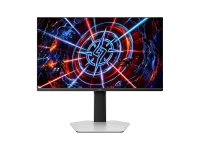
TCL lists 180 local dimming zones and an 800-nit peak for the 25P2A Pro, a 25-inch QHD Mini-LED gaming monitor. On paper, that is a lot of light packed into a small screen, but zone count is where the HDR story gets less tidy.
Plenty of current Mini-LED monitors advertise 576, 1,152, or even 2,304 zones. You cannot rank them cleanly from that number, because the LCD panel, optical stack, firmware, and dimming algorithm all decide how much glow escapes around a bright object.
Lower zone counts can still look punchy in bright games where large parts of the image are lit at once. The rough stuff tends to show up when tiny highlights, white text, stars, cursors, or HUD elements sit against near-black backgrounds.
A 25-inch 16-by-9 screen is roughly 21.8 inches wide and 12.3 inches tall. Divide its visible area by 180 and each zone controls about 1.48 square inches on average, roughly the area of a 1.22-inch square if every zone were equal and packed perfectly.
Real hardware will not match that neat square calculation. The numbers still give you the scale of the problem, because a one-pixel star or thin white subtitle cannot get its own independent backlight behavior on a 180-zone LCD.
One lit zone may sit behind thousands of dark pixels surrounding the bright object. The liquid crystal layer tries to block the extra light, but it cannot behave like a self-emissive pixel that switches off beside a bright neighbor, so some scenes can show a glow around the highlight.
The bigger unknown is how aggressively the firmware drives those zones. A conservative local-dimming algorithm can cut visible halos by pulling back a small highlight, but the same move can make HDR sparks, lamps, and reflections look dimmer than the 800-nit headline suggests.
A more aggressive setting can preserve the punch of tiny highlights while making surrounding glow easier to notice. Mini-LED backlight work on halo control also shows why native LCD contrast and zone count have to be considered together instead of treated as separate marketing numbers.
Motion makes the test harder. A 360Hz refresh rate tells you how often the LCD can present a new frame, not how quickly the local-dimming system follows a bright object moving across several zones, and TCL’s listed specifications do not give a local-dimming response figure.
A fast-moving crosshair, muzzle flash, or bright UI marker over a dark scene can expose behavior a static photo misses. Slow zone transitions can leave a brief glow trail, while overly aggressive transitions can look like brightness pumping as the backlight keeps readjusting around moving edges.
Local dimming can also change the apparent brightness of interface elements as they move between zones. If the monitor lets you disable local dimming for ordinary SDR work, switching it off should remove zone-driven halos, but black levels then depend much more heavily on the panel’s native contrast.
The 180-zone count alone does not prove the 25P2A Pro will bloom badly. It means 180 zones leave less spatial headroom than the four-digit zone counts now appearing on other Mini-LED monitors, so TCL’s optical design and firmware have more work to do.
A useful real-world test needs more than a full-screen HDR demo. Small white text on black, a moving cursor, star fields, subtitles, dark game menus, and bright effects crossing shadowed areas will show whether the halo-control system keeps transitions clean without crushing detail or dimming small highlights.
Plenty of current Mini-LED monitors advertise 576, 1,152, or even 2,304 zones. You cannot rank them cleanly from that number, because the LCD panel, optical stack, firmware, and dimming algorithm all decide how much glow escapes around a bright object.
Lower zone counts can still look punchy in bright games where large parts of the image are lit at once. The rough stuff tends to show up when tiny highlights, white text, stars, cursors, or HUD elements sit against near-black backgrounds.
Zone count sets the basic HDR geometry
TCL’s 25-inch QHD 360Hz Mini-LED monitor spreads 3,686,400 LCD pixels across 180 independently controlled backlight zones. Simple division leaves an average of 20,480 image pixels sitting in front of each zone, even though the actual layout and light spread can differ.A 25-inch 16-by-9 screen is roughly 21.8 inches wide and 12.3 inches tall. Divide its visible area by 180 and each zone controls about 1.48 square inches on average, roughly the area of a 1.22-inch square if every zone were equal and packed perfectly.
Real hardware will not match that neat square calculation. The numbers still give you the scale of the problem, because a one-pixel star or thin white subtitle cannot get its own independent backlight behavior on a 180-zone LCD.
One lit zone may sit behind thousands of dark pixels surrounding the bright object. The liquid crystal layer tries to block the extra light, but it cannot behave like a self-emissive pixel that switches off beside a bright neighbor, so some scenes can show a glow around the highlight.
Local dimming quality lives between black and bright
Zone count only tells you how many chunks the backlight can control. Zone count also misses the optical side of the backlight. Lens shape, light mixing, LCD contrast, and firmware can change how much spill reaches neighboring dark pixels.The bigger unknown is how aggressively the firmware drives those zones. A conservative local-dimming algorithm can cut visible halos by pulling back a small highlight, but the same move can make HDR sparks, lamps, and reflections look dimmer than the 800-nit headline suggests.
A more aggressive setting can preserve the punch of tiny highlights while making surrounding glow easier to notice. Mini-LED backlight work on halo control also shows why native LCD contrast and zone count have to be considered together instead of treated as separate marketing numbers.
Motion makes the test harder. A 360Hz refresh rate tells you how often the LCD can present a new frame, not how quickly the local-dimming system follows a bright object moving across several zones, and TCL’s listed specifications do not give a local-dimming response figure.
A fast-moving crosshair, muzzle flash, or bright UI marker over a dark scene can expose behavior a static photo misses. Slow zone transitions can leave a brief glow trail, while overly aggressive transitions can look like brightness pumping as the backlight keeps readjusting around moving edges.
Desktop use exposes the rough edges fastest
Windows, browsers, Discord, code editors, and game launchers are nasty tests for low-zone-count Mini-LED because they mix tiny bright text with large flat dark areas. A movie scene can hide mild haloing inside texture and motion, while a white mouse pointer on charcoal gray makes the zone behavior much easier to see clearly.Local dimming can also change the apparent brightness of interface elements as they move between zones. If the monitor lets you disable local dimming for ordinary SDR work, switching it off should remove zone-driven halos, but black levels then depend much more heavily on the panel’s native contrast.
The 180-zone count alone does not prove the 25P2A Pro will bloom badly. It means 180 zones leave less spatial headroom than the four-digit zone counts now appearing on other Mini-LED monitors, so TCL’s optical design and firmware have more work to do.
A useful real-world test needs more than a full-screen HDR demo. Small white text on black, a moving cursor, star fields, subtitles, dark game menus, and bright effects crossing shadowed areas will show whether the halo-control system keeps transitions clean without crushing detail or dimming small highlights.