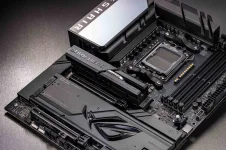
ASUS finally blinked, acknowledged the Ryzen 7 9800X3D drama, and told everyone to update BIOS while it quietly investigates CPUs that are straight-up dying.
What set this off
What set this off
- Reports started piling up about AMD Ryzen 7 9800X3D failures
- Most complaints point to ASUS AM5 800-series boards
- X870E and X870 models keep showing up in Reddit threads
- The pattern mostly hits Ryzen 9000 chips, with the 9800X3D front and center
- ASUS says it has launched an internal review
- The company claims it is checking compatibility and performance
- Engineers are working alongside AMD to validate the reports
- ASUS says stability and product quality are the focus right now
- Update the motherboard to the newest BIOS immediately
- Use ASUS EZ Flash or BIOS Flashback to get there
- Anyone affected is told to contact ASUS customer service directly
- ASUS says transparency matters and wants users to keep trusting the platform
- ASRock has been dealing with similar accusations for months
- Since the Ryzen 7 9800X3D launch, failures have popped up across 800-series boards
- High-end X870E and X870 models keep getting named
- Multiple brands, same CPU family, same ugly outcome
- Visual proof exists, not just forum panic
- Some CPUs show burn marks on the socket
- A noticeable bulge on the underside of processors has been spotted
- Test labs have not reproduced it, but the damage photos are real
- Earlier cases involved the Ryzen 7 7800X3D
- Those incidents also happened on ASUS boards, but on the 600-series
- Back then, SoC voltage spikes were blamed
- BIOS updates were rolled out to rein things in
- Some users might still be running older firmware
- The voltage issue may not be fully solved
- There could be another fault on the motherboard or CPU side
- Nobody has fully nailed down the root cause yet
- Failure rates are still said to be lower than Intel's 13th and 14th Gen issues
- AMD warranty claims are reportedly smooth and fast
- Motherboard vendors are replacing boards without dragging their feet
- That makes the situation less catastrophic, but still worrying
- Update BIOS if you are on AM5 800-series
- Watch temps, voltages, and system behavior closely
- Keep documentation if something goes wrong
- This story is clearly not finished yet