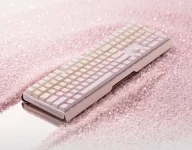
CHERRY says the MX3.0S PRO supports a web-based driver, but its launch material does not identify the browser API behind it. It leaves a pretty important detail unresolved because a hardware configurator in a tab is not behaving like a normal settings website.
The CHERRY MX3.0S PRO browser configuration could remove the usual Windows utility from the setup process, which is handy if you switch between machines or hate background peripheral software. It also moves the trust decision into the browser, where a site needs some way to exchange configuration data with the keyboard.
CHERRY has not currently published enough detail to say whether its new board uses WebHID, WebUSB, another browser-facing interface, or a custom wrapper. WebHID is still the useful reference point because several current keyboard configurators use it, and its permission model shows what “web driver” can actually involve.
Chrome also protects common keyboard, mouse, and security-key functions from ordinary WebHID access. Configurable peripherals can expose separate vendor-specific reports for things such as keymaps, lighting, macros, actuation settings, or onboard profiles while their normal typing interface remains protected.
It is a sensible split. Your browser does not need raw access to every keystroke just because a configurator wants to change RGB brightness. Device makers still decide what their firmware exposes through those extra reports, though, so the practical permission can vary quite a bit from one keyboard to another.
The browser permission should therefore be treated like hardware access, not like accepting cookies. Google's own Chrome guidance warns that a paired site can read information made available by the device and may even reprogram hardware when the device protocol permits it.
The 2025 ACM Peripheral Instinct paper digs into the ugly edge of this model. Its examples show how browser-facing peripheral APIs can become more powerful than users expect when device firmware exposes unsafe operations. Nothing published about the MX3.0S PRO shows the keyboard has those weaknesses, so applying the paper's vulnerabilities directly to CHERRY would be nonsense.
The opposite is possible too. A webpage can talk locally to your keyboard while separately making normal internet requests for analytics, account sync, configuration backups, firmware files, crash reports, or telemetry. Browser-based and cloud-based are not synonyms, and neither term tells you much about data handling on its own.
This distinction matters more than the usual “no install required” pitch. A desktop utility can be completely local or annoyingly online. A web configurator can also be completely local after loading or heavily connected to vendor services. The delivery method does not settle the privacy question.
Browser support is another practical catch. WebHID is available in Chromium-based desktop browsers such as Chrome and Edge, while Firefox and Safari do not provide native WebHID support. If CHERRY relies on WebHID specifically, browser choice will matter. If it uses something else, the compatibility list could be different.
Those details decide whether the web tool is genuinely less annoying than a desktop suite. A configurator that opens in Edge, asks permission for one keyboard, writes settings onboard, and works without an account is a very different product from a webpage that needs login, cloud storage, and a cable every time you touch a setting.
Firmware updates deserve their own line in the eventual documentation too. Writing a keymap and flashing firmware carry different consequences, even if both happen inside the same browser tab. Users should be able to tell which operation they are authorizing before a site starts talking to the device.
For now, “web-based driver” is a useful feature description, not a complete technical explanation. The browser can replace an installed control panel, but it does not remove permissions, compatibility limits, or trust from the equation. CHERRY still needs to show exactly where those boundaries sit.
The CHERRY MX3.0S PRO browser configuration could remove the usual Windows utility from the setup process, which is handy if you switch between machines or hate background peripheral software. It also moves the trust decision into the browser, where a site needs some way to exchange configuration data with the keyboard.
CHERRY has not currently published enough detail to say whether its new board uses WebHID, WebUSB, another browser-facing interface, or a custom wrapper. WebHID is still the useful reference point because several current keyboard configurators use it, and its permission model shows what “web driver” can actually involve.
Browser access is a real hardware permission
WebHID lets a compatible webpage request access to a connected human-interface device through the browser. Chrome presents a device chooser, and the user has to select the hardware before the page receives access. A random tab does not simply get every HID device on the computer.Chrome also protects common keyboard, mouse, and security-key functions from ordinary WebHID access. Configurable peripherals can expose separate vendor-specific reports for things such as keymaps, lighting, macros, actuation settings, or onboard profiles while their normal typing interface remains protected.
It is a sensible split. Your browser does not need raw access to every keystroke just because a configurator wants to change RGB brightness. Device makers still decide what their firmware exposes through those extra reports, though, so the practical permission can vary quite a bit from one keyboard to another.
The browser permission should therefore be treated like hardware access, not like accepting cookies. Google's own Chrome guidance warns that a paired site can read information made available by the device and may even reprogram hardware when the device protocol permits it.
The 2025 ACM Peripheral Instinct paper digs into the ugly edge of this model. Its examples show how browser-facing peripheral APIs can become more powerful than users expect when device firmware exposes unsafe operations. Nothing published about the MX3.0S PRO shows the keyboard has those weaknesses, so applying the paper's vulnerabilities directly to CHERRY would be nonsense.
Local configuration does not automatically mean local data
A WebHID configurator can work without sending your keymap through a vendor's server. The webpage can load its interface, open the permitted device, exchange HID reports locally, and write settings straight to onboard memory. Some existing keyboard configurators openly use exactly this setup.The opposite is possible too. A webpage can talk locally to your keyboard while separately making normal internet requests for analytics, account sync, configuration backups, firmware files, crash reports, or telemetry. Browser-based and cloud-based are not synonyms, and neither term tells you much about data handling on its own.
This distinction matters more than the usual “no install required” pitch. A desktop utility can be completely local or annoyingly online. A web configurator can also be completely local after loading or heavily connected to vendor services. The delivery method does not settle the privacy question.
Browser support is another practical catch. WebHID is available in Chromium-based desktop browsers such as Chrome and Edge, while Firefox and Safari do not provide native WebHID support. If CHERRY relies on WebHID specifically, browser choice will matter. If it uses something else, the compatibility list could be different.
CHERRY still needs to document the useful bits
The current MX3.0S PRO announcement only confirms compatibility with a web-based driver. It does not identify the underlying API, supported browsers, operating systems, connection mode required for configuration, permission scope, account requirements, local storage behavior, or whether firmware updates happen through the same interface.Those details decide whether the web tool is genuinely less annoying than a desktop suite. A configurator that opens in Edge, asks permission for one keyboard, writes settings onboard, and works without an account is a very different product from a webpage that needs login, cloud storage, and a cable every time you touch a setting.
Firmware updates deserve their own line in the eventual documentation too. Writing a keymap and flashing firmware carry different consequences, even if both happen inside the same browser tab. Users should be able to tell which operation they are authorizing before a site starts talking to the device.
For now, “web-based driver” is a useful feature description, not a complete technical explanation. The browser can replace an installed control panel, but it does not remove permissions, compatibility limits, or trust from the equation. CHERRY still needs to show exactly where those boundaries sit.