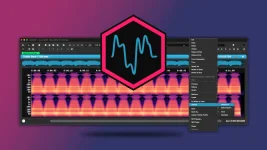
A seamless audio loop only stays invisible when its end and start meet without a timing, level, or waveform discontinuity. Cutting at a convenient timestamp is rarely enough. The musical phrase has to make sense on repeat, and the waveform itself has to survive the jump from the last sample back to the first.
The meaning of a seamless loop is simple. An audio loop is a section that can repeat without making the listener notice the restart. A good audio loop editor helps you place the boundaries, but an audio loop point finder or audio loop detector should still be treated as a starting point rather than a final decision.
An audio loop cutter can give you sample-level control, but the important edit is the relationship between the two sides of the seam. Listen across the join several times instead of auditioning each edge separately. A simple audio loop checker is just repeat playback while you move the end point by tiny amounts and listen for a pulse, timing hiccup, or tonal jump.
Automatic tools are useful once you have a sensible region. The Ocean Swift Wave Editor loop tools combine automatic loop-point detection, zero-crossing alignment, and crossfading, which removes a lot of repetitive trimming. A seamless audio loop maker still cannot decide whether the repeated phrase feels musically right for your sample.
A zero-crossing point in audio is not automatically a perfect loop point. The level may be near zero while the surrounding waveform shape, direction, stereo relationship, or musical phase differs enough to make the seam audible. A short crossfade can blend the two sides when a hard jump still sounds rough, but too much overlap can soften attacks or create a small swell.
Low frequencies deserve extra attention. Stopping clicks on abruptly cut 808 notes uses the same zero-crossing principle because a sudden cutoff away from the center line can create a sharp edge. If you are trying to loop audio smoothly, zoom in far enough to see individual cycles, then listen to the result at normal playback speed.
Format support is another trap. Moving between sampler or multisample formats can lose loops, crossfades, envelopes, or metadata even when the audio itself transfers correctly. Hardware can also interpret embedded loop points and WAV metadata differently, which is why the target sampler gets the final audition.
Keep a lossless working file until the loop is finished. A seamless MP3 loop can introduce a second problem because the playback format and player now sit between your edited seam and what the listener hears. An HTML audio loop delay or Unity audio loop gap can remain even after the waveform seam is clean. A file-level audio loop without a gap still needs testing in the actual player, sampler, game engine, or timeline that will repeat it.
An online seamless audio loop tool can be handy for a quick job, while an audio trimmer loop maker may be enough for simple ambience. For reusable samples, save the clean master, preserve the loop data when your destination supports it, then reopen the exported file and let it repeat for longer than feels necessary. Audio that loops seamlessly usually fails in the boring details, not in the first cut.
The meaning of a seamless loop is simple. An audio loop is a section that can repeat without making the listener notice the restart. A good audio loop editor helps you place the boundaries, but an audio loop point finder or audio loop detector should still be treated as a starting point rather than a final decision.
Pick the musical boundary before fixing the waveform
Start by finding a section whose ending naturally leads back into its beginning. Drums usually want complete bars or beats, while pads, drones, room tone, and sustained instruments need a section with similar level and texture on both sides. If the phrase itself lurches, no audio crossfade algorithm can turn it into a convincing repeat.An audio loop cutter can give you sample-level control, but the important edit is the relationship between the two sides of the seam. Listen across the join several times instead of auditioning each edge separately. A simple audio loop checker is just repeat playback while you move the end point by tiny amounts and listen for a pulse, timing hiccup, or tonal jump.
Automatic tools are useful once you have a sensible region. The Ocean Swift Wave Editor loop tools combine automatic loop-point detection, zero-crossing alignment, and crossfading, which removes a lot of repetitive trimming. A seamless audio loop maker still cannot decide whether the repeated phrase feels musically right for your sample.
Zero crossings remove one kind of problem
A click often appears because playback jumps between two very different sample values. Zero-crossing audio editing reduces that discontinuity by placing an edit where the waveform passes through its center line. The same principle is useful when you check for a zero crossing while editing audio clips, especially on bass material where one cycle can span enough time to make a bad boundary obvious.A zero-crossing point in audio is not automatically a perfect loop point. The level may be near zero while the surrounding waveform shape, direction, stereo relationship, or musical phase differs enough to make the seam audible. A short crossfade can blend the two sides when a hard jump still sounds rough, but too much overlap can soften attacks or create a small swell.
Low frequencies deserve extra attention. Stopping clicks on abruptly cut 808 notes uses the same zero-crossing principle because a sudden cutoff away from the center line can create a sharp edge. If you are trying to loop audio smoothly, zoom in far enough to see individual cycles, then listen to the result at normal playback speed.
Export can break a loop you already fixed
A clean loop in the editor is not the end of the job. WAV files can carry embedded loop markers, and another sampler may read those start and end points automatically. Resampling, trimming, format conversion, or other processing after the loop is set can change the audio or its marker relationship, so retest the seam after every destructive step.Format support is another trap. Moving between sampler or multisample formats can lose loops, crossfades, envelopes, or metadata even when the audio itself transfers correctly. Hardware can also interpret embedded loop points and WAV metadata differently, which is why the target sampler gets the final audition.
Keep a lossless working file until the loop is finished. A seamless MP3 loop can introduce a second problem because the playback format and player now sit between your edited seam and what the listener hears. An HTML audio loop delay or Unity audio loop gap can remain even after the waveform seam is clean. A file-level audio loop without a gap still needs testing in the actual player, sampler, game engine, or timeline that will repeat it.
An online seamless audio loop tool can be handy for a quick job, while an audio trimmer loop maker may be enough for simple ambience. For reusable samples, save the clean master, preserve the loop data when your destination supports it, then reopen the exported file and let it repeat for longer than feels necessary. Audio that loops seamlessly usually fails in the boring details, not in the first cut.