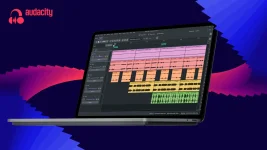
Audacity 4 arrived with non-destructive clip editing and overlapping arrangements. Muse Group kept this open-source editor free while modernizing workflows for the next 25 years of creator development without breaking existing keyboard shortcuts or project compatibility.
Clips now group and move as single objects while trimming remains fully recoverable through extension. Ripple editing options let users choose how deletions affect surrounding material, and a dedicated split tool divides recordings across multiple tracks at the playhead position.
Volume automation lives inside clip envelopes for fades without permanent alterations to source audio. Built-in effects received interface updates while retaining VST3, Audio Unit, and LV2 plugin support alongside real-time processing capabilities for complex mixing sessions.
A new home screen displays visual thumbnails of local and audio.com cloud projects instead of filenames. Workspaces enable customized layouts for podcasting, music production, or restoration tasks so switching contexts no longer requires manual interface reconfiguration each time.
Light and dark themes join customizable accent colors and improved high-contrast modes. Smoother zooming, always-visible playheads, and reorganized track controls streamline navigation, while tighter audio.com integration supports seamless sharing within Muse Group's connected creator ecosystem.
Clips now group and move as single objects while trimming remains fully recoverable through extension. Ripple editing options let users choose how deletions affect surrounding material, and a dedicated split tool divides recordings across multiple tracks at the playhead position.
Volume automation lives inside clip envelopes for fades without permanent alterations to source audio. Built-in effects received interface updates while retaining VST3, Audio Unit, and LV2 plugin support alongside real-time processing capabilities for complex mixing sessions.
A new home screen displays visual thumbnails of local and audio.com cloud projects instead of filenames. Workspaces enable customized layouts for podcasting, music production, or restoration tasks so switching contexts no longer requires manual interface reconfiguration each time.
Light and dark themes join customizable accent colors and improved high-contrast modes. Smoother zooming, always-visible playheads, and reorganized track controls streamline navigation, while tighter audio.com integration supports seamless sharing within Muse Group's connected creator ecosystem.