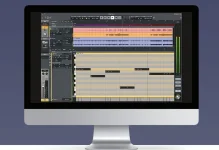
LUNA 3.0 lets you record directly through native plug-ins with Record FX while using third-party audio interfaces on Mac or Windows. The change matters because the old workflow was tied to Apollo hardware and UAD DSP. You can now commit a processed sound while tracking without owning that hardware stack.
The useful part of LUNA 3.0’s expanded native recording workflow is not simply that another button became available. Record FX changes where the decision is made. Put a plug-in in the Record FX path and the recorded file takes on that processing instead of keeping it as a removable mix insert.
Regular inserts still make more sense when you want to change your mind later. Record FX is for sounds you are comfortable printing on the way in, whether that means compression, EQ, saturation, amp processing, or another native effect that suits the source.
LUNA 3.0 opens the same basic recording idea to native users. Universal Audio says LUNA Free can record directly through native plug-ins using Record FX and can track with any audio interface, so a Volt or another manufacturer’s compatible interface is no longer shut out of the workflow.
The native option does not reproduce Apollo’s hardware path. Native plug-ins run on the computer, and monitoring follows the operating system’s audio path rather than Apollo’s dedicated DSP route. This distinction matters because the feature is now hardware-agnostic, while the processing architecture still differs between setups.
For native tracking, UA recommends smaller buffers in the 32 to 128 sample range. Reducing the buffer cuts monitoring delay but asks the computer to process audio more frequently, which leaves less CPU capacity for a crowded session full of instruments, effects, and extensions.
The practical move is boring and effective. Build the vocal or guitar chain you actually need, lower the buffer for the take, and avoid loading the recording path with processors that are unnecessary during tracking. A huge mix can wait at a larger buffer once recording is finished.
This is more than a technical neatness issue. Small monitoring delays can affect a performer’s experience, and the amount that becomes distracting varies with the instrument and monitoring setup. A singer in headphones can react differently from a guitarist hearing plenty of acoustic sound from the room.
LUNA’s newer processing engine helps by separating recording work from playback work. Input-monitored and record-enabled tracks run through the Render IO side, while tracks that are simply playing back can use a different processing buffer. It is a smarter arrangement for native sessions, but CPU limits still exist.
The risk is equally plain. Push a compressor too hard, carve too much low end, or print an effect you later hate, and the original unprocessed take is no longer sitting underneath that decision. A normal insert preserves more escape routes.
Apollo still earns its place when you need its deeper hardware integration, Unison processing, and deterministic low-latency monitoring through UAD DSP. Native Record FX solves a different problem. It removes Apollo ownership as a requirement for recording through effects directly inside LUNA.
For a small home setup, that difference is substantial. You can keep the interface you already use, build a native chain in LUNA, hear the processed signal while performing, and print it when commitment is actually useful. The workflow arrived without requiring the matching UA hardware rack beside the computer.
The useful part of LUNA 3.0’s expanded native recording workflow is not simply that another button became available. Record FX changes where the decision is made. Put a plug-in in the Record FX path and the recorded file takes on that processing instead of keeping it as a removable mix insert.
Regular inserts still make more sense when you want to change your mind later. Record FX is for sounds you are comfortable printing on the way in, whether that means compression, EQ, saturation, amp processing, or another native effect that suits the source.
Record FX now belongs to the native recording path
Before LUNA 3.0, the familiar Record FX workflow sat on the Apollo side of the system. Apollo mode could run UAD DSP plug-ins on the input path and print those effects while recording, with LUNA’s Accelerated Realtime Monitoring handling the low-latency route through the hardware.LUNA 3.0 opens the same basic recording idea to native users. Universal Audio says LUNA Free can record directly through native plug-ins using Record FX and can track with any audio interface, so a Volt or another manufacturer’s compatible interface is no longer shut out of the workflow.
The native option does not reproduce Apollo’s hardware path. Native plug-ins run on the computer, and monitoring follows the operating system’s audio path rather than Apollo’s dedicated DSP route. This distinction matters because the feature is now hardware-agnostic, while the processing architecture still differs between setups.
Native Record FX makes buffer size part of the sound check
Apollo’s ARM mode remains the lower-latency path because it moves supported real-time processing onto Apollo hardware. UA documents ARM as Apollo-only, while native recording relies on the computer and the session’s buffer setting.For native tracking, UA recommends smaller buffers in the 32 to 128 sample range. Reducing the buffer cuts monitoring delay but asks the computer to process audio more frequently, which leaves less CPU capacity for a crowded session full of instruments, effects, and extensions.
The practical move is boring and effective. Build the vocal or guitar chain you actually need, lower the buffer for the take, and avoid loading the recording path with processors that are unnecessary during tracking. A huge mix can wait at a larger buffer once recording is finished.
This is more than a technical neatness issue. Small monitoring delays can affect a performer’s experience, and the amount that becomes distracting varies with the instrument and monitoring setup. A singer in headphones can react differently from a guitarist hearing plenty of acoustic sound from the room.
LUNA’s newer processing engine helps by separating recording work from playback work. Input-monitored and record-enabled tracks run through the Render IO side, while tracks that are simply playing back can use a different processing buffer. It is a smarter arrangement for native sessions, but CPU limits still exist.
Printing effects is useful when the commitment is deliberate
A printed effect becomes part of the recorded result, so Record FX is best used when the processing serves the performance rather than merely decorating it. Gentle compression on a vocal, a guitar amp sound, or a tone-shaping chain you already trust can make the musician respond to something closer to the intended record.The risk is equally plain. Push a compressor too hard, carve too much low end, or print an effect you later hate, and the original unprocessed take is no longer sitting underneath that decision. A normal insert preserves more escape routes.
Apollo still earns its place when you need its deeper hardware integration, Unison processing, and deterministic low-latency monitoring through UAD DSP. Native Record FX solves a different problem. It removes Apollo ownership as a requirement for recording through effects directly inside LUNA.
For a small home setup, that difference is substantial. You can keep the interface you already use, build a native chain in LUNA, hear the processed signal while performing, and print it when commitment is actually useful. The workflow arrived without requiring the matching UA hardware rack beside the computer.