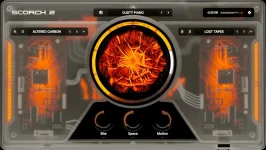
Scorch 2’s sequencer uses separate chord, melody, and bass channels that follow a shared harmonic framework rather than behaving like three unrelated pattern slots. Sauceware built the system around a chord grid, so you choose a key, shape a progression, then audition pre-made MIDI blocks against the same musical center.
The useful part is not simply having MIDI inside a sampler. Plenty of plugins can spit out a phrase. Scorch 2 is trying to keep several moving parts pointed at the same harmony while still letting you pull them apart once the idea reaches your DAW.
You start by choosing a key and building a progression on the chord grid. From there, pre-made blocks can supply material for the other channels. The point is less about pressing one button for a finished beat and more about getting several compatible fragments into motion quickly.
A melody that works over one chord can clash badly when the harmony moves. Bass notes can create the same problem, especially when a pattern was written around a different root movement. Scorch 2 reduces that friction by keeping its musical parts tied to the chord information rather than asking you to repair every mismatch by ear.
Research on chord-conditioned melody and bass generation is useful context here. The paper is not about Scorch 2, and Scorch 2 should not be treated as using the same model, but the study found that chord conditioning improved chord-tone usage and stylistic pitch behavior in generated melody and bass material. The broader principle is straightforward enough. Harmony gives separate lines a common set of boundaries.
This makes the Scorch 2 MIDI sequencer workflow more useful for sketching than the old one-finger chord approach in Scorch 1. A producer can try a progression, cycle through melody material, replace the bass pattern, and keep listening to the combination as a single musical idea.
Speed matters here, but so does restraint. A pre-made block can be perfectly serviceable and still sound generic if you leave every note untouched. Moving a few starts, deleting a busy note, stretching one held tone, or replacing a bass pickup can be enough to make the result fit the pocket of your drums.
The harmony system also does not make every combination automatically good. Staying in key prevents one class of problem. It cannot decide whether a melody is too crowded, whether the bass is fighting the kick, or whether a progression has the tension your record needs. Those choices still belong to you.
A chord part might stay on Scorch while the melody drives another synth. The bass can move to a dedicated instrument, drop an octave, or lose half its notes. You can also keep the harmonic skeleton and throw away the original melody entirely without rebuilding the progression from scratch.
This is where the three-lane design earns its keep for rap production. You can use the sequencer to establish agreement between the parts, then break that agreement deliberately once the beat has a direction. The tool handles some of the early harmonic housekeeping without taking ownership of the arrangement.
Scorch 2 therefore works best when you treat its MIDI playground as a fast drafting surface. Build enough harmony to get momentum, export the useful pieces, and edit them until they stop sounding like something you merely auditioned. The sequencer gives you connected material. Your DAW is where it becomes specific.
The useful part is not simply having MIDI inside a sampler. Plenty of plugins can spit out a phrase. Scorch 2 is trying to keep several moving parts pointed at the same harmony while still letting you pull them apart once the idea reaches your DAW.
The chord grid gives every lane the same reference point
The chord lane is the anchor. Scorch 2’s developer describes the sequencer as following dynamic chord and chord-scale changes, which means the melody and bass material can respond as the progression moves instead of sitting on a fixed pattern. Sauceware’s own specification also calls out an integrated harmony system built to make MIDI manipulation easier without requiring much theory.You start by choosing a key and building a progression on the chord grid. From there, pre-made blocks can supply material for the other channels. The point is less about pressing one button for a finished beat and more about getting several compatible fragments into motion quickly.
A melody that works over one chord can clash badly when the harmony moves. Bass notes can create the same problem, especially when a pattern was written around a different root movement. Scorch 2 reduces that friction by keeping its musical parts tied to the chord information rather than asking you to repair every mismatch by ear.
Research on chord-conditioned melody and bass generation is useful context here. The paper is not about Scorch 2, and Scorch 2 should not be treated as using the same model, but the study found that chord conditioning improved chord-tone usage and stylistic pitch behavior in generated melody and bass material. The broader principle is straightforward enough. Harmony gives separate lines a common set of boundaries.
Pre-made MIDI blocks are starting material, not a locked loop
Sauceware says Scorch 2 includes a large bank of pre-made MIDI blocks, and the sequencer separates chords, melody, and bass rather than flattening everything into one clip. Detailed launch material also describes a chord guide that keeps generated MIDI aligned with the selected scale. You can change the harmonic frame without hunting through a folder for three files that happen to agree.This makes the Scorch 2 MIDI sequencer workflow more useful for sketching than the old one-finger chord approach in Scorch 1. A producer can try a progression, cycle through melody material, replace the bass pattern, and keep listening to the combination as a single musical idea.
Speed matters here, but so does restraint. A pre-made block can be perfectly serviceable and still sound generic if you leave every note untouched. Moving a few starts, deleting a busy note, stretching one held tone, or replacing a bass pickup can be enough to make the result fit the pocket of your drums.
The harmony system also does not make every combination automatically good. Staying in key prevents one class of problem. It cannot decide whether a melody is too crowded, whether the bass is fighting the kick, or whether a progression has the tension your record needs. Those choices still belong to you.
Separate MIDI export keeps the idea editable
The biggest workflow advantage arrives when you stop treating the sequencer as the final destination. Current Scorch 2 launch material says the individual MIDI patterns can be dragged into the DAW, so chord, melody, and bass parts do not have to remain bundled inside the plugin. Once exported, they become ordinary MIDI you can reshape around the rest of the session.A chord part might stay on Scorch while the melody drives another synth. The bass can move to a dedicated instrument, drop an octave, or lose half its notes. You can also keep the harmonic skeleton and throw away the original melody entirely without rebuilding the progression from scratch.
This is where the three-lane design earns its keep for rap production. You can use the sequencer to establish agreement between the parts, then break that agreement deliberately once the beat has a direction. The tool handles some of the early harmonic housekeeping without taking ownership of the arrangement.
Scorch 2 therefore works best when you treat its MIDI playground as a fast drafting surface. Build enough harmony to get momentum, export the useful pieces, and edit them until they stop sounding like something you merely auditioned. The sequencer gives you connected material. Your DAW is where it becomes specific.