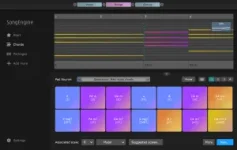
SongEngine just got a serious upgrade, and it’s messing with your chords in ways you didn’t ask for.
SongEngine core features
SongEngine core features
- FeelYourSound released SongEngine version 1.1.0.
- It flips chord progressions into basslines, arpeggios, and piano riffs.
- Preset packs cover different moods and music styles.
- Chord generators help if you lack original progressions.
- SongEngine now lets users tweak Chord Pad notes directly.
- Right-clicking opens a note-editing menu instantly.
- A mouse or MIDI keyboard can trigger and modify pads.
- Second Pad row activates with C# or "0" key.
- MIDI keys white and black map to the first ten pads.
- PC numbers 1-9 tap pads, "0" summons row two.
- Arrow keys scroll and flip active chord notes easily.
- Flow Mode toggles with "f", Pad pages switch with Ctrl/Cmd plus number.
- Users can test House, Chillout, Trance, and Hip Hop packs.
- Clicking "Add more" then "Try it out" launches modules.
- Demo mode lets people explore extensions without purchase.
- Extensions expand creative options across multiple styles.
- Chord Pad Source Selector text is now readable on 4k screens.
- Version display got updated for clarity.
- "Add more" section now says "Registered" instead of "Unlocked".
- Minor interface tweaks improve navigation and visibility.
- Timeline arrows jump left and right between chords.
- Up and down arrows invert notes inside the active chord.
- Flow Mode visually changes chord transitions along the timeline.
- Collection Pages organize pads into four accessible groups.