A 750Hz monitor starts a new refresh every 1.33 milliseconds, while a 720Hz display takes about 1.39 milliseconds. The entire gap is roughly 0.056 milliseconds. Thirty hertz sounds bigger than it is here.
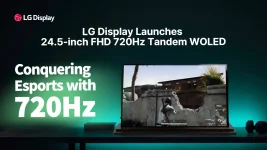
HKC’s ANT257PF gets the higher number from a 24.1-inch 1080p Fast TN panel, with a manufacturer-rated 0.8ms gray-to-gray response time and DIC 2.0 blur reduction. LG Display’s 720Hz OLED esports panel is 24.5 inches and 1080p, but its pixels emit their own light and carry a claimed 0.02ms response time.
Refresh rate alone therefore gives the TN screen a tiny timing edge. Pixel behavior can pull the comparison in another direction, while blur-reduction modes can push it back again. Anyone comparing these displays from the 750 and 720 labels alone is leaving most of the useful information on the spec sheet.
Total click-to-photon latency is much larger than this difference because the display is only one piece of the path. Mouse polling, game simulation, CPU scheduling, GPU rendering, frame queues, scanout, display processing, and pixel transitions all consume time. A slightly faster refresh cadence cannot erase a slow frame somewhere upstream.
The number gets stranger when you compare it with the jump from ordinary high refresh rates. Moving from 240Hz to 360Hz cuts the frame interval by about 1.39ms. Going from 720Hz to 750Hz saves about one twenty-fifth of that amount. Past 700Hz, another 30Hz is mostly fine trimming.
This does not make 750Hz useless. A monitor refreshing more often gets more opportunities to show a newer game state, assuming the PC can actually deliver one. The point is narrower. The raw cadence advantage over 720Hz is too small to tell you which screen will look cleaner in motion.
HKC quotes 0.8ms GtG for the ANT257PF. Those manufacturer numbers should not be treated as a clean head-to-head benchmark because monitor brands do not use one universal response-time test. Different thresholds, overdrive settings, measurement windows, and selected transitions can produce very different-looking specifications.
The practical issue is whether pixels finish enough of their transition before the next refresh arrives. A 750Hz frame lasts only 1.33ms, so a slow LCD transition can spill into the following frame and leave extra trailing detail or overshoot. OLED has much more transition-time headroom at these refresh rates, even when its real response is slower than the tiny number on the box.
Pixel speed still does not eliminate sample-and-hold blur. Your eyes can track a moving target while the displayed frame remains stationary until the next update, creating perceived blur even if the pixel changed almost instantly. The link between shorter visible hold time and lower moving-image blur shows up clearly in display hold-time experiments.
OLED normally runs as a sample-and-hold display, so its excellent pixel response does not automatically give CRT-like motion clarity. At 720Hz, the very short 1.39ms frame duration already cuts persistence substantially, but the full frame can still remain visible between updates. A well-tuned strobed LCD can use a shorter visible pulse and beat its nominal frame interval for perceived motion persistence.
Strobing brings its own trade-offs. Brightness can fall because the image spends part of each refresh dark, and poorly timed pulses can expose double images or transition artifacts. Variable refresh behavior can also become more complicated depending on how the monitor implements the mode.
So the useful comparison is not 750 against 720. It is native refresh cadence, measured pixel transitions, overshoot, blur-reduction behavior, processing delay, and the frame rate your PC can sustain at once. The 750Hz TN wins the refresh-rate number by 0.056ms per cycle, while the 720Hz OLED starts with far faster emissive pixel behavior. Which one shows a cleaner moving enemy depends on what the finished monitors do with those two very different strengths.
HKC’s ANT257PF gets the higher number from a 24.1-inch 1080p Fast TN panel, with a manufacturer-rated 0.8ms gray-to-gray response time and DIC 2.0 blur reduction. LG Display’s 720Hz OLED esports panel is 24.5 inches and 1080p, but its pixels emit their own light and carry a claimed 0.02ms response time.
Refresh rate alone therefore gives the TN screen a tiny timing edge. Pixel behavior can pull the comparison in another direction, while blur-reduction modes can push it back again. Anyone comparing these displays from the 750 and 720 labels alone is leaving most of the useful information on the spec sheet.
Refresh-rate math makes 750Hz look less dramatic
One second divided by 750 gives a 1.333ms refresh interval. Do the same with 720 and you get 1.389ms. Even if both displays receive a freshly rendered frame for every scan, the 750Hz panel only starts the next refresh about 56 microseconds sooner.Total click-to-photon latency is much larger than this difference because the display is only one piece of the path. Mouse polling, game simulation, CPU scheduling, GPU rendering, frame queues, scanout, display processing, and pixel transitions all consume time. A slightly faster refresh cadence cannot erase a slow frame somewhere upstream.
The number gets stranger when you compare it with the jump from ordinary high refresh rates. Moving from 240Hz to 360Hz cuts the frame interval by about 1.39ms. Going from 720Hz to 750Hz saves about one twenty-fifth of that amount. Past 700Hz, another 30Hz is mostly fine trimming.
This does not make 750Hz useless. A monitor refreshing more often gets more opportunities to show a newer game state, assuming the PC can actually deliver one. The point is narrower. The raw cadence advantage over 720Hz is too small to tell you which screen will look cleaner in motion.
OLED response changes the motion-clarity comparison
TN pixels have to rotate liquid crystals into a new state, and the speed varies with the transition being made. OLED pixels change their own light output directly. LG quotes 0.02ms for its new panel, while independent measurements on earlier 540Hz and 720Hz WOLED hardware have landed closer to a few tenths of a millisecond across real transitions.HKC quotes 0.8ms GtG for the ANT257PF. Those manufacturer numbers should not be treated as a clean head-to-head benchmark because monitor brands do not use one universal response-time test. Different thresholds, overdrive settings, measurement windows, and selected transitions can produce very different-looking specifications.
The practical issue is whether pixels finish enough of their transition before the next refresh arrives. A 750Hz frame lasts only 1.33ms, so a slow LCD transition can spill into the following frame and leave extra trailing detail or overshoot. OLED has much more transition-time headroom at these refresh rates, even when its real response is slower than the tiny number on the box.
Pixel speed still does not eliminate sample-and-hold blur. Your eyes can track a moving target while the displayed frame remains stationary until the next update, creating perceived blur even if the pixel changed almost instantly. The link between shorter visible hold time and lower moving-image blur shows up clearly in display hold-time experiments.
Blur reduction changes what Fast TN can show in motion
Fast TN monitors can attack persistence blur with strobing or impulse-style blur reduction rather than relying only on refresh rate. HKC includes DIC 2.0 on the ANT257PF for exactly this job. Shortening the period in which each frame is visibly illuminated can make moving objects look sharper than the raw GtG figure suggests.OLED normally runs as a sample-and-hold display, so its excellent pixel response does not automatically give CRT-like motion clarity. At 720Hz, the very short 1.39ms frame duration already cuts persistence substantially, but the full frame can still remain visible between updates. A well-tuned strobed LCD can use a shorter visible pulse and beat its nominal frame interval for perceived motion persistence.
Strobing brings its own trade-offs. Brightness can fall because the image spends part of each refresh dark, and poorly timed pulses can expose double images or transition artifacts. Variable refresh behavior can also become more complicated depending on how the monitor implements the mode.
So the useful comparison is not 750 against 720. It is native refresh cadence, measured pixel transitions, overshoot, blur-reduction behavior, processing delay, and the frame rate your PC can sustain at once. The 750Hz TN wins the refresh-rate number by 0.056ms per cycle, while the 720Hz OLED starts with far faster emissive pixel behavior. Which one shows a cleaner moving enemy depends on what the finished monitors do with those two very different strengths.