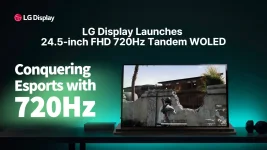
LG Display’s new 24.5-inch esports OLED runs at 720Hz while holding a full 1920×1080 image, rather than dropping into a lower-resolution speed mode. It sounds like a small wording change, but it separates this panel from the first wave of 720Hz OLED monitors in a pretty important way. The new LG Display native 720Hz esports panel is built to refresh its native FHD pixel grid at the headline rate.
Earlier 720Hz OLED monitors usually got there by making a trade. Models such as the 27-inch ASUS PG27AQWP-W and LG 27GX790B run at 2560×1440 and 540Hz in their normal mode, then switch to 1280×720 when you enable 720Hz. You still get the faster refresh, but you are feeding the display only 921,600 source pixels per frame instead of 3,686,400.
The new 24.5-inch panel does not need that resolution drop. FHD contains 2,073,600 pixels, so its 720Hz mode carries 2.25 times as many source pixels per frame as a 1280×720 mode at the same refresh rate. For competitive players who already prefer 1080p, this is a cleaner deal because the speed mode is no longer tied to a visibly softer input resolution.
On a QHD 540Hz panel, switching to 720Hz at 1280×720 cuts the source image to one quarter of the QHD pixel count. Games can become easier for the GPU to drive at extreme frame rates, but fine detail takes a hit, especially on a 27-inch screen. Independent testing of current 540Hz and 720Hz dual-mode OLEDs has repeatedly noted softer text and reduced image clarity in the lower-resolution mode.
Native FHD at 720Hz removes that specific compromise. The display is still a 1080p esports monitor, so nobody is getting QHD sharpness for free, but 1080p is the panel’s normal working resolution rather than a temporary fallback used to unlock the maximum refresh rate. Pixels, scaling, and refresh are finally pulling in the same direction.
There is also a useful bit of math hiding here. A 2560×1440 image at 540Hz represents roughly 1.99 billion active pixel updates per second, while 1920×1080 at 720Hz represents about 1.49 billion before blanking intervals, color depth, and transmission overhead enter the picture. Native 720Hz FHD is a tougher panel-driving problem than 720p 720Hz, but it does not automatically mean more raw image data than every slower QHD mode.
Mouse input, game simulation, CPU work, GPU rendering, frame queues, display processing, scanout, and pixel response all sit in the same chain. A monitor can post an extremely low gray-to-gray response figure without guaranteeing equally tiny click-to-photon latency. Treating 0.02ms GTG as total input lag would be mixing two different measurements.
A controlled FPS refresh-rate experiment involving 101 gamers found clear benefits when moving from 60Hz to higher refresh rates, while performance did not significantly differ between its 144Hz and 360Hz conditions. It did not test 540Hz or 720Hz, so it cannot tell us where the ceiling sits at these newer speeds. It does show why tiny refresh-rate differences should not be treated as automatic competitive wins without measured end-to-end latency and player testing.
Running 1080p instead of 720p also raises the rendering load. Some players may still choose lower in-game resolutions for visibility, habit, or extra frame-rate headroom, especially in Counter-Strike. Native FHD support does not force anyone to render at 1080p. It simply means the monitor itself no longer requires a 720p signal to unlock 720Hz.
Connection bandwidth remains part of the finished-monitor story too. DisplayPort version, bit depth, timing format, and Display Stream Compression can determine how a manufacturer transports the signal, even when the panel can physically refresh at the advertised rate. Panel capability and monitor input capability are separate pieces, and final retail hardware still needs both to line up.
For the new generation, the clean distinction is simple. A dual-mode 720Hz OLED reaches its top speed by changing resolution, while a native FHD 720Hz OLED keeps 1920×1080 active at that speed. Same headline refresh rate, very different compromise.
Earlier 720Hz OLED monitors usually got there by making a trade. Models such as the 27-inch ASUS PG27AQWP-W and LG 27GX790B run at 2560×1440 and 540Hz in their normal mode, then switch to 1280×720 when you enable 720Hz. You still get the faster refresh, but you are feeding the display only 921,600 source pixels per frame instead of 3,686,400.
The new 24.5-inch panel does not need that resolution drop. FHD contains 2,073,600 pixels, so its 720Hz mode carries 2.25 times as many source pixels per frame as a 1280×720 mode at the same refresh rate. For competitive players who already prefer 1080p, this is a cleaner deal because the speed mode is no longer tied to a visibly softer input resolution.
Dual-mode 720Hz makes a real image-quality trade-off
Dual-mode displays are not fake 720Hz monitors. They really do refresh at 720Hz. The catch is simply that their fastest mode changes the incoming resolution, which means the number printed beside the refresh rate does not describe the whole viewing experience.On a QHD 540Hz panel, switching to 720Hz at 1280×720 cuts the source image to one quarter of the QHD pixel count. Games can become easier for the GPU to drive at extreme frame rates, but fine detail takes a hit, especially on a 27-inch screen. Independent testing of current 540Hz and 720Hz dual-mode OLEDs has repeatedly noted softer text and reduced image clarity in the lower-resolution mode.
Native FHD at 720Hz removes that specific compromise. The display is still a 1080p esports monitor, so nobody is getting QHD sharpness for free, but 1080p is the panel’s normal working resolution rather than a temporary fallback used to unlock the maximum refresh rate. Pixels, scaling, and refresh are finally pulling in the same direction.
There is also a useful bit of math hiding here. A 2560×1440 image at 540Hz represents roughly 1.99 billion active pixel updates per second, while 1920×1080 at 720Hz represents about 1.49 billion before blanking intervals, color depth, and transmission overhead enter the picture. Native 720Hz FHD is a tougher panel-driving problem than 720p 720Hz, but it does not automatically mean more raw image data than every slower QHD mode.
Refresh rate still does not equal total system latency
A 720Hz screen starts a new refresh about every 1.39 milliseconds. At 540Hz, the interval is roughly 1.85 milliseconds, leaving a theoretical difference of about 0.46 milliseconds between refresh cycles. Useful, yes. Magical, no.Mouse input, game simulation, CPU work, GPU rendering, frame queues, display processing, scanout, and pixel response all sit in the same chain. A monitor can post an extremely low gray-to-gray response figure without guaranteeing equally tiny click-to-photon latency. Treating 0.02ms GTG as total input lag would be mixing two different measurements.
A controlled FPS refresh-rate experiment involving 101 gamers found clear benefits when moving from 60Hz to higher refresh rates, while performance did not significantly differ between its 144Hz and 360Hz conditions. It did not test 540Hz or 720Hz, so it cannot tell us where the ceiling sits at these newer speeds. It does show why tiny refresh-rate differences should not be treated as automatic competitive wins without measured end-to-end latency and player testing.
Native 1080p matters most when your game can feed it
A native 720Hz panel only shows its full timing advantage when the PC supplies frames quickly and consistently enough to keep it busy. Counter-Strike 2, Valorant, and other lighter competitive games can reach very high frame rates on powerful systems, but average FPS alone is a weak check. Frame-time stability matters because regular dips below the target reduce how often the display receives genuinely new frames.Running 1080p instead of 720p also raises the rendering load. Some players may still choose lower in-game resolutions for visibility, habit, or extra frame-rate headroom, especially in Counter-Strike. Native FHD support does not force anyone to render at 1080p. It simply means the monitor itself no longer requires a 720p signal to unlock 720Hz.
Connection bandwidth remains part of the finished-monitor story too. DisplayPort version, bit depth, timing format, and Display Stream Compression can determine how a manufacturer transports the signal, even when the panel can physically refresh at the advertised rate. Panel capability and monitor input capability are separate pieces, and final retail hardware still needs both to line up.
For the new generation, the clean distinction is simple. A dual-mode 720Hz OLED reaches its top speed by changing resolution, while a native FHD 720Hz OLED keeps 1920×1080 active at that speed. Same headline refresh rate, very different compromise.