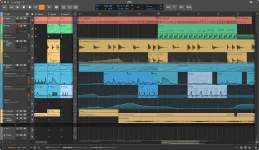
Automation data finally behaves like proper clips in Bitwig Studio 6, and that alone reshapes how arrangements get built.
Automation clips shake things up
Automation clips shake things up
- Bitwig treats automation as draggable, loopable blocks.
- Independent time-stretching and start times apply per clip.
- Users can save them or feed MSEG modules directly.
- Spread mode randomizes values across each pass.
- Linked copies share a single fingerprint across instances.
- Editing one alias pushes changes to every duplicate.
- Merge Duplicate Patterns locks identical clips together.
- Make Unique decouples any alias on demand.
- A global scale setting feeds the Piano Roll directly.
- Snap to Key locks note drawing to that scale.
- Arpeggiator and Key Filter+ follow the project key.
- Circular modulation wraps pitch instead of stalling out.
- A spray-can tool paints notes at current grid intervals.
- Audition tool previews isolated tracks or clips instantly.
- Step input accepts multi-note entry via MIDI or keyboard.
- Arranger Auto Zoom enlarges the selected track dynamically.
- Bitwig Studio runs $399 for the full version.
- Producer and Essentials tiers cost $199 and $99.
- Windows, macOS, and Linux are all supported platforms.
- VST2, VST3, CLAP, AU, and AAX formats work.