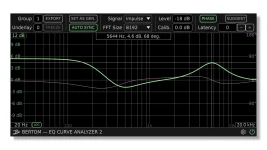
EQ Curve Analyzer needs two active instances to make a measurement, and some DAWs can suspend one before the pair ever starts working. The result can look like a broken plugin even when the installation is fine.
Bertom uses one instance as the generator and another as the analyzer. During capture, the signal is isolated between them, so silence from your speakers is normal and should not be treated as the first sign of failure.
The useful distinction is simple. “Suspended processing” means the host is not executing the plugin as Bertom expects, while “no sound” can be completely normal during analysis. Mixing those two symptoms wastes time because they need different fixes.
A DAW still has to keep active effects inside real-time audio processing deadlines, so conserving cycles on silent or idle paths makes sense in normal sessions. Bertom’s measurement method happens to sit outside the assumptions behind some of those optimizations.
Start by confirming the basic chain before changing preferences. Put one analyzer instance before the plugin you want to inspect and another after it, keep both in the same group, and let Auto mode assign their roles when both instances live in a straightforward single-track chain.
If the warning remains, force the host to keep the track alive. Input monitoring is one documented workaround because it tells many DAWs the track is active, while another is disabling the host feature that suspends or pauses effect processing on idle tracks.
A harmless signal-generating plugin elsewhere in the chain can also keep processing awake when the host offers no obvious suspension switch. Use this as a diagnostic move rather than a permanent ritual. Once the analyzer runs, you know the problem was host execution rather than a missing Bertom component.
Do not start changing interface outputs, master routing, or monitor settings just because the room went quiet. First look at the analyzer itself. If the graph is responding and no suspended-processing message appears, silence is doing exactly what it should.
Confusion often starts after installing Bertom EQ Curve Analyzer 2.1.0 because users naturally expect a test signal generator to be audible. In this tool, the test signal exists for measurement rather than listening, so trying to “fix” the silence can break an otherwise correct setup.
A blank or frozen graph is different. Check that both instances share the same group and that the plugin under test sits between them. Two Bertom windows open somewhere in the project are not enough if they are unrelated by group or signal path.
When the simple sandwich setup refuses to behave, switch from assumption to control. Assign the first instance as the generator and the second as the analyzer manually, then verify their group number. This removes role detection from the troubleshooting chain and leaves fewer moving parts.
Multi-track and hardware setups deserve the same treatment. Auto mode is not the right thing to rely on when the generator and analyzer live on separate tracks, because their physical order is no longer represented by one insert chain. Set the roles yourself and deal with latency separately.
Version problems should be considered only after the host is definitely processing both instances. Bertom currently lists EQ Curve Analyzer 2.1.3 as the latest release, while earlier 2.0.x updates specifically changed notes around suspended processing in Logic Pro. Updating can make sense, but it should not replace checking the host behavior that triggers the warning.
If the plugin does not appear in the DAW at all, you are dealing with another problem again. Check the supported plugin format, scan path, plugin cache, and host rescan before touching analyzer groups or monitoring. A missing plugin, a suspended plugin, and an intentionally silent measurement can look similar from the chair, but they sit at three different points in the signal path.
Bertom uses one instance as the generator and another as the analyzer. During capture, the signal is isolated between them, so silence from your speakers is normal and should not be treated as the first sign of failure.
The useful distinction is simple. “Suspended processing” means the host is not executing the plugin as Bertom expects, while “no sound” can be completely normal during analysis. Mixing those two symptoms wastes time because they need different fixes.
Suspended processing usually begins in the DAW
Modern hosts try to save CPU by skipping work on tracks they consider inactive. EQ Curve Analyzer is unusual because its first instance has no ordinary audio input and its second has no ordinary audio output, which can make an optimization system decide there is nothing worth processing.A DAW still has to keep active effects inside real-time audio processing deadlines, so conserving cycles on silent or idle paths makes sense in normal sessions. Bertom’s measurement method happens to sit outside the assumptions behind some of those optimizations.
Start by confirming the basic chain before changing preferences. Put one analyzer instance before the plugin you want to inspect and another after it, keep both in the same group, and let Auto mode assign their roles when both instances live in a straightforward single-track chain.
If the warning remains, force the host to keep the track alive. Input monitoring is one documented workaround because it tells many DAWs the track is active, while another is disabling the host feature that suspends or pauses effect processing on idle tracks.
A harmless signal-generating plugin elsewhere in the chain can also keep processing awake when the host offers no obvious suspension switch. Use this as a diagnostic move rather than a permanent ritual. Once the analyzer runs, you know the problem was host execution rather than a missing Bertom component.
Silence during capture is not the same failure
Hearing nothing while EQ Curve Analyzer is measuring is expected behavior. The generator and analyzer communicate through an isolated analysis path, and Bertom explicitly designs capture so the measured signal does not behave like normal program audio passing to your speakers.Do not start changing interface outputs, master routing, or monitor settings just because the room went quiet. First look at the analyzer itself. If the graph is responding and no suspended-processing message appears, silence is doing exactly what it should.
Confusion often starts after installing Bertom EQ Curve Analyzer 2.1.0 because users naturally expect a test signal generator to be audible. In this tool, the test signal exists for measurement rather than listening, so trying to “fix” the silence can break an otherwise correct setup.
A blank or frozen graph is different. Check that both instances share the same group and that the plugin under test sits between them. Two Bertom windows open somewhere in the project are not enough if they are unrelated by group or signal path.
Auto mode can fail in more complicated hosts
Auto mode works best when the host presents both instances inside the same processing context and their order is obvious. Some DAWs can instantiate plugin instances in different processes, which prevents Auto mode from coordinating them correctly.When the simple sandwich setup refuses to behave, switch from assumption to control. Assign the first instance as the generator and the second as the analyzer manually, then verify their group number. This removes role detection from the troubleshooting chain and leaves fewer moving parts.
Multi-track and hardware setups deserve the same treatment. Auto mode is not the right thing to rely on when the generator and analyzer live on separate tracks, because their physical order is no longer represented by one insert chain. Set the roles yourself and deal with latency separately.
Version problems should be considered only after the host is definitely processing both instances. Bertom currently lists EQ Curve Analyzer 2.1.3 as the latest release, while earlier 2.0.x updates specifically changed notes around suspended processing in Logic Pro. Updating can make sense, but it should not replace checking the host behavior that triggers the warning.
If the plugin does not appear in the DAW at all, you are dealing with another problem again. Check the supported plugin format, scan path, plugin cache, and host rescan before touching analyzer groups or monitoring. A missing plugin, a suspended plugin, and an intentionally silent measurement can look similar from the chair, but they sit at three different points in the signal path.