JetPack 7.2.1 is NVIDIA’s current Jetson Orin Nano release, using Jetson Linux r39.2.1 and a USB-based Jetson ISO installer. A current Jetson Orin Nano setup guide therefore starts differently from older tutorials that tell you to download an SD card image and flash it straight to microSD. Starting with JetPack 7.2, NVIDIA no longer supports that SD card image method for this developer kit.
You now create a bootable USB flash drive from the Jetson ISO, then use it to install the Jetson Orin Nano operating system onto a microSD card or NVMe SSD already fitted to the board. NVIDIA recommends a 16GB or larger USB drive and a 64GB or larger UHS-1 microSD card when microSD is the target. An NVMe SSD is the cleaner choice if you expect larger models, containers, datasets, or frequent writes.
A Jetson Orin Nano QSPI update is therefore a prerequisite check, not an optional cleanup task. If a Jetson Orin Nano shows no display, drops into a UEFI shell, or gives you a black screen after boot with a newer image, firmware compatibility belongs near the top of the troubleshooting list. Repeatedly rewriting storage will not fix firmware that is too old for the target release.
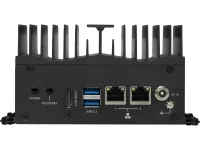
The distinction matters even more with third-party carrier boards and industrial computers. MSI’s MS-C9ZA Jetson Orin Nano system uses USB-C for recovery and ships around a vendor-defined software stack, so developer-kit flashing instructions should not be treated as universal. The AAEON NV8600-Nano developer kit likewise pairs Orin Nano with its own carrier board, NVMe storage, and preloaded platform software.
A Jetson Orin Nano NVMe setup no longer requires SDK Manager just because NVMe is the destination. The Jetson ISO can install directly to an attached NVMe SSD, which removes the Ubuntu host PC requirement for a basic first installation. Installing Jetson Orin Nano to NVMe through SDK Manager is still supported when you want the guided host-target workflow, recovery flashing, or a controlled deployment process.
Headless setup on NVIDIA Jetson Orin Nano also changed with the newer installer path. NVIDIA documents a USB-to-TTL serial cable connected to the carrier board button header for headless access during the ISO flow. SDK Manager is a separate route and uses an Ubuntu x86_64 host with the target placed into Jetson Orin Nano force recovery mode before flashing over USB-C.
Industrial deployments can stay on an older validated branch even when a newer JetPack download for Jetson Orin Nano exists. BIOSTAR’s AI-NONXS systems and ASUS PE1102N and PE1103N systems were built around JetPack 6.2-era configurations. Matching the carrier board vendor’s BSP and support matrix is more important than chasing the latest JetPack on hardware sold as an integrated appliance.
Checking the Jetson Orin Nano JetPack version before adding frameworks saves a lot of dependency confusion. NVIDIA documents checking the installed Jetson Linux release separately from listing installed JetPack packages, which helps distinguish a working base image from a complete development stack. A Jetson Orin Nano JetPack download from an old tutorial can otherwise leave you following commands intended for a different L4T generation.
Cooling still deserves attention after software setup because installation success does not prove sustained workload stability. Enclosures, power modes, storage heat, and ambient temperature all change the thermal picture. AirJet PAK assemblies for NVIDIA Jetson Orin show why a complete thermal solution includes heat transfer, power, controls, and an exhaust path rather than only a small cooling module.
You now create a bootable USB flash drive from the Jetson ISO, then use it to install the Jetson Orin Nano operating system onto a microSD card or NVMe SSD already fitted to the board. NVIDIA recommends a 16GB or larger USB drive and a 64GB or larger UHS-1 microSD card when microSD is the target. An NVMe SSD is the cleaner choice if you expect larger models, containers, datasets, or frequent writes.
Start with firmware before the installer
The easiest way to derail a JetPack 7 installation on Jetson Orin Nano is to ignore the UEFI and QSPI firmware already on the kit. JetPack 7.2.1 requires JetPack 6. x-generation firmware, so an older factory board may need the JetPack 6.x update path before the new installer can boot. NVIDIA says firmware newer than version 36.0 is ready for the newer path.A Jetson Orin Nano QSPI update is therefore a prerequisite check, not an optional cleanup task. If a Jetson Orin Nano shows no display, drops into a UEFI shell, or gives you a black screen after boot with a newer image, firmware compatibility belongs near the top of the troubleshooting list. Repeatedly rewriting storage will not fix firmware that is too old for the target release.
The distinction matters even more with third-party carrier boards and industrial computers. MSI’s MS-C9ZA Jetson Orin Nano system uses USB-C for recovery and ships around a vendor-defined software stack, so developer-kit flashing instructions should not be treated as universal. The AAEON NV8600-Nano developer kit likewise pairs Orin Nano with its own carrier board, NVMe storage, and preloaded platform software.
Use the ISO path for a clean first install
For a normal Jetson Orin Nano boot from USB, write the Jetson ISO to the USB drive with an imaging utility rather than copying the ISO file onto the drive. Fit the target microSD or NVMe first, connect DisplayPort plus keyboard for the simplest setup, insert the installer USB, then power the board. NVIDIA recommends entering UEFI Boot Manager and explicitly selecting the USB device instead of relying on automatic boot order.A Jetson Orin Nano NVMe setup no longer requires SDK Manager just because NVMe is the destination. The Jetson ISO can install directly to an attached NVMe SSD, which removes the Ubuntu host PC requirement for a basic first installation. Installing Jetson Orin Nano to NVMe through SDK Manager is still supported when you want the guided host-target workflow, recovery flashing, or a controlled deployment process.
Headless setup on NVIDIA Jetson Orin Nano also changed with the newer installer path. NVIDIA documents a USB-to-TTL serial cable connected to the carrier board button header for headless access during the ISO flow. SDK Manager is a separate route and uses an Ubuntu x86_64 host with the target placed into Jetson Orin Nano force recovery mode before flashing over USB-C.
Industrial deployments can stay on an older validated branch even when a newer JetPack download for Jetson Orin Nano exists. BIOSTAR’s AI-NONXS systems and ASUS PE1102N and PE1103N systems were built around JetPack 6.2-era configurations. Matching the carrier board vendor’s BSP and support matrix is more important than chasing the latest JetPack on hardware sold as an integrated appliance.
Finish JetPack after first boot
After the base system boots, installing JetPack on Jetson Orin Nano is a separate step from flashing the board. Jetson Linux supplies the BSP, while JetPack adds NVIDIA’s accelerated libraries and tools including CUDA, cuDNN, TensorRT, VPI, multimedia APIs, and container support. NVIDIA documents installing the JetPack package from its repositories after first boot when those components are not already present.Checking the Jetson Orin Nano JetPack version before adding frameworks saves a lot of dependency confusion. NVIDIA documents checking the installed Jetson Linux release separately from listing installed JetPack packages, which helps distinguish a working base image from a complete development stack. A Jetson Orin Nano JetPack download from an old tutorial can otherwise leave you following commands intended for a different L4T generation.
Cooling still deserves attention after software setup because installation success does not prove sustained workload stability. Enclosures, power modes, storage heat, and ambient temperature all change the thermal picture. AirJet PAK assemblies for NVIDIA Jetson Orin show why a complete thermal solution includes heat transfer, power, controls, and an exhaust path rather than only a small cooling module.