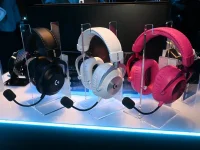
The Logitech PRO X3 LIGHTSPEED boom microphone captures voice at 48 kHz and 16-bit resolution, while placement and processing still shape what teammates hear.
A higher capture rate helps preserve detail, but it does not automatically fix a quiet, muffled, or noisy voice. The PRO X3 LIGHTSPEED wireless headset gives you a higher-bandwidth starting point, so get the physical signal clean first and add processing only where it solves a real problem.
If your Logitech PRO X mic sounds bad, resist the urge to boost treble or stack filters immediately. Record a plain sample first and speak at the same level you use during a match. If the Logitech PRO X mic is quiet, raise input gain only after the boom is close enough. If the Logitech PRO X mic sounds muffled, move the capsule slightly outward before adding high-frequency EQ because an overly close angle can soften consonants and exaggerate breath noise.
Logitech PRO X mic quality is easier to judge from a local recording than from a teammate saying it sounds weird. Record normal speech, one louder callout, and one softer line in the same take. You now have a clean reference for Logitech PRO X headset mic quality before G HUB, a voice-chat app, or another processing layer changes the signal.
Noise reduction should remove a specific distraction rather than flatten the whole voice. Compression can steady the level, but too much can pull room noise forward between words. A de-esser should only tame harsh sibilance, and a limiter should catch unusually loud peaks instead of sitting on ordinary speech. The best Logitech PRO X wireless mic settings will vary with your voice, room, keyboard, speaking level, and boom position.
One common cause of Logitech PRO X mic issues is stacked processing. If G HUB suppresses noise while Discord, Zoom, NVIDIA Broadcast, or another layer is doing the same job, the result can become watery, clipped, or unstable. Compare each layer separately. Physical and AI noise reduction on a gaming boom mic works best when each stage has a clear purpose.
The 48 kHz capture rate is not a promise that teammates receive untouched 48 kHz PCM. Voice chat can encode the signal again after capture, and the Opus audio codec standard is built for compressed interactive speech and audio. Clear mic placement, sensible gain, and intelligible speech can therefore matter more than chasing the sample-rate number by itself.
A Logitech PRO X mic not detected by one app but working in a local recorder points toward routing, permissions, or application settings rather than the microphone capsule. If the Logitech PRO X wireless mic is quiet only inside one program, inspect that program's input level, automatic gain, and noise gate before turning the headset gain to maximum.
If the signal works but words get chopped off, back down aggressive gates or suppression. If the voice becomes harsh after processing, compare it with the raw reference instead of compensating with more EQ. A headset that lets you hear your own voice can help you control speaking level, but sidetone changes monitoring rather than repairing what teammates receive.
Most Logitech PRO X mic problems become easier once you separate capture, processing, routing, and the target app. A clean local recording means the hardware path is basically working. From there, fix one layer at a time rather than turning every available control and creating a second problem while trying to solve the first.
A higher capture rate helps preserve detail, but it does not automatically fix a quiet, muffled, or noisy voice. The PRO X3 LIGHTSPEED wireless headset gives you a higher-bandwidth starting point, so get the physical signal clean first and add processing only where it solves a real problem.
Place the boom before touching software
Start Logitech PRO X mic setup with the microphone close to one corner of your mouth and slightly outside the direct path of your breath. Keep the distance steady once it sounds clean. A consistent headset boom position improves the voice-to-room balance before any software has to remove keyboard noise, fans, or other spill.If your Logitech PRO X mic sounds bad, resist the urge to boost treble or stack filters immediately. Record a plain sample first and speak at the same level you use during a match. If the Logitech PRO X mic is quiet, raise input gain only after the boom is close enough. If the Logitech PRO X mic sounds muffled, move the capsule slightly outward before adding high-frequency EQ because an overly close angle can soften consonants and exaggerate breath noise.
Logitech PRO X mic quality is easier to judge from a local recording than from a teammate saying it sounds weird. Record normal speech, one louder callout, and one softer line in the same take. You now have a clean reference for Logitech PRO X headset mic quality before G HUB, a voice-chat app, or another processing layer changes the signal.
Use voice processing with a light hand
The most useful Logitech PRO X wireless microphone settings usually start with less processing than people expect. A 48 kHz boom mic with Blue VO!CE and G HUB makes sense as a finishing stage after placement and gain are already stable. Begin with a preset only as a reference, then change one control at a time and compare it with the unprocessed recording.Noise reduction should remove a specific distraction rather than flatten the whole voice. Compression can steady the level, but too much can pull room noise forward between words. A de-esser should only tame harsh sibilance, and a limiter should catch unusually loud peaks instead of sitting on ordinary speech. The best Logitech PRO X wireless mic settings will vary with your voice, room, keyboard, speaking level, and boom position.
One common cause of Logitech PRO X mic issues is stacked processing. If G HUB suppresses noise while Discord, Zoom, NVIDIA Broadcast, or another layer is doing the same job, the result can become watery, clipped, or unstable. Compare each layer separately. Physical and AI noise reduction on a gaming boom mic works best when each stage has a clear purpose.
The 48 kHz capture rate is not a promise that teammates receive untouched 48 kHz PCM. Voice chat can encode the signal again after capture, and the Opus audio codec standard is built for compressed interactive speech and audio. Clear mic placement, sensible gain, and intelligible speech can therefore matter more than chasing the sample-rate number by itself.
Troubleshoot the signal chain in order
With a Logitech PRO X mic not working, avoid random EQ changes because EQ cannot restore a missing signal. Check that the boom is fully seated, the mute control is open, the headset is powered, the computer sees the expected input, G HUB sees the device, and the voice-chat app is using the same microphone. Test a local recording after each change so you know which layer actually failed.A Logitech PRO X mic not detected by one app but working in a local recorder points toward routing, permissions, or application settings rather than the microphone capsule. If the Logitech PRO X wireless mic is quiet only inside one program, inspect that program's input level, automatic gain, and noise gate before turning the headset gain to maximum.
If the signal works but words get chopped off, back down aggressive gates or suppression. If the voice becomes harsh after processing, compare it with the raw reference instead of compensating with more EQ. A headset that lets you hear your own voice can help you control speaking level, but sidetone changes monitoring rather than repairing what teammates receive.
Most Logitech PRO X mic problems become easier once you separate capture, processing, routing, and the target app. A clean local recording means the hardware path is basically working. From there, fix one layer at a time rather than turning every available control and creating a second problem while trying to solve the first.