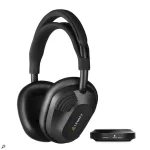
LW6 Virtual Studio Monitors and Space Replicator Essential both create speaker-like listening on headphones, but they are built for different jobs. One lives inside the LW6 and gives you an instant virtual monitor perspective anywhere. The other is a computer-based virtual acoustics system with several rooms, playback systems, headphone compensation, and binaural personalization.
The LW6 wireless studio headphone system includes Virtual Studio Monitors as part of its onboard DSP. You switch the mode on through LEWITT HEADPHONES or assign it to a hardware button, then the processing runs on the headphones without the app sitting open in the background.
Space Replicator Essential comes bundled as separate software. It can run inside a DAW or as a standalone application, and its job is broader than giving the LW6 one convincing speaker perspective. You can move between mixing rooms, translation spaces, a live venue, and consumer headphone simulations without pretending each view is the same reference.
Virtual monitoring tries to rebuild enough of those cues to move the image forward and make speaker-style judgments easier. Room reflections matter here, as do binaural cues and the transfer function of the headphones themselves. Individual headphone calibration for virtual auditory space also matters because headphone-to-ear transfer functions can vary between listeners, especially higher in the spectrum.
This is why neither LW6 option should be treated as a fancy reverb preset. The useful part is the interaction between speaker position, binaural rendering, room response, and headphone response. A believable room gives you a different perspective on depth and width rather than simply making the mix wetter.
Because the processing is stored and run on the headphones, it also fits neatly beside the other onboard checks. Goldmidi's LW6 DSP workflow covers mono, Side modes, channel swapping, target volumes, and Loudness Guard. Virtual Studio Monitors belong in the same family of fast perspective changes.
The limitation is built into the convenience. You get a virtual studio-monitor view, not a menu of listening environments for checking how the same master behaves in radically different places. There is no need to pick a headphone compensation profile either, because the mode is designed specifically around the LW6 hardware it is already running on.
Headphone compensation is a major difference. Pick the headphone model you are actually wearing, and Space Replicator compensates for its frequency response before building the virtual space. LW6 owners can use the bundled software with their own headphones, while somebody using another supported model can get the same room system without owning LW6 at all.
Translation checks are where Essential becomes more useful than the onboard mode. You can leave a studio reference and hear the mix through deliberately less forgiving playback situations rather than guessing what a phone, laptop, consumer headphone, or venue presentation might expose. Goldmidi's earlier Space Replicator Free overview covers the smaller free version, while Essential gives the bundled LW6 package a wider set of working spaces and personalization.
Keep Virtual Studio Monitors available on a hardware button for quick perspective changes during normal work. Use Space Replicator Essential when you need to leave the idealized control-room view, compare translation environments, compensate for another headphone model, or work with a personalized binaural profile. If Space Replicator sits on a master bus, keep its automatic render bypass enabled so the virtual room stays in the monitoring path instead of being printed into the exported mix.
The LW6 wireless studio headphone system includes Virtual Studio Monitors as part of its onboard DSP. You switch the mode on through LEWITT HEADPHONES or assign it to a hardware button, then the processing runs on the headphones without the app sitting open in the background.
Space Replicator Essential comes bundled as separate software. It can run inside a DAW or as a standalone application, and its job is broader than giving the LW6 one convincing speaker perspective. You can move between mixing rooms, translation spaces, a live venue, and consumer headphone simulations without pretending each view is the same reference.
Speaker virtualization solves a headphone geometry problem
Normal stereo headphones feed the left channel almost entirely to the left ear and the right channel to the right ear. Speakers behave differently because each ear hears both speakers, along with timing differences, room reflections, and the acoustic effect of your head and ears. Headphone stereo can therefore feel wider and more trapped inside your head than a pair of monitors sitting in front of you.Virtual monitoring tries to rebuild enough of those cues to move the image forward and make speaker-style judgments easier. Room reflections matter here, as do binaural cues and the transfer function of the headphones themselves. Individual headphone calibration for virtual auditory space also matters because headphone-to-ear transfer functions can vary between listeners, especially higher in the spectrum.
This is why neither LW6 option should be treated as a fancy reverb preset. The useful part is the interaction between speaker position, binaural rendering, room response, and headphone response. A believable room gives you a different perspective on depth and width rather than simply making the mix wetter.
Virtual Studio Monitors stay inside the LW6
The LW6 mode is the quick one. Activate Virtual Studio Monitors and the headphones simulate studio monitors in an ideal mixing room, giving you a more forward speaker-like image without loading a plug-in. It is useful on a laptop, while travelling, during late-night work, or whenever opening another piece of software would be pointless friction.Because the processing is stored and run on the headphones, it also fits neatly beside the other onboard checks. Goldmidi's LW6 DSP workflow covers mono, Side modes, channel swapping, target volumes, and Loudness Guard. Virtual Studio Monitors belong in the same family of fast perspective changes.
The limitation is built into the convenience. You get a virtual studio-monitor view, not a menu of listening environments for checking how the same master behaves in radically different places. There is no need to pick a headphone compensation profile either, because the mode is designed specifically around the LW6 hardware it is already running on.
Space Replicator Essential goes beyond one room
Space Replicator Essential works at the software level and currently includes two mixing or mastering studios, three spaces for translation checks, one live venue, three consumer headphone emulations, and more than 800 headphone compensation profiles. Its 2.0 update also brought standalone operation and personalized binaural profiles to Essential users.Headphone compensation is a major difference. Pick the headphone model you are actually wearing, and Space Replicator compensates for its frequency response before building the virtual space. LW6 owners can use the bundled software with their own headphones, while somebody using another supported model can get the same room system without owning LW6 at all.
Translation checks are where Essential becomes more useful than the onboard mode. You can leave a studio reference and hear the mix through deliberately less forgiving playback situations rather than guessing what a phone, laptop, consumer headphone, or venue presentation might expose. Goldmidi's earlier Space Replicator Free overview covers the smaller free version, while Essential gives the bundled LW6 package a wider set of working spaces and personalization.
Keep Virtual Studio Monitors available on a hardware button for quick perspective changes during normal work. Use Space Replicator Essential when you need to leave the idealized control-room view, compare translation environments, compensate for another headphone model, or work with a personalized binaural profile. If Space Replicator sits on a master bus, keep its automatic render bypass enabled so the virtual room stays in the monitoring path instead of being printed into the exported mix.