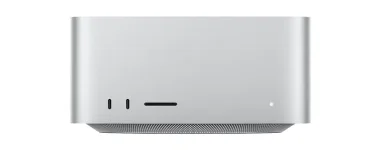
Apple’s 2026 Mac Studio gives the M5 Max 18 CPU cores, while the top M5 Ultra doubles that count to 36. On paper, the Ultra looks like the obvious monster, but music production is messy enough that twice the hardware does not mean twice the useful DAW speed.
For a lot of producers, M5 Max is already deep into overkill territory. It can be configured with 128GB of unified memory, up to 614GB/s of memory bandwidth, and a 40-core GPU, which is a ridiculous amount of machine for normal tracking, mixing, soft synths, and plug-in chains.
The early M5 Mac Studio audio results also show why this is not just a bigger-number contest. CPU-heavy Logic Pro work and GPU-heavy AI audio can stress completely different parts of the same Mac, so the right chip depends on where your own sessions actually choke.
Apple even recommends leaving Processing Threads on Automatic for normal use, and its own documentation notes that choosing the highest thread count is not always the most reliable setting. Multicore signal processing has the same basic scheduling problem in more formal work on just-in-time multicore signal processing, where performance depends on how tasks can actually be distributed rather than on core count alone.
This matters when comparing an 18-core Max with a 30-core or 36-core Ultra. A giant mix with lots of independent playback channels has more room to spread out than one live instrument track feeding a brutal serial chain of oversampling synths, linear-phase EQ, dynamics, and mastering processors.
If your problem is always one angry channel strip while recording at a tiny buffer, paying for twice as many cores may not fix the exact bottleneck you hate. If your work is huge and parallel, with large arrangements, many software instruments, buses, effects, and background processing, the extra Ultra cores have a much cleaner path to doing useful work.
A producer working mostly with audio tracks, synths, drum samplers, and ordinary Kontakt sessions is unlikely to need hundreds of gigabytes just because the option exists. Large orchestral templates are different. Keeping many deeply sampled instruments ready at once can push memory requirements into territory where the Max ceiling becomes the actual problem, not CPU speed.
Logic’s Sampler can stream sample data from storage instead of keeping everything in RAM, so memory use is not a straight one-gigabyte-library-equals-one-gigabyte-RAM calculation. Fast storage helps, but streaming still trades memory pressure for disk activity, and Apple’s own overload guidance tells you to watch both processing-thread meters and drive I/O rather than blaming every crackle on the processor.
This is where the Ultra starts making sense without any benchmark drama. If your real working template already needs more than 128GB, the Max is simply out. If it lives comfortably inside 64GB or 96GB, jumping to 256GB because it feels safer is mostly buying empty headroom.
Stem Splitter is the clearest example so far. The pillar test showed an M5 Max separating a nearly hour-long 24-bit, 96kHz file into six stems in 108 seconds while GPU activity dominated and CPU use stayed low.
M5 Ultra brings up to 80 GPU cores, twice the Max ceiling, plus a 32-core Neural Engine and 1.2TB/s memory bandwidth. None of those numbers prove Stem Splitter will run twice as fast, and there is not enough current audio-specific M5 Ultra testing to pretend otherwise.
The practical split is pretty clean. Buy Ultra for workloads that can genuinely consume its extra cores, memory, or accelerated AI hardware, not because an Ultra badge somehow makes every compressor instance faster. For conventional production, a well-specced M5 Max leaves far more room than most sessions will use, while the Ultra earns its keep when the project itself is unusually large, unusually parallel, or heavily dependent on GPU-assisted audio processing.
For a lot of producers, M5 Max is already deep into overkill territory. It can be configured with 128GB of unified memory, up to 614GB/s of memory bandwidth, and a 40-core GPU, which is a ridiculous amount of machine for normal tracking, mixing, soft synths, and plug-in chains.
The early M5 Mac Studio audio results also show why this is not just a bigger-number contest. CPU-heavy Logic Pro work and GPU-heavy AI audio can stress completely different parts of the same Mac, so the right chip depends on where your own sessions actually choke.
CPU headroom depends on how your sessions are built
Logic Pro can spread playback work across multiple processing threads, but it does not magically turn every project into one perfectly parallel job. Live tracks, software instruments, routing, low buffer sizes, and individual plug-in chains can create hot spots where one processing thread is slammed while plenty of total CPU capacity still appears unused.Apple even recommends leaving Processing Threads on Automatic for normal use, and its own documentation notes that choosing the highest thread count is not always the most reliable setting. Multicore signal processing has the same basic scheduling problem in more formal work on just-in-time multicore signal processing, where performance depends on how tasks can actually be distributed rather than on core count alone.
This matters when comparing an 18-core Max with a 30-core or 36-core Ultra. A giant mix with lots of independent playback channels has more room to spread out than one live instrument track feeding a brutal serial chain of oversampling synths, linear-phase EQ, dynamics, and mastering processors.
If your problem is always one angry channel strip while recording at a tiny buffer, paying for twice as many cores may not fix the exact bottleneck you hate. If your work is huge and parallel, with large arrangements, many software instruments, buses, effects, and background processing, the extra Ultra cores have a much cleaner path to doing useful work.
Memory can force the Ultra decision before CPU does
M5 Max tops out at 128GB of unified memory. M5 Ultra starts at 96GB and can be configured to 256GB or 512GB, which creates a very simple dividing line for composers running enormous templates.A producer working mostly with audio tracks, synths, drum samplers, and ordinary Kontakt sessions is unlikely to need hundreds of gigabytes just because the option exists. Large orchestral templates are different. Keeping many deeply sampled instruments ready at once can push memory requirements into territory where the Max ceiling becomes the actual problem, not CPU speed.
Logic’s Sampler can stream sample data from storage instead of keeping everything in RAM, so memory use is not a straight one-gigabyte-library-equals-one-gigabyte-RAM calculation. Fast storage helps, but streaming still trades memory pressure for disk activity, and Apple’s own overload guidance tells you to watch both processing-thread meters and drive I/O rather than blaming every crackle on the processor.
This is where the Ultra starts making sense without any benchmark drama. If your real working template already needs more than 128GB, the Max is simply out. If it lives comfortably inside 64GB or 96GB, jumping to 256GB because it feels safer is mostly buying empty headroom.
AI audio makes the GPU difference more relevant
Traditional DAW advice often treats GPU power as something music producers can ignore. M5 changes the picture a bit because Apple put Neural Accelerators into the GPU cores, and newer audio features can lean on that hardware instead of behaving like another ordinary plug-in on the CPU.Stem Splitter is the clearest example so far. The pillar test showed an M5 Max separating a nearly hour-long 24-bit, 96kHz file into six stems in 108 seconds while GPU activity dominated and CPU use stayed low.
M5 Ultra brings up to 80 GPU cores, twice the Max ceiling, plus a 32-core Neural Engine and 1.2TB/s memory bandwidth. None of those numbers prove Stem Splitter will run twice as fast, and there is not enough current audio-specific M5 Ultra testing to pretend otherwise.
The practical split is pretty clean. Buy Ultra for workloads that can genuinely consume its extra cores, memory, or accelerated AI hardware, not because an Ultra badge somehow makes every compressor instance faster. For conventional production, a well-specced M5 Max leaves far more room than most sessions will use, while the Ultra earns its keep when the project itself is unusually large, unusually parallel, or heavily dependent on GPU-assisted audio processing.