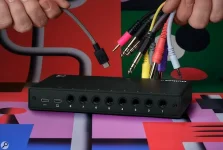
Elektron’s Outbox 8 supports multitrack audio streaming on several Digitakt, Digitone, Syntakt, Analog Rytm and Analog Four models, with Tonverk currently limited. Compatibility is broader than the newest boxes. The feature set changes sharply once you move through Elektron’s catalog.
A Digitakt I or II, Digitone I or II, Digitone Keys, or Syntakt gets the cleanest version of the idea. You get multitrack streaming, USB MIDI-to-CV, DIN or TRS MIDI-to-CV through a suitable interface, the Outbox mixer page, and setup from the Elektron box itself.
You get the most from Outbox 8 audio and CV routing only when the source device exposes the channels you expect over USB. Owning an Elektron machine does not guarantee it. Eight independent audio tracks do not automatically appear at the jacks.
Analog Rytm MKII and Analog Four MKII also support multitrack streaming and in-device setup, but they do not get the dedicated Outbox mixer page listed for Digitakt, Digitone, and Syntakt. It is a small difference on paper and a real workflow difference when you want to make routing changes without reaching for another interface.
The older Analog Rytm MKI and Analog Four MKI or Keys keep multitrack streaming, but setup moves to the browser app. One setting matters before anything else. Elektron requires those machines to use OVERBRIDGE mode in their USB configuration before Outbox 8 will work with them.
Older hardware is not receiving a vague compatibility badge either. The web configuration exposes defined source channels on Analog Four MKI and Keys, including the stereo main mix, four synth tracks, and both external inputs, while Analog Rytm MKI exposes its main pair plus individual or grouped drum sources.
Analog Heat is another edge case worth noticing. MKI, MKII, and +FX use the web app and Overbridge USB mode rather than an in-device setup. The source map still exposes the left and right analog inputs plus the left and right effects sends.
If you expected the same mixer-page convenience found on Digitakt or Syntakt, you do not get it here. Outbox 8 can still work with the audio paths Heat exposes, but configuration lives in the browser, and the supported controls remain narrower.
Both Model machines can still use USB MIDI-to-CV and can feed MIDI through DIN or TRS when a class-compliant MIDI-to-USB interface sits between the hardware and Outbox 8. Configuration happens in the web app rather than on the Model box.
Octatrack MKI and MKII, Machinedrum and Machinedrum UW, plus Monomachine and Monomachine Keys lose the audio-streaming side altogether. Their supported route is DIN or TRS MIDI converted to USB MIDI. Outbox 8 remains useful as a CV destination, but not as an eight-output audio expander.
It is an important distinction if your whole reason for buying the box is external mixing. An Octatrack already has physical main and cue outputs, but Outbox 8 will not unpack its internal tracks into eight new analog audio feeds.
Latency deserves more attention here than a generic compatibility tick. USB audio buffering and latency behavior, and technical latency measurements, can vary with the device path and software configuration. Elektron’s own warning makes the present Tonverk limitation specific enough to affect live routing decisions.
Tonverk also has a much larger pool of source channels than the eight physical Outbox sockets. Its web-app channel map includes the stereo mix, eight stereo audio tracks, four stereo bus tracks, three stereo send effects, stereo inputs, and the click or preview pair, so Outbox 8 is selecting from a larger stream rather than mirroring every source at once.
Compatibility can also fail because of software state rather than the model name printed on the chassis. Elektron says the connected box should run its latest OS. Outbox 8 can signal a not-fully-compatible device OS before falling back to a default configuration, which is worth checking before blaming cables or assuming the hardware is unsupported.
A Digitakt I or II, Digitone I or II, Digitone Keys, or Syntakt gets the cleanest version of the idea. You get multitrack streaming, USB MIDI-to-CV, DIN or TRS MIDI-to-CV through a suitable interface, the Outbox mixer page, and setup from the Elektron box itself.
You get the most from Outbox 8 audio and CV routing only when the source device exposes the channels you expect over USB. Owning an Elektron machine does not guarantee it. Eight independent audio tracks do not automatically appear at the jacks.
Newer Elektron boxes get the simplest setup
Digitakt I and II, the Digitone family, and Syntakt sit at the top of the compatibility stack because configuration stays on the instrument. Connect Outbox 8 and update the Elektron device to its current OS. The Outbox menu then becomes available under settings on supported models.Analog Rytm MKII and Analog Four MKII also support multitrack streaming and in-device setup, but they do not get the dedicated Outbox mixer page listed for Digitakt, Digitone, and Syntakt. It is a small difference on paper and a real workflow difference when you want to make routing changes without reaching for another interface.
The older Analog Rytm MKI and Analog Four MKI or Keys keep multitrack streaming, but setup moves to the browser app. One setting matters before anything else. Elektron requires those machines to use OVERBRIDGE mode in their USB configuration before Outbox 8 will work with them.
Older hardware is not receiving a vague compatibility badge either. The web configuration exposes defined source channels on Analog Four MKI and Keys, including the stereo main mix, four synth tracks, and both external inputs, while Analog Rytm MKI exposes its main pair plus individual or grouped drum sources.
Analog Heat is another edge case worth noticing. MKI, MKII, and +FX use the web app and Overbridge USB mode rather than an in-device setup. The source map still exposes the left and right analog inputs plus the left and right effects sends.
If you expected the same mixer-page convenience found on Digitakt or Syntakt, you do not get it here. Outbox 8 can still work with the audio paths Heat exposes, but configuration lives in the browser, and the supported controls remain narrower.
Model boxes and legacy machines have harder limits
Model Samples and Model Cycles work differently from the Overbridge-capable machines. Outbox 8 can take their audio, but only the audio from the main outputs is available. Buying it does not suddenly turn either box into a drum machine with separate USB track outs.Both Model machines can still use USB MIDI-to-CV and can feed MIDI through DIN or TRS when a class-compliant MIDI-to-USB interface sits between the hardware and Outbox 8. Configuration happens in the web app rather than on the Model box.
Octatrack MKI and MKII, Machinedrum and Machinedrum UW, plus Monomachine and Monomachine Keys lose the audio-streaming side altogether. Their supported route is DIN or TRS MIDI converted to USB MIDI. Outbox 8 remains useful as a CV destination, but not as an eight-output audio expander.
It is an important distinction if your whole reason for buying the box is external mixing. An Octatrack already has physical main and cue outputs, but Outbox 8 will not unpack its internal tracks into eight new analog audio feeds.
Tonverk works, but its current caveat is unusually large
Tonverk technically supports multitrack streaming, USB MIDI-to-CV, DIN or TRS MIDI-to-CV, and web-app setup. Elektron currently labels its Outbox 8 support as limited because audio streaming has high latency and setup cannot be performed from Tonverk itself.Latency deserves more attention here than a generic compatibility tick. USB audio buffering and latency behavior, and technical latency measurements, can vary with the device path and software configuration. Elektron’s own warning makes the present Tonverk limitation specific enough to affect live routing decisions.
Tonverk also has a much larger pool of source channels than the eight physical Outbox sockets. Its web-app channel map includes the stereo mix, eight stereo audio tracks, four stereo bus tracks, three stereo send effects, stereo inputs, and the click or preview pair, so Outbox 8 is selecting from a larger stream rather than mirroring every source at once.
Compatibility can also fail because of software state rather than the model name printed on the chassis. Elektron says the connected box should run its latest OS. Outbox 8 can signal a not-fully-compatible device OS before falling back to a default configuration, which is worth checking before blaming cables or assuming the hardware is unsupported.