Digitakt stores 16-bit 48 kHz mono samples, while Octatrack MKII accepts 16- or 24-bit 44.1 kHz WAV and AIFF files. Put the same untouched folder on both machines, and one set of files is already being asked to satisfy two different rules.
SP-404MKII and MPC hardware make the split wider. Roland converts SP-404MKII imports to 48 kHz and 16-bit, while standalone MPC workflows commonly use 44.1 kHz WAV at 16 or 24-bit. One permanent “hardware-ready” folder gets messy fast once stereo, filenames, and storage layouts enter the picture.
A cleaner setup keeps your original samples as the source and builds device copies only when needed. You stop editing the same kick four times, and you avoid forgetting which version got summed, resampled, trimmed, or renamed for a particular box.
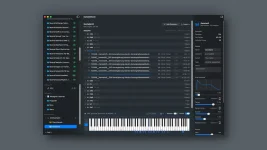
The SampleStack sample library workflow works best when device collections are treated as exports rather than masters. A sample can stay untouched while the Digitakt copy becomes mono, the Octatrack copy stays stereo, and the SP-404MKII version lands at its preferred format.
Mistakes also become cheap. If a mono conversion sounds weak because the original had important left-right differences, fix the export rule and make another copy instead of trying to reconstruct the stereo source later.
Digitakt II should be treated as a separate target. It can work in stereo, so a profile built for the original Digitakt can throw away width for no reason. Keeping the two destinations separate stops an old hardware rule from quietly following you onto newer hardware.
SP-404MKII accepts several import formats and converts imported material to 48 kHz 16-bit internally. Exporting 48 kHz 16-bit WAV copies in advance gives you predictable files before they reach the SD card, while leaving the full-quality originals alone.
MPC One and related standalone MPC hardware are more flexible with imports, but 44.1 kHz WAV at 16 or 24-bit remains a sensible prepared format. Akai also uses 44.1 kHz WAV for its expansion-building workflow, so a dedicated MPC copy stays straightforward without forcing the whole library into the same format.
Octatrack MKII is stricter here. Its Flex and Static machines handle mono or stereo WAV and AIFF at 44.1 kHz in 16 or 24-bit, so a 48 kHz export meant for Digitakt or SP-404MKII should not simply be reused.
Do the destructive parts once per destination copy. Trim dead space, decide whether stereo should remain stereo, convert the sample rate, set the target bit depth, then apply the filename and folder rules for the hardware. A consistent order makes batch preparation much easier to inspect when something refuses to load.
Names deserve more attention than they usually get. Hardware browsers give you less screen space than Finder, so front-load useful bits such as instrument, tempo, key, or variation instead of burying them after a long pack name. A short destination filename can coexist with a richer source filename because the export is disposable.
Folder structure belongs in the same destination layer. Octatrack audio pools, SP-404MKII import storage, MPC media, and Elektron Transfer do not need to dictate how the master archive is arranged on your Mac. Build the folders the hardware expects during export and keep the source library organized around how you actually search for sounds.
Validate before copying a huge batch to removable media. Check channel count, sample rate, bit depth, extension, and naming rules against the chosen device profile, then audition a few converted files. One bad setting copied across 600 samples is still one bad setting, just with a much larger cleanup job.
Your archive can keep the original audio while each hardware collection records a specific delivery decision for Digitakt, SP-404MKII, MPC, or Octatrack MKII. Rebuild the destination when its rules change, and the source never gets sacrificed for whichever sampler happens to be on the desk today.
SP-404MKII and MPC hardware make the split wider. Roland converts SP-404MKII imports to 48 kHz and 16-bit, while standalone MPC workflows commonly use 44.1 kHz WAV at 16 or 24-bit. One permanent “hardware-ready” folder gets messy fast once stereo, filenames, and storage layouts enter the picture.
A cleaner setup keeps your original samples as the source and builds device copies only when needed. You stop editing the same kick four times, and you avoid forgetting which version got summed, resampled, trimmed, or renamed for a particular box.
One source library beats four permanent copies
The master library should hold the best version you own, not the lowest common denominator every sampler can read. Keep stereo files stereo, preserve the original sample rate and bit depth, and retain useful names instead of flattening everything to 16-bit mono because one destination needs it.The SampleStack sample library workflow works best when device collections are treated as exports rather than masters. A sample can stay untouched while the Digitakt copy becomes mono, the Octatrack copy stays stereo, and the SP-404MKII version lands at its preferred format.
Mistakes also become cheap. If a mono conversion sounds weak because the original had important left-right differences, fix the export rule and make another copy instead of trying to reconstruct the stereo source later.
Each sampler needs its own destination copy
For the original Digitakt, the useful target is 16-bit 48 kHz mono audio. Elektron Transfer handles conversion during transfer, but preparing the mono version yourself lets you audition the result before it reaches the box. Wide percussion, stereo ambience, and phasey material deserve a check because mono summing can change them far more than a plain kick.Digitakt II should be treated as a separate target. It can work in stereo, so a profile built for the original Digitakt can throw away width for no reason. Keeping the two destinations separate stops an old hardware rule from quietly following you onto newer hardware.
SP-404MKII accepts several import formats and converts imported material to 48 kHz 16-bit internally. Exporting 48 kHz 16-bit WAV copies in advance gives you predictable files before they reach the SD card, while leaving the full-quality originals alone.
MPC One and related standalone MPC hardware are more flexible with imports, but 44.1 kHz WAV at 16 or 24-bit remains a sensible prepared format. Akai also uses 44.1 kHz WAV for its expansion-building workflow, so a dedicated MPC copy stays straightforward without forcing the whole library into the same format.
Octatrack MKII is stricter here. Its Flex and Static machines handle mono or stereo WAV and AIFF at 44.1 kHz in 16 or 24-bit, so a 48 kHz export meant for Digitakt or SP-404MKII should not simply be reused.
Conversion belongs at export, not in the archive
Sample-rate conversion is not just changing a number in a file header. Proper digital sample-rate conversion relies on interpolation and filtering, which is why the process is better handled deliberately instead of through repeated conversions.Do the destructive parts once per destination copy. Trim dead space, decide whether stereo should remain stereo, convert the sample rate, set the target bit depth, then apply the filename and folder rules for the hardware. A consistent order makes batch preparation much easier to inspect when something refuses to load.
Names deserve more attention than they usually get. Hardware browsers give you less screen space than Finder, so front-load useful bits such as instrument, tempo, key, or variation instead of burying them after a long pack name. A short destination filename can coexist with a richer source filename because the export is disposable.
Folder structure belongs in the same destination layer. Octatrack audio pools, SP-404MKII import storage, MPC media, and Elektron Transfer do not need to dictate how the master archive is arranged on your Mac. Build the folders the hardware expects during export and keep the source library organized around how you actually search for sounds.
Validate before copying a huge batch to removable media. Check channel count, sample rate, bit depth, extension, and naming rules against the chosen device profile, then audition a few converted files. One bad setting copied across 600 samples is still one bad setting, just with a much larger cleanup job.
Your archive can keep the original audio while each hardware collection records a specific delivery decision for Digitakt, SP-404MKII, MPC, or Octatrack MKII. Rebuild the destination when its rules change, and the source never gets sacrificed for whichever sampler happens to be on the desk today.