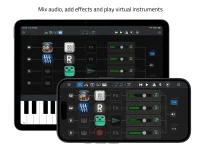
Sessions Nano can host four MIDI-generating AUv3 plug-ins and route their output through two internal buses to multiple virtual instruments. Two buses are routing lanes, not a promise that only two synths can receive generated MIDI.
The distinction matters when you build a compact iPhone or iPad rig around sequencers, arpeggiators, chord tools, or other MIDI generators. Sessions Nano’s dual MIDI bus design sits between those generators and the instruments loaded in the eight-channel mixer. A single bus can therefore feed more than one instrument instead of being tied to one destination.
You get up to four MIDI-generating AUv3 plug-ins, two buses, and as many as eight hosted virtual instruments across the mixer. The useful limit is not simply how many buses exist, but how many genuinely different MIDI parts you need at once.
A practical setup could place a chord generator on one bus and send its notes to a piano, pad, and soft synth. The other bus could carry an arpeggiator into a bass instrument and a brighter pluck. Five instruments are now responding to two streams, yet the routing still uses only two internal buses.
The buses constrain the number of separate internal MIDI streams available from hosted generators, not the number of instruments those streams can reach. If several instruments are meant to perform the same generated part, sharing a bus makes sense.
Different parts need more thought. A bass sequence, chord progression, melody generator, and independent drum pattern may each want their own distinct MIDI data. Nano gives you only two buses for generator-to-instrument routing, so some combinations require a simpler arrangement or a host with more flexible routing.
Nano’s advertised generator path ends at virtual instruments in its Mixer. External MIDI appears elsewhere as keyboard input, clock sync, and hardware control, so you should not assume the two buses are general-purpose outputs for driving an external synth rack. For a mobile rig built around internal AUv3 instruments, this boundary matters.
A keyboard performance can be built around zones and layers while internal generators handle other musical material. You might play a split with bass on the left and keys on the right while a hosted sequencer drives a separate layered texture. Treating those jobs separately makes Nano easier to plan.
External MIDI hardware also has a control role. MIDI Learn can map physical controls to channel volume, pan, mute, effect bypass, transport, tempo, and related host functions. Those mappings control Nano itself and should not be confused with buses carrying musical data from MIDI-generating AUv3 plug-ins toward instruments.
A bus handles musical MIDI flow from an internal generator, while MIDI Learn handles remote control of mixer and transport functions. An external keyboard can meanwhile provide playable layers, splits, and transposition.
Four hosted MIDI generators do not automatically create four independent paths. Nano still funnels generator output through two internal buses, so loading another generator increases what can produce MIDI without adding a third bus. With all four generators routed, some of them necessarily share one of the two available buses.
Timing support is built for this kind of live routing. Nano uses sample-accurate MIDI timing, includes plug-in delay compensation, and can sync through Ableton Link or an external MIDI clock. Those features help routed parts stay aligned, but they do not expand the routing topology itself.
The cleanest Nano rigs use the buses as shared musical groups. Group instruments that should receive the same generated performance, reserve the second bus for another part, and play direct material through keyboard layers or splits. Once your arrangement repeatedly needs three or four independent generator paths, the limitation is structural rather than something a clever channel assignment can hide.
The distinction matters when you build a compact iPhone or iPad rig around sequencers, arpeggiators, chord tools, or other MIDI generators. Sessions Nano’s dual MIDI bus design sits between those generators and the instruments loaded in the eight-channel mixer. A single bus can therefore feed more than one instrument instead of being tied to one destination.
You get up to four MIDI-generating AUv3 plug-ins, two buses, and as many as eight hosted virtual instruments across the mixer. The useful limit is not simply how many buses exist, but how many genuinely different MIDI parts you need at once.
MIDI generator routing can fan out to several instruments
Picture one generator producing a chord pattern while another creates an arpeggio. Both can be assigned within Nano’s AUv3 generator routing scheme, then sent through the available MIDI buses toward instruments in the mixer. Each bus can route data to multiple virtual instruments, so one pattern can drive a layered sound instead of a single synth.A practical setup could place a chord generator on one bus and send its notes to a piano, pad, and soft synth. The other bus could carry an arpeggiator into a bass instrument and a brighter pluck. Five instruments are now responding to two streams, yet the routing still uses only two internal buses.
The buses constrain the number of separate internal MIDI streams available from hosted generators, not the number of instruments those streams can reach. If several instruments are meant to perform the same generated part, sharing a bus makes sense.
Different parts need more thought. A bass sequence, chord progression, melody generator, and independent drum pattern may each want their own distinct MIDI data. Nano gives you only two buses for generator-to-instrument routing, so some combinations require a simpler arrangement or a host with more flexible routing.
Nano’s advertised generator path ends at virtual instruments in its Mixer. External MIDI appears elsewhere as keyboard input, clock sync, and hardware control, so you should not assume the two buses are general-purpose outputs for driving an external synth rack. For a mobile rig built around internal AUv3 instruments, this boundary matters.
External keyboards follow a different performance path
Nano also supports MIDI layers, splits, and transpositions from external keyboards. Nano treats these functions separately from its two internal generator buses, so the dual-bus limit does not describe every MIDI job inside the app.A keyboard performance can be built around zones and layers while internal generators handle other musical material. You might play a split with bass on the left and keys on the right while a hosted sequencer drives a separate layered texture. Treating those jobs separately makes Nano easier to plan.
External MIDI hardware also has a control role. MIDI Learn can map physical controls to channel volume, pan, mute, effect bypass, transport, tempo, and related host functions. Those mappings control Nano itself and should not be confused with buses carrying musical data from MIDI-generating AUv3 plug-ins toward instruments.
A bus handles musical MIDI flow from an internal generator, while MIDI Learn handles remote control of mixer and transport functions. An external keyboard can meanwhile provide playable layers, splits, and transposition.
Two buses become the real limit with independent parts
The architecture works best when several instruments can share the same notes. Layering a piano and pad, doubling a synth with another timbre, or sending one arpeggio to several instruments barely stresses the two-bus design.Four hosted MIDI generators do not automatically create four independent paths. Nano still funnels generator output through two internal buses, so loading another generator increases what can produce MIDI without adding a third bus. With all four generators routed, some of them necessarily share one of the two available buses.
Timing support is built for this kind of live routing. Nano uses sample-accurate MIDI timing, includes plug-in delay compensation, and can sync through Ableton Link or an external MIDI clock. Those features help routed parts stay aligned, but they do not expand the routing topology itself.
The cleanest Nano rigs use the buses as shared musical groups. Group instruments that should receive the same generated performance, reserve the second bus for another part, and play direct material through keyboard layers or splits. Once your arrangement repeatedly needs three or four independent generator paths, the limitation is structural rather than something a clever channel assignment can hide.