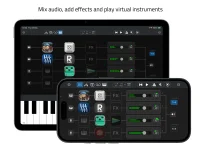
Sessions Nano documents external MIDI control for channel volume, pan, mute, plug-in bypass, start and stop, and tempo. Those are the controls most likely to matter when your hands are on a keyboard, guitar, or controller instead of the screen.
The app uses MIDI Learn to connect incoming hardware messages with those host functions. A knob can handle level, a button can mute a channel, and a pedal or pad can deal with transport without forcing you back to the touchscreen.
What Nano does not advertise is just as important. Sessions Nano’s external MIDI control setup is not documented as a universal mapper for every parameter exposed by every AUv3 plug-in, so it is risky to plan a performance around that assumption.
This creates a fairly practical hands-free MIDI control layer for a small live rig. A controller can cover the jobs you touch repeatedly during a set while the iPhone or iPad stays focused on hosting instruments, effects, and tracks.
The published Nano feature set stops short of describing direct MIDI Learn for an AUv3 synth cutoff, delay feedback, reverb decay, compressor threshold, or other arbitrary plug-in parameter. Open Planet lists plug-in bypass, which controls whether an effect is active, but bypass is not the same thing as reaching inside the plug-in and mapping one of its sound-shaping controls.
A plug-in may have its own MIDI implementation, and some instruments respond directly to MIDI CC messages. Such behavior belongs to the plug-in itself and should be checked in its documentation. Nano’s own MIDI Learn should not be treated as proof that every hosted control can be assigned from the host.
Sessions Pro also moves further in this direction than Nano. Open Planet gives Pro Macros that can adjust multiple parameters with individual ranges, Widgets for chosen plug-in controls, and MIDI control over Macros alongside a much larger set of host parameters.
Nano does not list Macros or Widgets among its features. If your performance depends on one expression pedal sweeping several effect values, or a bank of knobs reaching directly into multiple AUv3 parameters, Nano’s published control model does not promise that workflow.
This is where a small wording difference can save a bad purchase. “MIDI controller support” can mean anything from start and stop buttons to deep parameter binding. Nano clearly supports the former class well, but its current documentation does not put it in the same deep-mapping category as hosts that explicitly expose arbitrary Audio Unit parameters.
Small controllers can therefore be a sensible match. Faders or knobs for volume and pan, buttons for mute and bypass, and a few transport controls cover much of Nano’s stated external-control territory without carrying controls the host does not document.
Foot control is especially useful when the mapped function is binary. Start and stop, mute, or effect bypass fit buttons and pedals naturally, while continuous jobs such as volume, pan, and tempo make more sense on controls that send changing values.
Controller compatibility still depends on the hardware presenting usable MIDI messages to the iPhone or iPad. Connection methods, power requirements, and message configuration vary between controllers, so the hardware manual remains part of the setup even when Nano can learn the intended function.
A performance should be tested with the exact controller, plug-ins, and mappings before relying on it live. Nano’s smaller control surface is deliberate, but those boundaries become important when a show depends on remote parameter changes that the app has not documented.
The app uses MIDI Learn to connect incoming hardware messages with those host functions. A knob can handle level, a button can mute a channel, and a pedal or pad can deal with transport without forcing you back to the touchscreen.
What Nano does not advertise is just as important. Sessions Nano’s external MIDI control setup is not documented as a universal mapper for every parameter exposed by every AUv3 plug-in, so it is risky to plan a performance around that assumption.
Nano’s MIDI Learn is strongest at host control
Channel volume, pan, and mute are straightforward targets for physical faders, knobs, and buttons. Plug-in bypass is useful for switching an effect in or out without opening its interface, while transport and tempo control can keep a backing track or practice setup moving from hardware alone.This creates a fairly practical hands-free MIDI control layer for a small live rig. A controller can cover the jobs you touch repeatedly during a set while the iPhone or iPad stays focused on hosting instruments, effects, and tracks.
The published Nano feature set stops short of describing direct MIDI Learn for an AUv3 synth cutoff, delay feedback, reverb decay, compressor threshold, or other arbitrary plug-in parameter. Open Planet lists plug-in bypass, which controls whether an effect is active, but bypass is not the same thing as reaching inside the plug-in and mapping one of its sound-shaping controls.
A plug-in may have its own MIDI implementation, and some instruments respond directly to MIDI CC messages. Such behavior belongs to the plug-in itself and should be checked in its documentation. Nano’s own MIDI Learn should not be treated as proof that every hosted control can be assigned from the host.
Plug-in parameter control is a different class of feature
Other iOS hosts make this distinction easier to see because they explicitly document deeper parameter mapping. AUM exposes Audio Unit parameters through its MIDI control system, while Loopy Pro documents MIDI Learn and bindings for AUv3 instrument, effect, and MIDI effect parameters.Sessions Pro also moves further in this direction than Nano. Open Planet gives Pro Macros that can adjust multiple parameters with individual ranges, Widgets for chosen plug-in controls, and MIDI control over Macros alongside a much larger set of host parameters.
Nano does not list Macros or Widgets among its features. If your performance depends on one expression pedal sweeping several effect values, or a bank of knobs reaching directly into multiple AUv3 parameters, Nano’s published control model does not promise that workflow.
This is where a small wording difference can save a bad purchase. “MIDI controller support” can mean anything from start and stop buttons to deep parameter binding. Nano clearly supports the former class well, but its current documentation does not put it in the same deep-mapping category as hosts that explicitly expose arbitrary Audio Unit parameters.
Hardware choice should follow the controls you actually need
A huge controller will not make Nano expose more host mappings. Eight faders can still be useful for an eight-channel mixer, but dozens of encoders become less valuable if your real goal is to manipulate internal synth and effect parameters that Nano does not document as MIDI Learn targets.Small controllers can therefore be a sensible match. Faders or knobs for volume and pan, buttons for mute and bypass, and a few transport controls cover much of Nano’s stated external-control territory without carrying controls the host does not document.
Foot control is especially useful when the mapped function is binary. Start and stop, mute, or effect bypass fit buttons and pedals naturally, while continuous jobs such as volume, pan, and tempo make more sense on controls that send changing values.
Controller compatibility still depends on the hardware presenting usable MIDI messages to the iPhone or iPad. Connection methods, power requirements, and message configuration vary between controllers, so the hardware manual remains part of the setup even when Nano can learn the intended function.
A performance should be tested with the exact controller, plug-ins, and mappings before relying on it live. Nano’s smaller control surface is deliberate, but those boundaries become important when a show depends on remote parameter changes that the app has not documented.