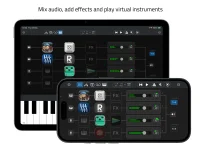
Sessions Nano requires iOS 26.0 or iPadOS 26.0, excluding the iPhone XR, XS, XS Max, and every earlier iPhone. The requirement is easy to skim past because the app is presented broadly as an iPhone and iPad AUv3 host. On older hardware, though, the operating system is the gatekeeper before plug-ins, storage, or audio interfaces even enter the conversation.
The practical limit around Sessions Nano’s mobile AUv3 hosting setup is the operating system, not whether your device can still run other music apps. An older iPhone may remain perfectly useful for recording, MIDI, or existing AUv3 software while still being unable to install Nano. Apple continues to support some older devices on earlier system releases, which makes the distinction less obvious than a simple “old versus new” split.
Compatibility is also broader than the newest hardware. You do not need an Apple Intelligence-capable device, an M-series iPad, or a current flagship iPhone just to meet Nano’s published requirement. Several devices from 2019 and 2020 remain inside the supported range.
The awkward cases sit immediately below that line. Apple’s iPhone XR, iPhone XS, and iPhone XS Max remain limited to iOS 18 rather than iOS 26, so they cannot satisfy Nano’s minimum requirement. An iPhone X, iPhone 8, or anything older falls even further outside the range.
Age alone can therefore mislead you. The second-generation iPhone SE launched after the iPhone 11 family but uses the older home-button design, and it still qualifies because Apple supports it on iOS 26. An iPhone XS Max may look more premium and physically larger, yet its software ceiling keeps Nano off the device.
Current iPhones do not create the same complication. Apple’s iOS 27 compatibility list still includes the iPhone 11 family and second-generation iPhone SE onward, so upgrading a supported iPhone to iOS 27 does not push it outside Nano’s stated minimum. Nano asks for iOS 26 or later, not exactly iOS 26.
Those older supported tablets matter because several use A12-class hardware rather than Apple’s newer M-series chips. Nano’s App Store requirements do not add an Apple Intelligence condition or a separate processor requirement beyond the operating system. If the iPad can run iPadOS 26 and meets the normal App Store compatibility check, the published Nano requirement is satisfied.
The seventh-generation iPad is the painful near miss. It can run iPadOS 18, but Apple excluded it from iPadOS 26, while the eighth-generation model made the cut. Anyone keeping a seventh-generation iPad as a dedicated music tablet can still use compatible older apps, but Nano is outside its supported software ceiling.
Older iPad Pro hardware needs similar care because screen size does not tell you the generation. A 12.9-inch third-generation iPad Pro qualifies, while the second-generation 12.9-inch model does not. For the 11-inch line, even the first-generation model remains eligible for iPadOS 26 and therefore for Nano.
Those machines do not suddenly become incompatible with Nano merely because Apple released a newer operating system. They can remain on iPadOS 26 and still meet the app’s stated requirement, provided Open Planet does not raise the minimum in a future release. The distinction matters if you are buying a used iPad specifically as a compact AUv3 host.
A used-device check should therefore start with the exact model generation, not the screen size or seller’s description. Apple’s Settings app shows the model name, and the model number can identify ambiguous hardware when listings are vague. Once you know the generation, the iPadOS 26 support boundary gives you a much firmer answer than age, appearance, or storage capacity.
The practical limit around Sessions Nano’s mobile AUv3 hosting setup is the operating system, not whether your device can still run other music apps. An older iPhone may remain perfectly useful for recording, MIDI, or existing AUv3 software while still being unable to install Nano. Apple continues to support some older devices on earlier system releases, which makes the distinction less obvious than a simple “old versus new” split.
Compatibility is also broader than the newest hardware. You do not need an Apple Intelligence-capable device, an M-series iPad, or a current flagship iPhone just to meet Nano’s published requirement. Several devices from 2019 and 2020 remain inside the supported range.
The iPhone cutoff begins with the iPhone 11
Apple’s iOS 26 device cutoff starts with the iPhone 11 family and the second-generation iPhone SE. The iPhone 11, 11 Pro, and 11 Pro Max can run iOS 26, as can every mainline iPhone generation released after them. The smaller second-generation and third-generation iPhone SE models are supported too.The awkward cases sit immediately below that line. Apple’s iPhone XR, iPhone XS, and iPhone XS Max remain limited to iOS 18 rather than iOS 26, so they cannot satisfy Nano’s minimum requirement. An iPhone X, iPhone 8, or anything older falls even further outside the range.
Age alone can therefore mislead you. The second-generation iPhone SE launched after the iPhone 11 family but uses the older home-button design, and it still qualifies because Apple supports it on iOS 26. An iPhone XS Max may look more premium and physically larger, yet its software ceiling keeps Nano off the device.
Current iPhones do not create the same complication. Apple’s iOS 27 compatibility list still includes the iPhone 11 family and second-generation iPhone SE onward, so upgrading a supported iPhone to iOS 27 does not push it outside Nano’s stated minimum. Nano asks for iOS 26 or later, not exactly iOS 26.
iPad support reaches back to several A12 models
The iPad boundary is more generous in some places. Nano can run on the eighth-generation iPad and later, the third-generation iPad Air and later, and the fifth-generation iPad mini and later. Supported iPad Pro models begin with the 11-inch first generation and the 12.9-inch third generation.Those older supported tablets matter because several use A12-class hardware rather than Apple’s newer M-series chips. Nano’s App Store requirements do not add an Apple Intelligence condition or a separate processor requirement beyond the operating system. If the iPad can run iPadOS 26 and meets the normal App Store compatibility check, the published Nano requirement is satisfied.
The seventh-generation iPad is the painful near miss. It can run iPadOS 18, but Apple excluded it from iPadOS 26, while the eighth-generation model made the cut. Anyone keeping a seventh-generation iPad as a dedicated music tablet can still use compatible older apps, but Nano is outside its supported software ceiling.
Older iPad Pro hardware needs similar care because screen size does not tell you the generation. A 12.9-inch third-generation iPad Pro qualifies, while the second-generation 12.9-inch model does not. For the 11-inch line, even the first-generation model remains eligible for iPadOS 26 and therefore for Nano.
iPadOS 27 creates an unusual compatibility split
Apple tightened iPad support again with iPadOS 27, but Nano still lists iPadOS 26.0 as its minimum. Five older models sit in an unusual middle ground because they support iPadOS 26 but not iPadOS 27. They are the eighth-generation iPad, third-generation iPad Air, fifth-generation iPad mini, first-generation 11-inch iPad Pro, and third-generation 12.9-inch iPad Pro.Those machines do not suddenly become incompatible with Nano merely because Apple released a newer operating system. They can remain on iPadOS 26 and still meet the app’s stated requirement, provided Open Planet does not raise the minimum in a future release. The distinction matters if you are buying a used iPad specifically as a compact AUv3 host.
A used-device check should therefore start with the exact model generation, not the screen size or seller’s description. Apple’s Settings app shows the model name, and the model number can identify ambiguous hardware when listings are vague. Once you know the generation, the iPadOS 26 support boundary gives you a much firmer answer than age, appearance, or storage capacity.