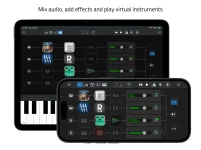
Sessions Nano costs $9.99 and caps its mixer at eight channels, while Sessions Pro costs $24.99 and allows unlimited channel strips. Price matters, but the more useful dividing line is how complicated your live or mobile setup becomes before the host gets in your way.
Both apps share much of the same foundation. You can host Audio Units, build MIDI layers and splits, run backing tracks, sync externally, and record performances. Both also use plug-in latency compensation and sample-accurate MIDI timing.
Open Planet instead puts a firm boundary around the smaller app. Its Sessions Nano mobile plug-in host gives you eight mixer channels, up to eight virtual instruments, 16 audio effects, four MIDI generators, and two internal MIDI buses. Pro removes several of those limits and adds performance-management tools for setups that no longer fit comfortably on one screen.
External MIDI control covers practical live functions such as channel volume, pan, mute, effect bypass, transport, and tempo. MIDI Learn lets a hardware controller handle those jobs without constant screen tapping. Nano does not include Pro's broader control layer built around Scenes, Macros, Widgets, sends, aux channels, and a much larger mapping system.
Recording follows the same smaller-versus-deeper split. Nano continuously keeps the last five minutes available in its always-on recorder, while manual direct-to-disk recording has no fixed duration limit. For rehearsals, quick mobile sessions, or a compact stage rig, five minutes of rolling capture may be plenty.
Platform support also pushes the apps toward different users. Nano runs on iPhone and iPad and requires iOS or iPadOS 26. Sessions Pro runs on Mac and iPad, requiring macOS 15.6 or later or iPadOS 18.6 or later for the current release.
The bigger change is how Pro organizes a set. Each project can contain 12 independent Scenes. You can switch between them, pin extras, and leave one layer active while moving between song-specific setups.
Each Scene also gets 16 Macros and one Big Knob. A Macro can control several parameters at once with its own ranges, while Widgets expose chosen plug-in controls inside the mixer. Pro can map more than 200 host parameters through MIDI Learn, including Scene selection, sends, solos, plug-in bypasses, transport, and other mixer functions.
Pro also has a Patch Library for saving favorite channels and Scenes, plus a Plug-In Manager with search, favorites, and the option to hide unused plug-ins. Nano's published feature set does not list those library-level organization tools, which matters once your live collection grows beyond a handful of instruments.
MIDI routing is less boxed in as well. Pro lets MIDI effects transform data and route separate MIDI channels to different instruments instead of Nano's two-bus arrangement.
The always-on recorder stretches further too. Pro lets you choose a five-, 10-, or 15-minute rolling window and can export a selected region as M4A or WAV. Manual recording remains unlimited in duration, so the main difference is how much recent material you can recover without pressing record.
The documented path runs from Nano into Pro, not the other way around. Add Pro-only structures such as Scenes, Macros, Widgets, auxiliary routing, side chains, or a larger mixer, and the setup becomes Pro-specific. You should not expect those additions to collapse neatly back into Nano.
Plug-in compatibility creates one more boundary worth knowing. Nano hosts AUv3 plug-ins, Sessions Pro uses AUv3 on iPad, and the Mac version of Pro supports both AUv2 and AUv3. Moving a Nano project into Pro preserves the host-level path, but its plug-ins still need to exist and work on the destination device.
Both apps share much of the same foundation. You can host Audio Units, build MIDI layers and splits, run backing tracks, sync externally, and record performances. Both also use plug-in latency compensation and sample-accurate MIDI timing.
Open Planet instead puts a firm boundary around the smaller app. Its Sessions Nano mobile plug-in host gives you eight mixer channels, up to eight virtual instruments, 16 audio effects, four MIDI generators, and two internal MIDI buses. Pro removes several of those limits and adds performance-management tools for setups that no longer fit comfortably on one screen.
Nano keeps the live rig intentionally small
Sessions Nano makes the most sense when your setup already fits inside an eight-channel mobile AUv3 setup. You can connect audio, add effects, play AUv3 instruments, and split or layer an external keyboard. MIDI generators can feed instruments through two internal buses, while four backing-track stems can enter the mixer for effects processing.External MIDI control covers practical live functions such as channel volume, pan, mute, effect bypass, transport, and tempo. MIDI Learn lets a hardware controller handle those jobs without constant screen tapping. Nano does not include Pro's broader control layer built around Scenes, Macros, Widgets, sends, aux channels, and a much larger mapping system.
Recording follows the same smaller-versus-deeper split. Nano continuously keeps the last five minutes available in its always-on recorder, while manual direct-to-disk recording has no fixed duration limit. For rehearsals, quick mobile sessions, or a compact stage rig, five minutes of rolling capture may be plenty.
Platform support also pushes the apps toward different users. Nano runs on iPhone and iPad and requires iOS or iPadOS 26. Sessions Pro runs on Mac and iPad, requiring macOS 15.6 or later or iPadOS 18.6 or later for the current release.
Pro earns its name when routing gets serious
Sessions Pro starts to pull away when a performance needs more than a fixed mixer. It supports unlimited audio, instrument, and auxiliary channel strips, plus unlimited MIDI and audio effects on each strip. Eight sends per strip, side-chain routing, and auxiliary outputs for independent hardware destinations give you substantially wider routing options.The bigger change is how Pro organizes a set. Each project can contain 12 independent Scenes. You can switch between them, pin extras, and leave one layer active while moving between song-specific setups.
Each Scene also gets 16 Macros and one Big Knob. A Macro can control several parameters at once with its own ranges, while Widgets expose chosen plug-in controls inside the mixer. Pro can map more than 200 host parameters through MIDI Learn, including Scene selection, sends, solos, plug-in bypasses, transport, and other mixer functions.
Pro also has a Patch Library for saving favorite channels and Scenes, plus a Plug-In Manager with search, favorites, and the option to hide unused plug-ins. Nano's published feature set does not list those library-level organization tools, which matters once your live collection grows beyond a handful of instruments.
MIDI routing is less boxed in as well. Pro lets MIDI effects transform data and route separate MIDI channels to different instruments instead of Nano's two-bus arrangement.
The always-on recorder stretches further too. Pro lets you choose a five-, 10-, or 15-minute rolling window and can export a selected region as M4A or WAV. Manual recording remains unlimited in duration, so the main difference is how much recent material you can recover without pressing record.
Project transfer makes upgrading less painful
The product split has a documented handoff. Nano projects can open in Sessions Pro 10, or later, so a small mobile setup can become the starting point for a larger Pro rig.The documented path runs from Nano into Pro, not the other way around. Add Pro-only structures such as Scenes, Macros, Widgets, auxiliary routing, side chains, or a larger mixer, and the setup becomes Pro-specific. You should not expect those additions to collapse neatly back into Nano.
Plug-in compatibility creates one more boundary worth knowing. Nano hosts AUv3 plug-ins, Sessions Pro uses AUv3 on iPad, and the Mac version of Pro supports both AUv2 and AUv3. Moving a Nano project into Pro preserves the host-level path, but its plug-ins still need to exist and work on the destination device.