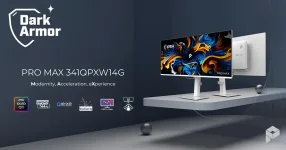
MSI’s PRO MAX 341QPXW14G packs 3440×1440 pixels into a 34-inch panel, which works out to roughly 110 pixels per inch. Its fifth-generation QD-OLED panel also uses an RGB-stripe subpixel layout designed to reduce the colored edging that older QD-OLED desktop panels could show around fine text.
Those two facts solve different problems. MSI’s 34-inch PRO MAX QD-OLED can draw cleaner letter edges than earlier triangular-layout QD-OLEDs, yet it still has the physical pixel density of a conventional 34-inch 3440×1440 ultrawide. A sharper subpixel arrangement cannot turn roughly 110 PPI into a Retina-class panel.
Mac users are likely to notice the distinction most in documents, browsers, code editors, spreadsheets, and menu text. Photos and video can look excellent while small type still reveals the limits of the pixel grid, especially if you sit close to the screen.
Pixel density remains unchanged by that rearrangement. A 34-inch 3440×1440 screen lands at almost the same density as a 27-inch 2560×1440 monitor, so each letter still has a limited number of physical pixels available for its curves and diagonals. You gain cleaner pixel structure, not extra pixels.
The distinction matters because RGB-stripe subpixel rendering can use the geometry of colored subpixels to improve apparent detail, but display geometry still sets a hard ceiling on native resolution. MSI has improved one of OLED’s text-specific weaknesses without changing the underlying 3440×1440 canvas.
A MacBook’s built-in Retina display creates a tougher comparison. Moving the same document from the laptop screen to this ultrawide can expose a clear change in edge smoothness even when both displays are well calibrated, and the MSI is behaving exactly as designed.
HiDPI scaling takes a different route. Compatible modes let macOS render interface elements with a denser backing image and then present them at a larger effective size, which can make text and icons look cleaner. You pay for that improvement with usable desktop space because windows, menus, and controls occupy more of the screen.
BetterDisplay can expose additional HiDPI choices on compatible Macs and ultrawides when the built-in Displays panel does not offer a comfortable option. The exact modes depend on the Mac, macOS version, connection, and display detection, so there is no single resolution every 341QPXW14G owner should copy blindly.
This is also why “looks like” resolution and panel resolution should not be treated as interchangeable numbers. The panel always remains 3440×1440. Scaling changes how macOS renders the desktop into those pixels, not how many pixels physically exist.
A lower effective HiDPI setting suits someone who spends all day reading code, email, documents, or browser text and finds native rendering tiring or coarse. The interface gets larger, but the practical benefit can outweigh losing some horizontal workspace.
RGB Stripe still matters in either mode. It removes a separate source of ugliness that scaling cannot fully cure, especially the colored outlines associated with nonstandard OLED subpixel layouts. Scaling then addresses how macOS sizes and renders the interface within the panel’s fixed 3440×1440 grid.
The important limitation is physical rather than software. No utility, cable, firmware update, or color profile can make this panel behave like a 5K-class display with roughly twice the pixel density. The 341QPXW14G can be a much cleaner Mac productivity OLED than earlier QD-OLED ultrawides while remaining unmistakably a 110-PPI monitor.
Those two facts solve different problems. MSI’s 34-inch PRO MAX QD-OLED can draw cleaner letter edges than earlier triangular-layout QD-OLEDs, yet it still has the physical pixel density of a conventional 34-inch 3440×1440 ultrawide. A sharper subpixel arrangement cannot turn roughly 110 PPI into a Retina-class panel.
Mac users are likely to notice the distinction most in documents, browsers, code editors, spreadsheets, and menu text. Photos and video can look excellent while small type still reveals the limits of the pixel grid, especially if you sit close to the screen.
RGB stripes fix fringing, not pixel density
Older QD-OLED layouts earned complaints because their unusual subpixel geometry could leave colored fringes along high-contrast edges. MSI’s move to an RGB stripe attacks that problem directly by arranging red, green, and blue elements in a more conventional line. Fine white text on a dark background should therefore avoid some of the colored edge artifacts associated with earlier QD-OLED generations.Pixel density remains unchanged by that rearrangement. A 34-inch 3440×1440 screen lands at almost the same density as a 27-inch 2560×1440 monitor, so each letter still has a limited number of physical pixels available for its curves and diagonals. You gain cleaner pixel structure, not extra pixels.
The distinction matters because RGB-stripe subpixel rendering can use the geometry of colored subpixels to improve apparent detail, but display geometry still sets a hard ceiling on native resolution. MSI has improved one of OLED’s text-specific weaknesses without changing the underlying 3440×1440 canvas.
A MacBook’s built-in Retina display creates a tougher comparison. Moving the same document from the laptop screen to this ultrawide can expose a clear change in edge smoothness even when both displays are well calibrated, and the MSI is behaving exactly as designed.
macOS scaling trades workspace for smoother text
macOS can change the effective resolution of an external display so text and interface elements appear larger or smaller. On a 3440×1440 ultrawide, native resolution gives you the full desktop area, which is useful for fitting timelines, browser windows, development tools, and wide spreadsheets side by side. The cost is that the interface is drawn against a relatively modest physical pixel density.HiDPI scaling takes a different route. Compatible modes let macOS render interface elements with a denser backing image and then present them at a larger effective size, which can make text and icons look cleaner. You pay for that improvement with usable desktop space because windows, menus, and controls occupy more of the screen.
BetterDisplay can expose additional HiDPI choices on compatible Macs and ultrawides when the built-in Displays panel does not offer a comfortable option. The exact modes depend on the Mac, macOS version, connection, and display detection, so there is no single resolution every 341QPXW14G owner should copy blindly.
This is also why “looks like” resolution and panel resolution should not be treated as interchangeable numbers. The panel always remains 3440×1440. Scaling changes how macOS renders the desktop into those pixels, not how many pixels physically exist.
The best setting depends on viewing distance
A native 3440×1440 desktop makes sense when screen real estate matters more than Retina-like text. Sit a little farther back, and the density penalty becomes less obvious, while the 21:9 width remains fully available for serious multitasking. People who live in large spreadsheets or editing timelines may prefer that compromise.A lower effective HiDPI setting suits someone who spends all day reading code, email, documents, or browser text and finds native rendering tiring or coarse. The interface gets larger, but the practical benefit can outweigh losing some horizontal workspace.
RGB Stripe still matters in either mode. It removes a separate source of ugliness that scaling cannot fully cure, especially the colored outlines associated with nonstandard OLED subpixel layouts. Scaling then addresses how macOS sizes and renders the interface within the panel’s fixed 3440×1440 grid.
The important limitation is physical rather than software. No utility, cable, firmware update, or color profile can make this panel behave like a 5K-class display with roughly twice the pixel density. The 341QPXW14G can be a much cleaner Mac productivity OLED than earlier QD-OLED ultrawides while remaining unmistakably a 110-PPI monitor.