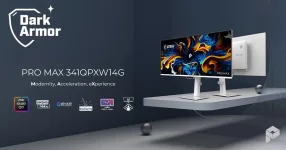
MSI gives the PRO MAX 341QPXW14G two DisplayPort-capable USB-C inputs, rated for 98W and 15W Power Delivery, respectively. The difference between them is bigger than the connector shape suggests.
The 98W port is the one intended to make the 34-inch MSI PRO MAX ultrawide behave like a dock for a MacBook. One USB-C cable can carry the display signal, USB data, and charging power at the same time, while the monitor’s USB hub keeps desk peripherals attached.
MSI also fits four USB-A ports, a USB-B upstream port, Picture-by-Picture support, and its three-device KVM 2.0 system. Put those pieces together, and the monitor starts making more sense as a switchboard for several computers, not merely a screen with charging sockets.
The exception is worth knowing before you remove every charger from the desk. Recent 16-inch MacBook Pro models are built around 140W charging for their fastest charging behavior, so 98W is not a replacement for Apple’s 140W adapter in every situation. Apple still allows charging from lower-wattage USB-C sources, but the available power ceiling is lower.
Heavy CPU and GPU work makes the distinction more relevant. A lightly loaded 16-inch MacBook Pro may gain battery charge from the monitor, while sustained rendering or compiling can leave much less spare power for charging. The laptop and power source negotiate what can actually be delivered rather than blindly forcing the number printed beside the port.
Power negotiation is a core part of USB Power Delivery. USB-C power negotiation architecture describes paired devices exchanging power capabilities before settling on the voltage and current used across the connection. A 98W label describes the monitor’s ceiling, not a promise that every attached device will continuously draw 98W.
A second laptop can still use the port for video and data if its USB-C connection supports the required functions. Charging is the compromise. Fifteen watts is far below the normal power budget of a modern MacBook, so the battery may charge very slowly or continue dropping under heavier use.
The cable matters too. USB-C describes the connector, not a guarantee that every cable supports the same video, data, and charging features. MSI includes a USB-C to USB-C cable with the monitor, making the supplied cable the sensible starting point before troubleshooting a missing display signal with an unknown spare cable.
The ports look alike from the outside, but one is suited to being the main laptop connection and the other is better treated as a secondary host or device connection. Using them interchangeably can create a problem that looks like a faulty monitor when the real issue is simply power.
The USB-B link matters because HDMI and DisplayPort carry the picture but do not turn the monitor’s USB-A ports into a data path for the computer. MSI’s KVM guidance on its other monitors uses USB-B as the upstream connection for a desktop paired with HDMI or DisplayPort, while USB-C handles video and USB data together for another machine.
KVM 2.0 goes beyond simple peripheral switching on this model. MSI says it works with Picture-by-Picture to support cross-device file transfer, giving the wide panel a more practical role when two systems are visible at once. The feature is aimed at moving between machines without constantly changing cables or reaching for another keyboard.
The cleanest setup is not everything through one cable. It is one cable for the main MacBook, a lighter USB-C connection for a second device, and a video-plus-USB upstream path for a desktop when needed. The 98W port earns its keep by removing the MacBook charger, display cable, and separate USB hub connection from the main path.
The 98W port is the one intended to make the 34-inch MSI PRO MAX ultrawide behave like a dock for a MacBook. One USB-C cable can carry the display signal, USB data, and charging power at the same time, while the monitor’s USB hub keeps desk peripherals attached.
MSI also fits four USB-A ports, a USB-B upstream port, Picture-by-Picture support, and its three-device KVM 2.0 system. Put those pieces together, and the monitor starts making more sense as a switchboard for several computers, not merely a screen with charging sockets.
The 98W port suits most MacBooks better than the 15W port
Ninety-eight watts is enough to be useful rather than decorative. Apple currently specifies 96W or higher USB Power Delivery for fast charging on supported 14-inch MacBook Pro configurations, while MacBook Air models need considerably less. A 98W monitor output therefore lands in a practical range for much of Apple’s laptop lineup.The exception is worth knowing before you remove every charger from the desk. Recent 16-inch MacBook Pro models are built around 140W charging for their fastest charging behavior, so 98W is not a replacement for Apple’s 140W adapter in every situation. Apple still allows charging from lower-wattage USB-C sources, but the available power ceiling is lower.
Heavy CPU and GPU work makes the distinction more relevant. A lightly loaded 16-inch MacBook Pro may gain battery charge from the monitor, while sustained rendering or compiling can leave much less spare power for charging. The laptop and power source negotiate what can actually be delivered rather than blindly forcing the number printed beside the port.
Power negotiation is a core part of USB Power Delivery. USB-C power negotiation architecture describes paired devices exchanging power capabilities before settling on the voltage and current used across the connection. A 98W label describes the monitor’s ceiling, not a promise that every attached device will continuously draw 98W.
The 15W USB-C port is built for a secondary device
MSI positions the second USB-C connection for devices such as an iPhone or iPad, and its 15W limit makes the intended role fairly clear. It can still carry a DisplayPort signal and USB data, so it is more useful than a charging-only socket, but its power budget belongs in tablet and accessory territory.A second laptop can still use the port for video and data if its USB-C connection supports the required functions. Charging is the compromise. Fifteen watts is far below the normal power budget of a modern MacBook, so the battery may charge very slowly or continue dropping under heavier use.
The cable matters too. USB-C describes the connector, not a guarantee that every cable supports the same video, data, and charging features. MSI includes a USB-C to USB-C cable with the monitor, making the supplied cable the sensible starting point before troubleshooting a missing display signal with an unknown spare cable.
The ports look alike from the outside, but one is suited to being the main laptop connection and the other is better treated as a secondary host or device connection. Using them interchangeably can create a problem that looks like a faulty monitor when the real issue is simply power.
The KVM makes the port layout genuinely useful
A MacBook can occupy the 98W USB-C connection and carry video, data, and power through one lead. Another USB-C device can use the 15W input, while a desktop can send video over HDMI or DisplayPort and return USB data through the monitor’s USB-B upstream connection. MSI’s KVM then lets one keyboard and mouse serve the connected systems instead of duplicating peripherals.The USB-B link matters because HDMI and DisplayPort carry the picture but do not turn the monitor’s USB-A ports into a data path for the computer. MSI’s KVM guidance on its other monitors uses USB-B as the upstream connection for a desktop paired with HDMI or DisplayPort, while USB-C handles video and USB data together for another machine.
KVM 2.0 goes beyond simple peripheral switching on this model. MSI says it works with Picture-by-Picture to support cross-device file transfer, giving the wide panel a more practical role when two systems are visible at once. The feature is aimed at moving between machines without constantly changing cables or reaching for another keyboard.
The cleanest setup is not everything through one cable. It is one cable for the main MacBook, a lighter USB-C connection for a second device, and a video-plus-USB upstream path for a desktop when needed. The 98W port earns its keep by removing the MacBook charger, display cable, and separate USB hub connection from the main path.