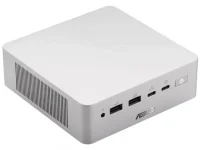
ASUS currently lists two M.2 2280 storage bays in the Ascent QN10, but only one of them supports PCIe Gen5. The other runs at Gen4, and ASUS officially supports up to 4TB of total storage across the pair.
This split matters more than the raw capacity number. A teardown of a shipping 512GB system found the factory SanDisk SSD installed in the Gen4 bay while the Gen5 slot sat empty. For anyone buying the smaller configuration, ASUS has effectively left the faster lane open for the upgrade you add later.
The original ASUS Ascent QN10 hardware overview described two Gen4 slots, so there is a genuine specification wrinkle here. ASUS's current product pages and business material now describe one Gen5 slot and one Gen4 slot, and the physical teardown matches the newer layout.
The practical setup is pretty simple. Leave the factory SSD in the Gen4 position if its capacity still works for you, then use the empty Gen5 bay for the larger or faster second drive. You avoid cloning Windows for no good reason, keep the original installation intact, and reserve the faster connection for storage that can actually use it.
Moving the boot drive to Gen5 just because Gen5 sounds better is harder to justify. Windows startup, web browsing, office apps, and plenty of normal desktop work do not spend their day saturating a good Gen4 NVMe SSD. A faster interface helps most when the workload actually pushes large transfers or sustained storage traffic.
Local AI is a good example of where expectations need trimming. A large model can benefit from fast storage while its weights are being loaded, but once the model is resident in memory, inference leans much more heavily on RAM bandwidth and the CPU, GPU, or NPU doing the computation. A Gen5 SSD does not turn a 32GB QN10 into a machine that can comfortably hold a model requiring more working memory.
Capacity planning is where you should slow down. ASUS currently advertises 512GB, 1TB, and 2TB storage configurations while listing 4TB total support for the dual-slot design. Larger M.2 drives exist, but physical compatibility and official platform validation are not the same thing. Treat 4TB as the supported ceiling unless ASUS expands it.
A 2TB second drive is therefore the tidy option for most buyers. Keep Windows, apps, and recovery data on the factory SSD, then put large AI models, project files, game libraries, sample libraries, or working datasets on the second drive. The separation also makes future reinstalls less annoying because personal data does not need to live beside the operating system.
Creators can flip the priorities if their workload is storage-heavy. Large video caches, huge sample libraries, virtual machines, and repeated dataset transfers are better candidates for the Gen5 bay than a mostly idle system disk. It is less glamorous than buying the fastest drive available, but matching the faster slot to the workload saves money and avoids pointless migration work.
The basic idea is established in M.2 heat-spreader design, where thermally conductive material spreads controller heat over a larger surface so airflow can remove it more effectively. It matters because an SSD that gets too hot can reduce performance to protect itself, making an expensive high-speed drive look far less impressive during sustained transfers.
Drive thickness and heatsinks deserve attention too. The QN10 already provides its own thermal arrangement, so a bulky aftermarket M.2 heatsink can create a fit problem instead of solving one. A bare 2280 NVMe drive that can make proper contact with ASUS's cooling hardware is the safer starting point.
The cleanest upgrade path is not complicated. Keep the factory drive where ASUS put it, add capacity to the empty Gen5 slot, and only reshuffle the operating system if a specific storage workload gives you a reason. The QN10 gives Snapdragon desktop buyers two useful SSD bays, but treating them as interchangeable wastes the best part of the design.
This split matters more than the raw capacity number. A teardown of a shipping 512GB system found the factory SanDisk SSD installed in the Gen4 bay while the Gen5 slot sat empty. For anyone buying the smaller configuration, ASUS has effectively left the faster lane open for the upgrade you add later.
The original ASUS Ascent QN10 hardware overview described two Gen4 slots, so there is a genuine specification wrinkle here. ASUS's current product pages and business material now describe one Gen5 slot and one Gen4 slot, and the physical teardown matches the newer layout.
The two SSD bays are not equivalent
M.2 2280 only tells you the drive's physical format. It does not tell you which PCIe generation the socket can use. Drop a Gen5 NVMe drive into the Gen4 bay, and it should operate at the slower link speed rather than suddenly turning that socket into Gen5.The practical setup is pretty simple. Leave the factory SSD in the Gen4 position if its capacity still works for you, then use the empty Gen5 bay for the larger or faster second drive. You avoid cloning Windows for no good reason, keep the original installation intact, and reserve the faster connection for storage that can actually use it.
Moving the boot drive to Gen5 just because Gen5 sounds better is harder to justify. Windows startup, web browsing, office apps, and plenty of normal desktop work do not spend their day saturating a good Gen4 NVMe SSD. A faster interface helps most when the workload actually pushes large transfers or sustained storage traffic.
Local AI is a good example of where expectations need trimming. A large model can benefit from fast storage while its weights are being loaded, but once the model is resident in memory, inference leans much more heavily on RAM bandwidth and the CPU, GPU, or NPU doing the computation. A Gen5 SSD does not turn a 32GB QN10 into a machine that can comfortably hold a model requiring more working memory.
The factory layout makes expansion unusually painless
The 512GB review unit used a SanDisk PC SN5100S in the Gen4 slot and scored respectably in storage testing. More important than the benchmark is the physical arrangement. You do not have to evict the original drive merely to add another SSD, which is a welcome change from compact systems where the only M.2 socket is already occupied.Capacity planning is where you should slow down. ASUS currently advertises 512GB, 1TB, and 2TB storage configurations while listing 4TB total support for the dual-slot design. Larger M.2 drives exist, but physical compatibility and official platform validation are not the same thing. Treat 4TB as the supported ceiling unless ASUS expands it.
A 2TB second drive is therefore the tidy option for most buyers. Keep Windows, apps, and recovery data on the factory SSD, then put large AI models, project files, game libraries, sample libraries, or working datasets on the second drive. The separation also makes future reinstalls less annoying because personal data does not need to live beside the operating system.
Creators can flip the priorities if their workload is storage-heavy. Large video caches, huge sample libraries, virtual machines, and repeated dataset transfers are better candidates for the Gen5 bay than a mostly idle system disk. It is less glamorous than buying the fastest drive available, but matching the faster slot to the workload saves money and avoids pointless migration work.
Gen5 speed still has to fit inside a tiny chassis
Fast NVMe controllers generate heat, and a 0.7-liter computer does not have much space to absorb it. ASUS addresses this with dedicated SSD cooling and thermal contact between the storage area and the chassis. The teardown also found copper thermal pads positioned to transfer heat away from the M.2 drives.The basic idea is established in M.2 heat-spreader design, where thermally conductive material spreads controller heat over a larger surface so airflow can remove it more effectively. It matters because an SSD that gets too hot can reduce performance to protect itself, making an expensive high-speed drive look far less impressive during sustained transfers.
Drive thickness and heatsinks deserve attention too. The QN10 already provides its own thermal arrangement, so a bulky aftermarket M.2 heatsink can create a fit problem instead of solving one. A bare 2280 NVMe drive that can make proper contact with ASUS's cooling hardware is the safer starting point.
The cleanest upgrade path is not complicated. Keep the factory drive where ASUS put it, add capacity to the empty Gen5 slot, and only reshuffle the operating system if a specific storage workload gives you a reason. The QN10 gives Snapdragon desktop buyers two useful SSD bays, but treating them as interchangeable wastes the best part of the design.