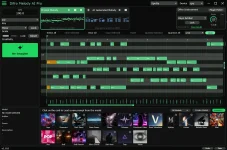
Difro Melody AI 1.2.0 lets its Plugin Manager use multiple plugin folders, rescan individual folders, and add or remove every instrument from the picker. Those additions sound administrative beside the new MIDI tools, but they address a different problem. Once Difro becomes a regular auditioning host, finding instruments cleanly matters almost as much as generating the notes.
The useful distinction is between discovery and selection. A folder tells Difro where to look, while the instrument picker controls what you want immediately available after compatible instruments have been found. Mixing those jobs together is how a simple plugin library turns into a maintenance chore.
Folder management is only the discovery side. Initial Audio separately added Add All and Remove All controls for the instrument picker, which tells you the picker is a curated layer rather than the same thing as the folders being scanned. Removing an instrument from the picker should therefore be understood as removing it from that selection surface, not uninstalling the plugin from your computer.
Audio software has used this host-and-plugin separation for decades. A 2011 implementation of hosted audio plug-in architecture demonstrated one application component hosting other Audio Unit plug-ins inside its own signal flow. Difro has a different musical purpose, but the useful mental model is similar. The host manages access while the instrument remains its own component.
This model prevents a common bit of confusion. Adding another folder does not make every file inside it usable, and removing something from the picker does not erase the underlying installation. One action changes where Difro searches, while the other changes what you keep close at hand for auditioning generated MIDI.
The workflow is still straightforward. Keep the folders that actually contain instruments you want Difro to discover, then rescan the location you changed before reaching for a wider reset. If a newly installed instrument does not appear, checking its installation location is more useful than repeatedly hammering Add All, because the picker cannot expose something the scan has not discovered.
The reverse matters too. Remove All is not a troubleshooting substitute for rescanning a folder after its contents change. It operates on the picker, while rescanning deals with discovery. Treating those controls as interchangeable can leave you clearing a perfectly good instrument list without fixing the reason a new plugin is missing.
Multiple folders also give you a cleaner way to respect an existing machine. Producers often accumulate plugins through different installers and vendors, and moving files by hand just to satisfy another application can create problems elsewhere. Difro 1.2.0 reduces the pressure to consolidate those locations by letting the manager follow more than one path.
A smaller picker can be useful even when the scanned library is large. Difro is primarily generating and reshaping MIDI, so you may only need a handful of dependable instruments for judging bass movement, chord spacing, or melodic articulation before export. Keeping every installed synth visible simply because it exists can turn auditioning into browser work.
Compatibility still sets the boundary. Multiple scan folders do not promise that arbitrary plugin formats, damaged installations, or unsupported instruments will suddenly load, and Initial Audio’s 1.2.0 notes do not document new format support alongside these manager changes. The update is about organizing discovery and selection, not widening the technical definition of a compatible plugin.
Use Add All when you genuinely want the full discovered set, Remove All when the picker needs a clean rebuild, and per-folder rescan when one location changed. Keeping those three jobs separate is the real improvement. Difro can hold a broader instrument setup without forcing the instrument picker itself to become a junk drawer.
The useful distinction is between discovery and selection. A folder tells Difro where to look, while the instrument picker controls what you want immediately available after compatible instruments have been found. Mixing those jobs together is how a simple plugin library turns into a maintenance chore.
Plugin folders and the instrument picker solve different jobs
With Difro’s expanded Plugin Manager, you can register more than one location instead of treating your instrument collection as one giant folder problem. This suits machines where plugins live across separate vendor, system, or user locations. It also means you do not have to reorganize working installations merely to make one host’s browser tidier.Folder management is only the discovery side. Initial Audio separately added Add All and Remove All controls for the instrument picker, which tells you the picker is a curated layer rather than the same thing as the folders being scanned. Removing an instrument from the picker should therefore be understood as removing it from that selection surface, not uninstalling the plugin from your computer.
Audio software has used this host-and-plugin separation for decades. A 2011 implementation of hosted audio plug-in architecture demonstrated one application component hosting other Audio Unit plug-ins inside its own signal flow. Difro has a different musical purpose, but the useful mental model is similar. The host manages access while the instrument remains its own component.
This model prevents a common bit of confusion. Adding another folder does not make every file inside it usable, and removing something from the picker does not erase the underlying installation. One action changes where Difro searches, while the other changes what you keep close at hand for auditioning generated MIDI.
Individual rescans keep library changes contained
Per-folder rescanning is the most practical addition when your plugin setup changes often. If you install, update, move, or remove an instrument inside one configured location, you can rescan that location instead of treating every folder as equally suspect. Difro’s release notes do not publish scan-time benchmarks, so there is no honest basis for claiming a specific speed gain.The workflow is still straightforward. Keep the folders that actually contain instruments you want Difro to discover, then rescan the location you changed before reaching for a wider reset. If a newly installed instrument does not appear, checking its installation location is more useful than repeatedly hammering Add All, because the picker cannot expose something the scan has not discovered.
The reverse matters too. Remove All is not a troubleshooting substitute for rescanning a folder after its contents change. It operates on the picker, while rescanning deals with discovery. Treating those controls as interchangeable can leave you clearing a perfectly good instrument list without fixing the reason a new plugin is missing.
Multiple folders also give you a cleaner way to respect an existing machine. Producers often accumulate plugins through different installers and vendors, and moving files by hand just to satisfy another application can create problems elsewhere. Difro 1.2.0 reduces the pressure to consolidate those locations by letting the manager follow more than one path.
Add All and Remove All make the picker disposable
Add All makes sense during initial setup or after a deliberate library expansion. You can expose every instrument Difro has found, audition generated phrases through the choices you care about, then trim the picker if it becomes noisy. Remove All gives you the opposite move, clearing the selection surface when you want to rebuild it rather than deleting entries one by one.A smaller picker can be useful even when the scanned library is large. Difro is primarily generating and reshaping MIDI, so you may only need a handful of dependable instruments for judging bass movement, chord spacing, or melodic articulation before export. Keeping every installed synth visible simply because it exists can turn auditioning into browser work.
Compatibility still sets the boundary. Multiple scan folders do not promise that arbitrary plugin formats, damaged installations, or unsupported instruments will suddenly load, and Initial Audio’s 1.2.0 notes do not document new format support alongside these manager changes. The update is about organizing discovery and selection, not widening the technical definition of a compatible plugin.
Use Add All when you genuinely want the full discovered set, Remove All when the picker needs a clean rebuild, and per-folder rescan when one location changed. Keeping those three jobs separate is the real improvement. Difro can hold a broader instrument setup without forcing the instrument picker itself to become a junk drawer.