Roland’s current V71 module lets drummers set pad sensitivity, threshold, and velocity curve separately before MIDI ever reaches a drum plugin. Those controls are not cleanup tools for a bad performance. They decide how your physical hit becomes a number the software can understand.
A premium drum library cannot recover dynamics the module never sends. If every firm snare hit arrives near maximum velocity, or soft ghost notes disappear below an aggressive threshold, the samples may be detailed while the performance still feels flat and oddly disconnected.
Sensitivity changes how much velocity the module produces from a given strike. Threshold sets the minimum force required before a hit is accepted, so pushing it too high can erase quiet notes while setting it too low can invite false triggers from nearby pads or rack vibration.
Velocity curves solve a different problem. A linear response is a useful starting point, but it is not sacred. If your normal backbeat never reaches the louder sample layers, a curve can raise the output without forcing you to play unnaturally hard, while a softer response can preserve more room for accents.
Watch the incoming velocity meter while you play actual grooves. You want ghost notes, ordinary hits, and accents to occupy meaningfully different parts of the range, with occasional headroom above your normal backbeat instead of a parade of identical maximum values.
Crosstalk belongs in this stage too. A floor tom that fires when you kick hard is not a mapping problem, and increasing the note threshold until the false hit disappears can damage the tom’s useful dynamic range. Use the module’s crosstalk controls first when vibration from one pad is triggering another.
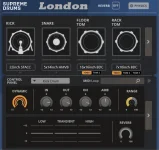
A Supreme Drums London kit selection can offer plenty of tonal detail, but poor trigger calibration can flatten it before the samples matter. The software only reacts to the performance data it receives.
Set the fully closed and fully open pedal positions before adjusting transition points. If the software thinks your normal half-open position is nearly closed, every groove turns tight and papery. If it reads the same position as nearly open, eighth notes wash across the bar even when your foot is controlling them.
Many drum instruments provide dedicated e-drum presets because module note maps and controller behavior differ. Use the closest preset first, then verify every physical zone one at a time. Strike the snare head and rim, ride bow and bell, crash edge, and hi-hat bow and edge while watching what the software says it received.
Do not compensate for a wrong map by editing the sound. A ride bell triggering the bow does not need more EQ, and a hi-hat stuck between openness stages does not need a shorter decay. Fix the incoming note or controller range first, then judge the samples.
Foot splashes deserve their own check because they combine movement speed, pedal range, and software interpretation. Set them so deliberate splashes register without ordinary openings firing extra events. A flashy feature that triggers by accident is worse than leaving it disabled.
One action-to-sound latency study uses 10 milliseconds as a common reference point for digital musical instruments and notes that percussion can be especially sensitive to timing delay. Consistency matters too, because a stable small delay is easier for a player to adapt to than timing that wanders from hit to hit.
Use the proper low-latency audio driver for your interface and lower the buffer while tracking until the kit feels immediate without clicks or dropouts. Heavy look-ahead processors, oversampling, linear-phase tools, and unnecessary master-bus chains can wait until mixing if they increase monitoring delay.
Bluetooth headphones have no place in this chain. Use wired headphones or monitors, test a simple groove against a click, and listen for whether your hands start creeping ahead to compensate. When the module response, mapping, hi-hat range, and monitoring delay are all behaving, the drum plugin stops feeling like software and starts responding like an instrument you can actually play.
A premium drum library cannot recover dynamics the module never sends. If every firm snare hit arrives near maximum velocity, or soft ghost notes disappear below an aggressive threshold, the samples may be detailed while the performance still feels flat and oddly disconnected.
Calibration starts before the drum plugin
Start at the module, not inside the VST. Pick the correct trigger type for each pad, return unusual edits to sensible defaults, then play the kit at the strength you actually use rather than hammering every surface during setup.Sensitivity changes how much velocity the module produces from a given strike. Threshold sets the minimum force required before a hit is accepted, so pushing it too high can erase quiet notes while setting it too low can invite false triggers from nearby pads or rack vibration.
Velocity curves solve a different problem. A linear response is a useful starting point, but it is not sacred. If your normal backbeat never reaches the louder sample layers, a curve can raise the output without forcing you to play unnaturally hard, while a softer response can preserve more room for accents.
Watch the incoming velocity meter while you play actual grooves. You want ghost notes, ordinary hits, and accents to occupy meaningfully different parts of the range, with occasional headroom above your normal backbeat instead of a parade of identical maximum values.
Crosstalk belongs in this stage too. A floor tom that fires when you kick hard is not a mapping problem, and increasing the note threshold until the false hit disappears can damage the tom’s useful dynamic range. Use the module’s crosstalk controls first when vibration from one pad is triggering another.
A Supreme Drums London kit selection can offer plenty of tonal detail, but poor trigger calibration can flatten it before the samples matter. The software only reacts to the performance data it receives.
Hi-hats expose bad mapping fastest
Snare and tom mapping is usually obvious because the wrong note produces the wrong drum. Hi-hats are fussier. The pedal has to communicate a moving range between open and closed states while the cymbal zones still send the correct bow, edge, chick, and splash behavior.Set the fully closed and fully open pedal positions before adjusting transition points. If the software thinks your normal half-open position is nearly closed, every groove turns tight and papery. If it reads the same position as nearly open, eighth notes wash across the bar even when your foot is controlling them.
Many drum instruments provide dedicated e-drum presets because module note maps and controller behavior differ. Use the closest preset first, then verify every physical zone one at a time. Strike the snare head and rim, ride bow and bell, crash edge, and hi-hat bow and edge while watching what the software says it received.
Do not compensate for a wrong map by editing the sound. A ride bell triggering the bow does not need more EQ, and a hi-hat stuck between openness stages does not need a shorter decay. Fix the incoming note or controller range first, then judge the samples.
Foot splashes deserve their own check because they combine movement speed, pedal range, and software interpretation. Set them so deliberate splashes register without ordinary openings firing extra events. A flashy feature that triggers by accident is worse than leaving it disabled.
Latency can ruin an otherwise correct setup
Once the mapping feels right, play through the actual monitoring path you will use for recording. MIDI can arrive correctly while the audio still feels late because the computer, driver, buffer, plugin processing, and output device each add delay before the sound reaches you.One action-to-sound latency study uses 10 milliseconds as a common reference point for digital musical instruments and notes that percussion can be especially sensitive to timing delay. Consistency matters too, because a stable small delay is easier for a player to adapt to than timing that wanders from hit to hit.
Use the proper low-latency audio driver for your interface and lower the buffer while tracking until the kit feels immediate without clicks or dropouts. Heavy look-ahead processors, oversampling, linear-phase tools, and unnecessary master-bus chains can wait until mixing if they increase monitoring delay.
Bluetooth headphones have no place in this chain. Use wired headphones or monitors, test a simple groove against a click, and listen for whether your hands start creeping ahead to compensate. When the module response, mapping, hi-hat range, and monitoring delay are all behaving, the drum plugin stops feeling like software and starts responding like an instrument you can actually play.