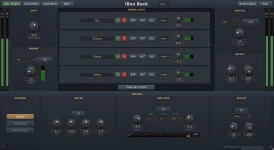
fBox Audio currently targets 64-bit Windows 10 and 11 systems, with its processors supplied as VST3 plug-ins. Console can also run as a standalone application, which gives it one compatibility route the rest of the processing range does not need.
Seeing Windows on your machine is only the first check. Your DAW still has to load 64-bit VST3 plug-ins, and Console adds another requirement if you want to use its full desk inside the host.
This is where the fBox Audio Windows range gets less universal than a normal effect bundle. A single compressor can live on an ordinary insert, while a 32-channel console expects the host to do much more with audio routing.
Pro Tools is the obvious example. Its native plug-in ecosystem uses 64-bit AAX, not VST3, so the current fBox builds do not simply appear in the normal Pro Tools insert menu. Installing the files successfully cannot make a host understand a format it does not support.
Other Windows DAWs with normal VST3 support clear the format hurdle much more easily. You still need the host's VST3 scanning enabled and the plug-in placed where the application expects to find VST3 files, but there is no separate fBox-only format involved.
Architecture matters too. The current requirement is 64-bit Windows, so an old 32-bit host is outside the supported path even if its name appears familiar. Plugin bridging can exist in some software, but building an important session around an unsupported bridge adds another failure point for no useful reason.
Console is different because the VST3 version can receive many channels inside one plug-in instance. VST3 itself allows plug-ins to expose multiple audio buses, but activation and routing of those buses still sit partly with the host. A format specification can permit something without every DAW presenting it in the same convenient way.
Feeding all 32 Console channels therefore needs a host capable of routing many inputs into one plug-in. If your DAW only exposes the first input cleanly, the fact that Console can technically define more buses does not solve the workflow problem.
Standalone mode sidesteps this entire issue. You load stems directly into Console instead of convincing the DAW to feed thirty-two paths into it, which is why standalone compatibility should be treated separately from plug-in compatibility rather than as a consolation mode.
This distinction is easy to miss when shopping because both versions run on the same Windows computer. One asks whether Windows can launch the application. The other asks whether your DAW understands VST3 and exposes enough routing to make the desk useful at the scale you want.
Rack carries lighter listed requirements, starting around an Intel Core i3 or Ryzen 3 with 4 GB of RAM, but hosted plug-ins change the equation. Eight lightweight EQs and eight oversampled nonlinear processors do not ask the same thing from a CPU simply because they occupy the same number of slots.
Buffer size becomes the other practical lever when a session gets heavy. Smaller buffers improve responsiveness but leave less time for the computer to finish each block of audio, while larger buffers give processing more breathing room at the cost of extra delay. The trade-off is visible in desktop DAW latency measurements across different processing loads and audio configurations.
For mixing, a larger buffer is often the boring fix that works. Freeze or render expensive instruments, stop running every processor at its highest quality while arranging, and save the heavier settings for passes where latency no longer matters.
A fast processor cannot fix a host-routing limitation. A machine can exceed every listed CPU and memory target and still be a poor fit for the full Console plug-in workflow if its DAW cannot expose and route the required input buses cleanly. Standalone Console avoids that specific bottleneck, while the ordinary fBox effects only need the simpler VST3 insert path.
Seeing Windows on your machine is only the first check. Your DAW still has to load 64-bit VST3 plug-ins, and Console adds another requirement if you want to use its full desk inside the host.
This is where the fBox Audio Windows range gets less universal than a normal effect bundle. A single compressor can live on an ordinary insert, while a 32-channel console expects the host to do much more with audio routing.
Windows and VST3 are separate compatibility checks
A compatible operating system does not guarantee a compatible DAW. VST3 is the plug-in format fBox ships today, so a Windows application that only accepts another format will not load the processors natively just because both pieces of software run on the same computer.Pro Tools is the obvious example. Its native plug-in ecosystem uses 64-bit AAX, not VST3, so the current fBox builds do not simply appear in the normal Pro Tools insert menu. Installing the files successfully cannot make a host understand a format it does not support.
Other Windows DAWs with normal VST3 support clear the format hurdle much more easily. You still need the host's VST3 scanning enabled and the plug-in placed where the application expects to find VST3 files, but there is no separate fBox-only format involved.
Architecture matters too. The current requirement is 64-bit Windows, so an old 32-bit host is outside the supported path even if its name appears familiar. Plugin bridging can exist in some software, but building an important session around an unsupported bridge adds another failure point for no useful reason.
Console asks more from the host than normal plug-ins
Most fBox processors behave like ordinary inserts. Put fComp, fEq, fSat, or another supported processor on a track, feed it the track's audio, and the DAW only has to manage the usual input and output path.Console is different because the VST3 version can receive many channels inside one plug-in instance. VST3 itself allows plug-ins to expose multiple audio buses, but activation and routing of those buses still sit partly with the host. A format specification can permit something without every DAW presenting it in the same convenient way.
Feeding all 32 Console channels therefore needs a host capable of routing many inputs into one plug-in. If your DAW only exposes the first input cleanly, the fact that Console can technically define more buses does not solve the workflow problem.
Standalone mode sidesteps this entire issue. You load stems directly into Console instead of convincing the DAW to feed thirty-two paths into it, which is why standalone compatibility should be treated separately from plug-in compatibility rather than as a consolation mode.
This distinction is easy to miss when shopping because both versions run on the same Windows computer. One asks whether Windows can launch the application. The other asks whether your DAW understands VST3 and exposes enough routing to make the desk useful at the scale you want.
CPU headroom matters more as the desk fills up
fBox lists an Intel Core i5 6th generation or first-generation Ryzen 5, four cores at 2.5 GHz or better, and 8 GB of RAM as the minimum Console target for roughly 8 to 16 channels using its built-in processing. Full 32-channel sessions with inserts and the tape machine active move into the recommended territory of a modern processor with strong single-core performance, a large cache, and 16 GB of RAM.Rack carries lighter listed requirements, starting around an Intel Core i3 or Ryzen 3 with 4 GB of RAM, but hosted plug-ins change the equation. Eight lightweight EQs and eight oversampled nonlinear processors do not ask the same thing from a CPU simply because they occupy the same number of slots.
Buffer size becomes the other practical lever when a session gets heavy. Smaller buffers improve responsiveness but leave less time for the computer to finish each block of audio, while larger buffers give processing more breathing room at the cost of extra delay. The trade-off is visible in desktop DAW latency measurements across different processing loads and audio configurations.
For mixing, a larger buffer is often the boring fix that works. Freeze or render expensive instruments, stop running every processor at its highest quality while arranging, and save the heavier settings for passes where latency no longer matters.
A fast processor cannot fix a host-routing limitation. A machine can exceed every listed CPU and memory target and still be a poor fit for the full Console plug-in workflow if its DAW cannot expose and route the required input buses cleanly. Standalone Console avoids that specific bottleneck, while the ordinary fBox effects only need the simpler VST3 insert path.