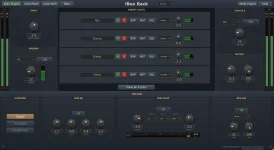
fBox Console runs as both a VST3 plug-in and a standalone Windows application, with the same license covering both versions. The obvious temptation is to treat standalone mode as a backup for people who do not want a DAW, but the real split is more practical.
Inside a DAW, Console depends on the host being able to feed many audio inputs into one VST3 instance. If you are still placing the fBox Audio studio suite in your setup, this is the detail worth checking first because the plug-in can expose the desk, but your host still controls the roads leading into it.
Loading separate Console instances across individual DAW tracks is not the same workaround. Each instance represents its own desk, complete with its own serial-based character unless you deliberately recall or pin one. The shared buses, master section, tape routing, and summing behavior make more sense when the mix actually reaches one Console as a desk rather than a pile of unrelated copies.
If your DAW handles the routing cleanly, plug-in mode keeps editing, comping, MIDI, arrangement work, and the rest of your project in one place. You can route tracks into Console, use its channel processing and group buses, hit the internal tape machine, then leave detailed timeline work where you already do it.
Console automation does not replace the DAW system either. Its pass-based automation runs independently, so a practical hybrid setup is possible. Keep surgical edits in the DAW, then record fader rides, pans, EQ moves, or hosted fBox controls as Console passes when you want to work the desk directly.
The standalone version is not a reduced mixer. It keeps the full desk, tape machine, and automation system, then adds its own transport, arrangement strip, session saving, and offline rendering. You can split a song into sections and store a complete desk snapshot for each one, including routing, sends, inserts, bypass states, buses, stereo links, and tape settings.
This section system is where standalone stops feeling like merely Console without a DAW. A verse can keep one desk state while the chorus recalls another as playback crosses the boundary. Section-limited automation also prevents a move recorded in one region from spilling into the material beside it.
Rendering is more flexible than a single stereo bounce. Standalone can write a channel direct output, a bus output, or the final master, with WAV, AIFF, and FLAC among the available output choices. It gives you a straightforward way to print processed stems or groups without rebuilding the same paths elsewhere.
Hardware load still matters in either mode. fBox lists modest requirements for smaller 8-to-16-channel sessions using built-in processing, while full 32-channel work with insert plug-ins and tape calls for stronger single-core performance and more memory. Standalone solves routing friction, not processor demand.
Buffer settings also remain part of the experience when you monitor or move controls in real time. Action-to-sound latency can change perceived instrument quality, so switching out of a DAW does not magically make an overloaded system feel immediate. Heavy insert chains can still force sensible compromises between responsiveness and stability.
One final difference matters once a mix is nearly finished. The standalone arrangement strip can attach a complete mix snapshot to each song section, while offline rendering can target a direct channel, bus, or stereo master. In a stem-based job, those two features can replace quite a bit of routing and bounce housekeeping without asking your DAW to coordinate the desk at all.
Inside a DAW, Console depends on the host being able to feed many audio inputs into one VST3 instance. If you are still placing the fBox Audio studio suite in your setup, this is the detail worth checking first because the plug-in can expose the desk, but your host still controls the roads leading into it.
The routing problem decides the workflow
VST3 itself can support multiple audio buses, yet the host decides which buses it activates and how signals reach them. A normal stereo effect rarely makes this complicated. A 32-channel console living inside one plug-in is a different job, because separate tracks need separate paths into the same instance instead of each track simply loading its own effect.Loading separate Console instances across individual DAW tracks is not the same workaround. Each instance represents its own desk, complete with its own serial-based character unless you deliberately recall or pin one. The shared buses, master section, tape routing, and summing behavior make more sense when the mix actually reaches one Console as a desk rather than a pile of unrelated copies.
If your DAW handles the routing cleanly, plug-in mode keeps editing, comping, MIDI, arrangement work, and the rest of your project in one place. You can route tracks into Console, use its channel processing and group buses, hit the internal tape machine, then leave detailed timeline work where you already do it.
Console automation does not replace the DAW system either. Its pass-based automation runs independently, so a practical hybrid setup is possible. Keep surgical edits in the DAW, then record fader rides, pans, EQ moves, or hosted fBox controls as Console passes when you want to work the desk directly.
Standalone mode removes the host from the middle
Standalone mode skips the multi-input plug-in routing issue completely. You load WAV, AIFF, FLAC, OGG, or MP3 files onto channels, and stereo files automatically link neighboring strips with the two sides hard-panned. For a stem mix, the starting point is unusually direct.The standalone version is not a reduced mixer. It keeps the full desk, tape machine, and automation system, then adds its own transport, arrangement strip, session saving, and offline rendering. You can split a song into sections and store a complete desk snapshot for each one, including routing, sends, inserts, bypass states, buses, stereo links, and tape settings.
This section system is where standalone stops feeling like merely Console without a DAW. A verse can keep one desk state while the chorus recalls another as playback crosses the boundary. Section-limited automation also prevents a move recorded in one region from spilling into the material beside it.
Rendering is more flexible than a single stereo bounce. Standalone can write a channel direct output, a bus output, or the final master, with WAV, AIFF, and FLAC among the available output choices. It gives you a straightforward way to print processed stems or groups without rebuilding the same paths elsewhere.
Moving between both versions stays practical
Saved desks are shared between the VST3 and standalone versions. If you find a Console character you like while working inside a DAW, the same saved desk can be recalled in standalone later. The shared part is the desk identity and character, not a promise that an entire DAW project suddenly becomes a standalone session.Hardware load still matters in either mode. fBox lists modest requirements for smaller 8-to-16-channel sessions using built-in processing, while full 32-channel work with insert plug-ins and tape calls for stronger single-core performance and more memory. Standalone solves routing friction, not processor demand.
Buffer settings also remain part of the experience when you monitor or move controls in real time. Action-to-sound latency can change perceived instrument quality, so switching out of a DAW does not magically make an overloaded system feel immediate. Heavy insert chains can still force sensible compromises between responsiveness and stability.
One final difference matters once a mix is nearly finished. The standalone arrangement strip can attach a complete mix snapshot to each song section, while offline rendering can target a direct channel, bus, or stereo master. In a stem-based job, those two features can replace quite a bit of routing and bounce housekeeping without asking your DAW to coordinate the desk at all.