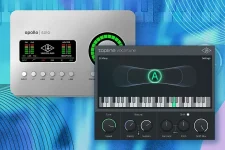
Topline Key Finder can send one detected major or minor key to every Topline Vocal Tune instance with Key Finder enabled. Scale Define does a different job. It changes the notes the tuner is allowed to target, so confusing the two can produce a technically active tuner that keeps choosing musically wrong notes.
The distinction matters most when a song is harmonically simple on paper but awkward in the vocal. A borrowed note, blues inflection, modal phrase, or deliberate chromatic passing tone can sit outside a plain major or minor scale without being a mistake. Automatic detection can get you moving quickly, but the final note map still needs to match the performance.
Topline also starts in C Chromatic by default. In that state, all twelve pitch classes are available, and detected pitch is corrected toward the nearest permitted note, which is useful for neutral setup but does not constrain correction to a song key.
There is an important boundary. Key Finder proposes major and minor scales, and its interface lets you flip a suggested result to the relative major or minor. A song that leans on Dorian, Mixolydian, modal mixture, or a recurring non-diatonic note may therefore need manual editing after detection.
Automatic key detection is not musical authority. Research on audio-based key finding and relative mode treats major and minor character as something that can vary through a passage rather than always behaving like a clean binary label. In practical terms, listen to the vocal against the harmony before trusting a single detected label for the entire song.
You can also use Key Finder in Manual mode. Pick the key and scale yourself, press Send, and the choice goes to every enabled Topline Vocal Tune instance, including instances added later. One move can keep a stack of separate lead, double, and harmony tracks working from the same starting scale.
Custom mode gives you control over that map. Edit lets you permit or block individual notes, while the Octaves option can apply the choice across every octave. This is useful when a melody repeatedly uses one borrowed pitch that a stock major or minor scale excludes.
Ignore is even more specific. Instead of making a pitch an allowed correction target, it tells Topline not to correct that detected note. A blue note, spoken inflection, or intentional pitch outside the harmony can pass untouched without opening the scale, so other material starts snapping toward it.
Define Scale reaches the same general territory from MIDI. Incoming MIDI notes can define the correction scale dynamically, which suits chord-driven or changing harmonic material where the permitted notes need to move during the performance. It is different from MIDI Repitch because the vocal still follows its own detected pitch and is merely constrained to the notes you defined.
Suppose a live piano was tuned around A442 and the vocal was recorded against it. Leaving the tuner centered on A440 creates a small disagreement between the plugin's pitch centers and the performance's actual reference. Faster correction can make the mismatch more obvious because the voice is pulled firmly toward Topline's reference rather than the instrument's.
Set the reference first when the session uses alternate tuning, then settle the key and allowed notes. After that, the same scale map can carry into Apollo DSP vocal tuning for real-time correction without turning scale selection into a guessing exercise. The useful order is simple in practice. Match the tuning reference, establish the likely key, and edit the note map only where the song actually demands it.
The distinction matters most when a song is harmonically simple on paper but awkward in the vocal. A borrowed note, blues inflection, modal phrase, or deliberate chromatic passing tone can sit outside a plain major or minor scale without being a mistake. Automatic detection can get you moving quickly, but the final note map still needs to match the performance.
Topline also starts in C Chromatic by default. In that state, all twelve pitch classes are available, and detected pitch is corrected toward the nearest permitted note, which is useful for neutral setup but does not constrain correction to a song key.
Key Finder gives you a starting key, not a final note map
Topline Key Finder is a separate plugin rather than a hidden analysis mode inside Vocal Tune. Put it on the main output, play the song, and it analyzes the mix before presenting several candidate keys with confidence shown in green, yellow, or red. The highest-confidence candidate is selected automatically, then Send passes it to Vocal Tune instances that are listening for Key Finder data.There is an important boundary. Key Finder proposes major and minor scales, and its interface lets you flip a suggested result to the relative major or minor. A song that leans on Dorian, Mixolydian, modal mixture, or a recurring non-diatonic note may therefore need manual editing after detection.
Automatic key detection is not musical authority. Research on audio-based key finding and relative mode treats major and minor character as something that can vary through a passage rather than always behaving like a clean binary label. In practical terms, listen to the vocal against the harmony before trusting a single detected label for the entire song.
You can also use Key Finder in Manual mode. Pick the key and scale yourself, press Send, and the choice goes to every enabled Topline Vocal Tune instance, including instances added later. One move can keep a stack of separate lead, double, and harmony tracks working from the same starting scale.
Custom scales fix notes that ordinary presets mishandle
Once a key is set, Topline corrects detected pitch toward the nearest allowed note. A wrong scale therefore does more than display the wrong label. It can make a note that belongs in the performance look unavailable, forcing correction toward another permitted pitch when the tuner decides to act.Custom mode gives you control over that map. Edit lets you permit or block individual notes, while the Octaves option can apply the choice across every octave. This is useful when a melody repeatedly uses one borrowed pitch that a stock major or minor scale excludes.
Ignore is even more specific. Instead of making a pitch an allowed correction target, it tells Topline not to correct that detected note. A blue note, spoken inflection, or intentional pitch outside the harmony can pass untouched without opening the scale, so other material starts snapping toward it.
Define Scale reaches the same general territory from MIDI. Incoming MIDI notes can define the correction scale dynamically, which suits chord-driven or changing harmonic material where the permitted notes need to move during the performance. It is different from MIDI Repitch because the vocal still follows its own detected pitch and is merely constrained to the notes you defined.
Reference pitch can make the right scale sound wrong
Key and scale are not the only reference points in this system. Topline also has Ref Pitch, with A equals 440 Hz as the default, and it can offset the tuning reference by up to 100 cents or set it between 415 and 466 Hz. Sessions recorded against instruments tuned away from A440 can therefore need a reference adjustment even when the key name is correct.Suppose a live piano was tuned around A442 and the vocal was recorded against it. Leaving the tuner centered on A440 creates a small disagreement between the plugin's pitch centers and the performance's actual reference. Faster correction can make the mismatch more obvious because the voice is pulled firmly toward Topline's reference rather than the instrument's.
Set the reference first when the session uses alternate tuning, then settle the key and allowed notes. After that, the same scale map can carry into Apollo DSP vocal tuning for real-time correction without turning scale selection into a guessing exercise. The useful order is simple in practice. Match the tuning reference, establish the likely key, and edit the note map only where the song actually demands it.