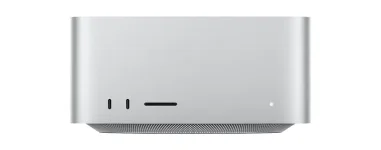
Apple released macOS 27 Golden Gate on September 14, eight days before the M5 Mac Studio started reaching buyers. A brand-new machine can therefore be perfectly healthy while one old plug-in, driver, or control app still wrecks the move.
The situation is not as simple as asking whether Logic Pro runs. Your DAW, plug-ins, authorization tools, sample managers, interface software, MIDI utilities, and hardware drivers can all have separate support timelines, and one weak link is enough to make an otherwise boring migration annoying.
Buying the new M5 Mac Studio for audio work also removes the option of staying on an older Intel-era Mac setup forever. Golden Gate supports the new hardware, so the useful compatibility question is whether the rest of your studio is ready for the operating system it arrives with.
Older plug-in hosting architecture work is useful context because DAW plug-ins are executable components loaded by hosts rather than isolated audio files. Change the host, operating system, processor architecture, or plug-in format, and you introduce another place where a previously stable setup can fail.
Logic Pro supports most Audio Units on Apple silicon, including Intel-built Audio Units when Rosetta is installed. Audio interfaces are less predictable. Apple says devices that do not need a separate software driver can work directly, while hardware that depends on its own driver needs an updated driver from the manufacturer.
The boring little control app matters too. An interface may pass audio through a class-compliant connection while its mixer, routing panel, firmware updater, or low-latency driver remains unqualified for Golden Gate, leaving you with a setup that technically makes sound but no longer works the way you bought it to work.
Focusrite is still testing Golden Gate and does not officially support its devices on the new system at the moment. M-Audio takes an even clearer position, with its current compatibility page saying M-Audio hardware is not supported on macOS 27 while testing continues.
Pro Tools users have another obvious speed bump. Avid's Golden Gate page still lists Pro Tools as not yet supported, so an M5 Mac Studio bought specifically for an existing Pro Tools room deserves more checking than a glance at the computer's CPU specs.
Plenty of software is already in better shape. Sonnox says it found no notable issues with its current plug-in range during the Golden Gate beta cycle, Kazrog says its full current range is working, and Slate Digital reports no Golden Gate-specific problems with Slate Digital or Eiosis plug-ins so far.
Mixed support is exactly why giant compatibility charts can give a false sense of safety. A producer with thirty confirmed plug-ins and one unsupported interface driver still has an unsupported studio, while somebody using Logic, class-compliant hardware, and a small set of cleared native plug-ins may have almost nothing to fix.
Golden Gate also gives you a useful audit shortcut in System Settings, where the Intel-based Apps view surfaces recently used or commonly installed Intel software. It is a quick way to spot forgotten utilities before they become tomorrow's broken dependency.
Logic can still recognize Intel-only Audio Units when Rosetta is installed, but forcing Logic itself to open through Rosetta comes with a nasty trade-off. Stem Splitter, ChromaGlow, and several Mastering Assistant character options are unavailable while Logic runs that way, which means keeping one old dependency can disable features the M5 machine was bought to accelerate.
A safer migration test starts with the actual sessions you cannot afford to break, not a list of brand logos. Open representative projects, identify anything still marked Intel-only, check the interface driver and control software separately, and confirm the exact DAW version against the vendor's current Golden Gate page before moving the working machine over.
The situation is not as simple as asking whether Logic Pro runs. Your DAW, plug-ins, authorization tools, sample managers, interface software, MIDI utilities, and hardware drivers can all have separate support timelines, and one weak link is enough to make an otherwise boring migration annoying.
Buying the new M5 Mac Studio for audio work also removes the option of staying on an older Intel-era Mac setup forever. Golden Gate supports the new hardware, so the useful compatibility question is whether the rest of your studio is ready for the operating system it arrives with.
Audio compatibility breaks in more than one place
A plug-in does not run in a vacuum. It sits inside a host, talks to an operating system, may rely on copy protection or helper software, and sometimes depends on code compiled for a different processor generation.Older plug-in hosting architecture work is useful context because DAW plug-ins are executable components loaded by hosts rather than isolated audio files. Change the host, operating system, processor architecture, or plug-in format, and you introduce another place where a previously stable setup can fail.
Logic Pro supports most Audio Units on Apple silicon, including Intel-built Audio Units when Rosetta is installed. Audio interfaces are less predictable. Apple says devices that do not need a separate software driver can work directly, while hardware that depends on its own driver needs an updated driver from the manufacturer.
The boring little control app matters too. An interface may pass audio through a class-compliant connection while its mixer, routing panel, firmware updater, or low-latency driver remains unqualified for Golden Gate, leaving you with a setup that technically makes sound but no longer works the way you bought it to work.
Major audio vendors are still split on Golden Gate
Native Instruments currently says its hardware and software are not supported on macOS 27 and tells users to hold off. Antares says its plug-ins have not yet been officially tested, while Eventide has identified issues during testing and is also telling users not to update yet.Focusrite is still testing Golden Gate and does not officially support its devices on the new system at the moment. M-Audio takes an even clearer position, with its current compatibility page saying M-Audio hardware is not supported on macOS 27 while testing continues.
Pro Tools users have another obvious speed bump. Avid's Golden Gate page still lists Pro Tools as not yet supported, so an M5 Mac Studio bought specifically for an existing Pro Tools room deserves more checking than a glance at the computer's CPU specs.
Plenty of software is already in better shape. Sonnox says it found no notable issues with its current plug-in range during the Golden Gate beta cycle, Kazrog says its full current range is working, and Slate Digital reports no Golden Gate-specific problems with Slate Digital or Eiosis plug-ins so far.
Mixed support is exactly why giant compatibility charts can give a false sense of safety. A producer with thirty confirmed plug-ins and one unsupported interface driver still has an unsupported studio, while somebody using Logic, class-compliant hardware, and a small set of cleared native plug-ins may have almost nothing to fix.
Rosetta still works, but its exit now matters
Golden Gate is the last major macOS release with general Rosetta support. Apple says macOS 28 will keep only limited Rosetta functionality for certain older games, so Intel-only studio software has reached the end of the runway even if it still launches today.Golden Gate also gives you a useful audit shortcut in System Settings, where the Intel-based Apps view surfaces recently used or commonly installed Intel software. It is a quick way to spot forgotten utilities before they become tomorrow's broken dependency.
Logic can still recognize Intel-only Audio Units when Rosetta is installed, but forcing Logic itself to open through Rosetta comes with a nasty trade-off. Stem Splitter, ChromaGlow, and several Mastering Assistant character options are unavailable while Logic runs that way, which means keeping one old dependency can disable features the M5 machine was bought to accelerate.
A safer migration test starts with the actual sessions you cannot afford to break, not a list of brand logos. Open representative projects, identify anything still marked Intel-only, check the interface driver and control software separately, and confirm the exact DAW version against the vendor's current Golden Gate page before moving the working machine over.