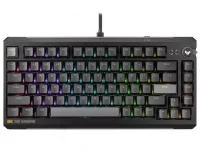
ASUS says the TUF Gaming K4 Magnetic accepts hot-swappable magnetic switches, but it also excludes side-magnet designs from compatibility. The board is built around center-magnet switches, and ASUS tells owners to recalibrate replacements in Gear Link after a swap.
Hot-swap makes the physical job easy. You can pull a switch and install another without soldering, yet the magnetic relationship between the replacement switch and the sensor underneath still has to fall inside what the keyboard expects.
The TUF Gaming K4 Magnetic switch system therefore gives you more freedom than a soldered board without turning every magnetic switch on the market into a safe purchase. Shape, magnet position, polarity, magnetic strength, travel, and calibration can all matter.
A Hall-effect board reads a changing magnetic field. The magnet inside the moving switch stem approaches or moves relative to a sensor on the PCB, and firmware translates the resulting signal into key position. A replacement can fit the plate perfectly and still present the sensor with the wrong magnetic behavior.
ASUS draws one hard boundary on the K4. Side-magnet switches, including its own ROG HE Platform family, are not supported, while the company says most mainstream center-magnet switches should work. Even then, ASUS stops short of guaranteeing every third-party center-magnet model.
The reason is visible in Hall-sensor keyswitch designs built around magnet position. Sensor output changes with the magnetic field created by the magnet's location and movement, so the electrical behavior depends on more than whether a plastic switch housing drops into the socket.
Magnetic strength matters too. A sensor and its firmware operate across an expected magnetic flux range. A replacement with a field that is too weak, too strong, or shaped differently can make the reported travel behave differently even when the switch physically fits and uses a familiar center-magnet layout.
This is where shopping by switch name alone gets risky. Two products can both be described as Hall-effect gaming switches, use MX-style stems, and sit in similar housings while behaving differently over the sensor beneath them.
Total travel can also change the relationship between physical movement and the numbers shown in software. If one switch reaches its magnetic extremes at slightly different positions from the original, the keyboard needs a fresh reference for what fully released and fully pressed mean.
Keycaps introduce a separate fit issue. ASUS says most keycaps should work with the K4, though certain third-party switches can create minor interference on specific rows. A successful electrical swap therefore does not automatically guarantee identical keycap clearance or feel.
Calibration gives the firmware new reference points for the replacement switch's magnetic output across its travel. Without those references, an adjustable actuation setting can be based on assumptions taken from the old switch rather than the signal produced by the new one.
A bad calibration does not have to look dramatic. You may see an actuation point that feels earlier or later than its displayed value, a key that reaches full travel too soon in software, inconsistent Rapid Trigger behavior, or a release point that feels different from neighboring keys.
Replacing one failed switch also deserves the same recalibration. The new unit may come from the same product line and still have small manufacturing differences in magnet strength, stem travel, or sensor relationship once installed.
The safest compatibility check is therefore narrower than the phrase hot-swappable suggests. Start with a center-magnet switch, verify that the maker or keyboard vendor lists the combination where possible, install it without forcing the housing, then recalibrate it before judging actuation or Rapid Trigger behavior.
If a seller only promises that a magnetic switch is hot-swappable, the description is incomplete for the K4. Physical fit gets the switch into the keyboard. Compatible magnetic geometry and a proper calibration are what make the replacement useful once it is there.
Hot-swap makes the physical job easy. You can pull a switch and install another without soldering, yet the magnetic relationship between the replacement switch and the sensor underneath still has to fall inside what the keyboard expects.
The TUF Gaming K4 Magnetic switch system therefore gives you more freedom than a soldered board without turning every magnetic switch on the market into a safe purchase. Shape, magnet position, polarity, magnetic strength, travel, and calibration can all matter.
Hot-swap only solves the soldering problem
Mechanical hot-swap became easy to understand because many MX-style switches eventually converged around familiar physical layouts. Magnetic keyboards look deceptively similar from above, but the PCB is not waiting for two metal contacts to close when you press a key.A Hall-effect board reads a changing magnetic field. The magnet inside the moving switch stem approaches or moves relative to a sensor on the PCB, and firmware translates the resulting signal into key position. A replacement can fit the plate perfectly and still present the sensor with the wrong magnetic behavior.
ASUS draws one hard boundary on the K4. Side-magnet switches, including its own ROG HE Platform family, are not supported, while the company says most mainstream center-magnet switches should work. Even then, ASUS stops short of guaranteeing every third-party center-magnet model.
The reason is visible in Hall-sensor keyswitch designs built around magnet position. Sensor output changes with the magnetic field created by the magnet's location and movement, so the electrical behavior depends on more than whether a plastic switch housing drops into the socket.
Matching the magnet position is only the first check
Center magnet versus side magnet is the obvious filter for the K4, but orientation can go deeper. Magnetic switches can present different poles toward the PCB, and keyboards are not yet governed by one universal Hall-effect switch standard.Magnetic strength matters too. A sensor and its firmware operate across an expected magnetic flux range. A replacement with a field that is too weak, too strong, or shaped differently can make the reported travel behave differently even when the switch physically fits and uses a familiar center-magnet layout.
This is where shopping by switch name alone gets risky. Two products can both be described as Hall-effect gaming switches, use MX-style stems, and sit in similar housings while behaving differently over the sensor beneath them.
Total travel can also change the relationship between physical movement and the numbers shown in software. If one switch reaches its magnetic extremes at slightly different positions from the original, the keyboard needs a fresh reference for what fully released and fully pressed mean.
Keycaps introduce a separate fit issue. ASUS says most keycaps should work with the K4, though certain third-party switches can create minor interference on specific rows. A successful electrical swap therefore does not automatically guarantee identical keycap clearance or feel.
Recalibration is part of the switch swap
ASUS specifically instructs K4 owners to recalibrate every swapped magnetic switch in Gear Link. Treat that step as part of installation rather than optional cleanup after the keyboard already seems to work.Calibration gives the firmware new reference points for the replacement switch's magnetic output across its travel. Without those references, an adjustable actuation setting can be based on assumptions taken from the old switch rather than the signal produced by the new one.
A bad calibration does not have to look dramatic. You may see an actuation point that feels earlier or later than its displayed value, a key that reaches full travel too soon in software, inconsistent Rapid Trigger behavior, or a release point that feels different from neighboring keys.
Replacing one failed switch also deserves the same recalibration. The new unit may come from the same product line and still have small manufacturing differences in magnet strength, stem travel, or sensor relationship once installed.
The safest compatibility check is therefore narrower than the phrase hot-swappable suggests. Start with a center-magnet switch, verify that the maker or keyboard vendor lists the combination where possible, install it without forcing the housing, then recalibrate it before judging actuation or Rapid Trigger behavior.
If a seller only promises that a magnetic switch is hot-swappable, the description is incomplete for the K4. Physical fit gets the switch into the keyboard. Compatible magnetic geometry and a proper calibration are what make the replacement useful once it is there.