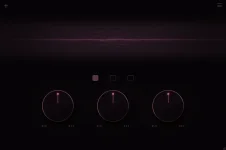
AngelicVibes ships Maximillion 1.0.0 as VST3 and AU only, and its manual explicitly says Pro Tools is not supported. Installing it successfully on the same Mac or Windows machine does not change that limit because the mismatch sits at the plug-in format level.
The distinction is easy to miss because Maximillion's current VST3 and AU release supports both macOS and Windows. A supported operating system means the installer has somewhere valid to put the plug-in. Your DAW still needs to understand the format it receives.
Pro Tools expects AAX plug-ins for normal native loading, while Maximillion currently supplies no AAX build. Reopening Pro Tools, rescanning plug-ins, or reinstalling the same VST3 file cannot turn it into something the host recognizes.
Maximillion's Windows installation gives you the VST3 route. On macOS, AngelicVibes also supplies AU, but Audio Units do not become Pro Tools plug-ins merely because both programs run on the same Mac. Pro Tools still needs an AAX version it can load through its own plug-in system.
File extensions give you a fast sanity check. A VST3 build uses .vst3, an Audio Unit normally appears as a .component on macOS, and AAX uses .aaxplugin. Finding Maximillion in a VST3 location proves very little about Pro Tools because the host is waiting for a different kind of component.
The difference is architectural rather than cosmetic. Work on host-and-plug-in architecture describes the DAW as the host and the effect as a component loaded through a defined plug-in interface. The host must support the interface presented by the plug-in before audio processing can even begin.
A successful Maximillion installation can therefore look contradictory. Another DAW may scan the VST3 or AU build immediately while Pro Tools shows nothing, with both applications behaving exactly as their supported formats dictate.
A missing AAX plug-in and a failed Maximillion installation are different problems. If Maximillion appears in another compatible host on the same computer, the installer has probably done its job, and Pro Tools still has no AAX version to register.
Checking the VST3 folder will not change the result either. Pro Tools keeps its AAX plug-ins in a separate Avid location and scans for AAX components there. Moving a VST3 file into that folder does not convert its format; it only leaves you with a misplaced file on top of the original compatibility problem.
AU behaves the same way on macOS. An AU component can be valid, correctly installed, and usable elsewhere while remaining unavailable to Pro Tools.
This distinction also tells you when deeper troubleshooting is worthwhile. If a developer supplies AAX and the plug-in still disappears, scan databases, plug-in folders, authorization, signing, and host compatibility become sensible suspects. Maximillion stops earlier in the chain because AngelicVibes does not currently advertise or provide an AAX build.
The workaround adds another dependency to the session. Reopening the project now depends on the wrapper being installed and compatible as well as Maximillion itself, while collaborators need the same hosting arrangement for predictable recall.
Automation, preset recall, and crash diagnosis can also become harder because Pro Tools is talking to the hosting layer rather than Maximillion directly. None of this makes wrapping useless, but it changes a simple plug-in dependency into a small chain that has to survive every machine opening the session.
Troubleshooting also gains another layer. If Maximillion fails inside the wrapper, you have to separate Pro Tools compatibility from the wrapper's VST3 or AU hosting support and from Maximillion's own installation. Installing the free plug-in alone remains insufficient for native Pro Tools use.
For sessions that move between Pro Tools systems, format choice matters before any mix decision does. Maximillion is currently a VST3 and AU plug-in for compatible hosts, while normal Pro Tools loading requires an AAX build. Rescanning the wrong format only burns time.
The distinction is easy to miss because Maximillion's current VST3 and AU release supports both macOS and Windows. A supported operating system means the installer has somewhere valid to put the plug-in. Your DAW still needs to understand the format it receives.
Pro Tools expects AAX plug-ins for normal native loading, while Maximillion currently supplies no AAX build. Reopening Pro Tools, rescanning plug-ins, or reinstalling the same VST3 file cannot turn it into something the host recognizes.
Pro Tools expects AAX while Maximillion ships VST3 and AU
AAX is the plug-in format Pro Tools uses for third-party effects and instruments. Current AAX plug-ins use the .aaxplugin format and live in Pro Tools' dedicated Avid plug-in location, separate from normal VST3 and AU locations.Maximillion's Windows installation gives you the VST3 route. On macOS, AngelicVibes also supplies AU, but Audio Units do not become Pro Tools plug-ins merely because both programs run on the same Mac. Pro Tools still needs an AAX version it can load through its own plug-in system.
File extensions give you a fast sanity check. A VST3 build uses .vst3, an Audio Unit normally appears as a .component on macOS, and AAX uses .aaxplugin. Finding Maximillion in a VST3 location proves very little about Pro Tools because the host is waiting for a different kind of component.
The difference is architectural rather than cosmetic. Work on host-and-plug-in architecture describes the DAW as the host and the effect as a component loaded through a defined plug-in interface. The host must support the interface presented by the plug-in before audio processing can even begin.
A successful Maximillion installation can therefore look contradictory. Another DAW may scan the VST3 or AU build immediately while Pro Tools shows nothing, with both applications behaving exactly as their supported formats dictate.
Rescanning cannot repair a format mismatch
AngelicVibes tells users to close the DAW, run the installer, reopen the DAW, and rescan if needed. Those instructions make sense in a VST3 or AU host because the application already knows how to load the installed format. In Pro Tools, the same rescan has no native Maximillion build to discover.A missing AAX plug-in and a failed Maximillion installation are different problems. If Maximillion appears in another compatible host on the same computer, the installer has probably done its job, and Pro Tools still has no AAX version to register.
Checking the VST3 folder will not change the result either. Pro Tools keeps its AAX plug-ins in a separate Avid location and scans for AAX components there. Moving a VST3 file into that folder does not convert its format; it only leaves you with a misplaced file on top of the original compatibility problem.
AU behaves the same way on macOS. An AU component can be valid, correctly installed, and usable elsewhere while remaining unavailable to Pro Tools.
This distinction also tells you when deeper troubleshooting is worthwhile. If a developer supplies AAX and the plug-in still disappears, scan databases, plug-in folders, authorization, signing, and host compatibility become sensible suspects. Maximillion stops earlier in the chain because AngelicVibes does not currently advertise or provide an AAX build.
Wrapping Maximillion changes the session dependency
A separate plug-in host or wrapper can sometimes sit inside Pro Tools as an AAX plug-in and load another format inside itself. Pro Tools loads the wrapper, then the wrapper loads Maximillion's VST3 or AU build. Maximillion is still not running as a native AAX plug-in.The workaround adds another dependency to the session. Reopening the project now depends on the wrapper being installed and compatible as well as Maximillion itself, while collaborators need the same hosting arrangement for predictable recall.
Automation, preset recall, and crash diagnosis can also become harder because Pro Tools is talking to the hosting layer rather than Maximillion directly. None of this makes wrapping useless, but it changes a simple plug-in dependency into a small chain that has to survive every machine opening the session.
Troubleshooting also gains another layer. If Maximillion fails inside the wrapper, you have to separate Pro Tools compatibility from the wrapper's VST3 or AU hosting support and from Maximillion's own installation. Installing the free plug-in alone remains insufficient for native Pro Tools use.
For sessions that move between Pro Tools systems, format choice matters before any mix decision does. Maximillion is currently a VST3 and AU plug-in for compatible hosts, while normal Pro Tools loading requires an AAX build. Rescanning the wrong format only burns time.