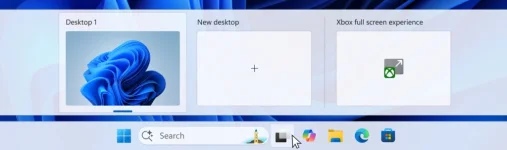
Microsoft has extended its Xbox Full Screen Experience beyond dedicated gaming handhelds to standard Windows 11 computers through the latest Insider Preview Build release. The feature allows laptop and desktop users to transform their devices into console-style gaming stations by hiding desktop elements and pausing background processes for improved performance.
Activation requires the keyboard shortcut Win + F11 or Game Bar settings access, launching a controller-navigated interface that displays game tiles across the entire screen while suppressing notifications and system maintenance tasks. The mode provides direct access to Xbox storefronts, Game Pass libraries, and cross-platform titles.
Microsoft plans a gradual deployment to Insider Program participants who enable PC Gaming previews through the Xbox Insiders Hub, with broader availability following the phased rollout.
Activation requires the keyboard shortcut Win + F11 or Game Bar settings access, launching a controller-navigated interface that displays game tiles across the entire screen while suppressing notifications and system maintenance tasks. The mode provides direct access to Xbox storefronts, Game Pass libraries, and cross-platform titles.
Microsoft plans a gradual deployment to Insider Program participants who enable PC Gaming previews through the Xbox Insiders Hub, with broader availability following the phased rollout.