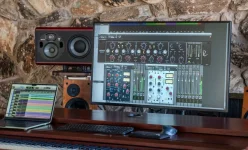
Rupert Neve Designs requires COMP IN to be engaged for Portico II limiter-only operation, even when the compressor ratio is set to one-to-one. Turn COMP IN on, set Ratio to one-to-one, then move the Limit control counterclockwise from Off. Miss either of the first two steps, and you are no longer testing the limiter by itself.
The gain-reduction meter creates the next trap. Portico II reports total gain reduction when the compressor and limiter are both active, so a moving meter does not tell you which stage produced the attenuation. Leaving Ratio above one-to-one can therefore make a limiter test look perfectly normal while compressor gain reduction is quietly contributing underneath it.
Ratio at one-to-one is the clean dividing line. At that setting, the compressor has no compression slope to apply when the signal crosses its threshold, so the limiter can work without ordinary compressor attenuation being mixed into the result. The threshold, attack, and release controls may still sit in front of you, but they are not a substitute for putting Ratio at unity.
This is where the Portico II compression and limiting behavior needs a little discipline. A complicated panel invites you to judge every moving control at once, yet a limiter-only setup is simpler than it looks. Start by making the compressor mathematically inactive rather than trying to hide it with a high threshold or a slow attack.
This matters when you are comparing two limiter settings. If one version uses more makeup gain, you changed both loudness and the amount of limiting at the same time. A louder result may seem denser or more exciting for a few seconds, while the actual transient shape has become flatter.
The practical move is to separate drive from ceiling. Set the Limit control where you want the limiter to begin working, then raise makeup gain only as far as needed to feed peaks into it. Watch the output level separately from the reduction meter because the two controls answer different questions.
Limiter behavior also changes with the shape and duration of the incoming peaks. The same basic problem appears in an adaptive limiter release design where control timing changes with signal level to reduce pumping and distortion. A snare spike and a sustained bass-heavy passage can create similar peak readings while asking very different things from the gain-control envelope.
This becomes especially misleading when the compressor threshold is low enough to react throughout a loud section while the limiter only catches isolated peaks. The meter can stay active between transients because the compressor is still working, then jump further when the limiter joins in. Reading the entire movement as limiter action makes it easy to push the one-knob limiter harder than intended.
Use Ratio at one-to-one when you need to learn what the limiter itself is doing. Once you deliberately bring compression back, judge the meter as a total dynamics reading rather than a limiter meter. The distinction matters most when you are chasing small amounts of peak control, because one or two decibels of unnoticed compression can completely change what you think the limiter is contributing.
Makeup gain deserves one final check after the limiter is behaving. Increasing it can raise average level while forcing more peaks into limiting, so loudness and gain reduction rise together unless you compensate elsewhere. If the limiter suddenly seems less transparent after a gain adjustment, the cause may be extra drive rather than a different limiter threshold.
The gain-reduction meter creates the next trap. Portico II reports total gain reduction when the compressor and limiter are both active, so a moving meter does not tell you which stage produced the attenuation. Leaving Ratio above one-to-one can therefore make a limiter test look perfectly normal while compressor gain reduction is quietly contributing underneath it.
Limiter-only mode still uses the dynamics section
COMP IN is not a compressor-only switch. It enables the compressor-limiter section, which is why turning the limiter down from Off does nothing useful when COMP IN is bypassed. The interface looks as though the limiter is a separate one-knob processor, but its activation depends on the same dynamics section as the compressor.Ratio at one-to-one is the clean dividing line. At that setting, the compressor has no compression slope to apply when the signal crosses its threshold, so the limiter can work without ordinary compressor attenuation being mixed into the result. The threshold, attack, and release controls may still sit in front of you, but they are not a substitute for putting Ratio at unity.
This is where the Portico II compression and limiting behavior needs a little discipline. A complicated panel invites you to judge every moving control at once, yet a limiter-only setup is simpler than it looks. Start by making the compressor mathematically inactive rather than trying to hide it with a high threshold or a slow attack.
Makeup gain can drive the limiter harder
Portico II places the compressor before the limiter in its normal dynamics flow, and the compressor section includes makeup gain. Raising that gain increases the level presented to the limiter, even when Ratio remains at one-to-one. The limiter can therefore show more gain reduction without any change to its own threshold simply because you pushed more level into it.This matters when you are comparing two limiter settings. If one version uses more makeup gain, you changed both loudness and the amount of limiting at the same time. A louder result may seem denser or more exciting for a few seconds, while the actual transient shape has become flatter.
The practical move is to separate drive from ceiling. Set the Limit control where you want the limiter to begin working, then raise makeup gain only as far as needed to feed peaks into it. Watch the output level separately from the reduction meter because the two controls answer different questions.
Limiter behavior also changes with the shape and duration of the incoming peaks. The same basic problem appears in an adaptive limiter release design where control timing changes with signal level to reduce pumping and distortion. A snare spike and a sustained bass-heavy passage can create similar peak readings while asking very different things from the gain-control envelope.
The reduction meter hides stage ownership
The Portico II gain-reduction display shows the combined reduction from compressor and limiter when both are doing work. It does not split the reading into separate compressor and limiter numbers. If Ratio is accidentally left at two-to-one or three-to-one, a four-decibel reading might include attenuation from both stages, and the display will not identify the share contributed by each one.This becomes especially misleading when the compressor threshold is low enough to react throughout a loud section while the limiter only catches isolated peaks. The meter can stay active between transients because the compressor is still working, then jump further when the limiter joins in. Reading the entire movement as limiter action makes it easy to push the one-knob limiter harder than intended.
Use Ratio at one-to-one when you need to learn what the limiter itself is doing. Once you deliberately bring compression back, judge the meter as a total dynamics reading rather than a limiter meter. The distinction matters most when you are chasing small amounts of peak control, because one or two decibels of unnoticed compression can completely change what you think the limiter is contributing.
Makeup gain deserves one final check after the limiter is behaving. Increasing it can raise average level while forcing more peaks into limiting, so loudness and gain reduction rise together unless you compensate elsewhere. If the limiter suddenly seems less transparent after a gain adjustment, the cause may be extra drive rather than a different limiter threshold.