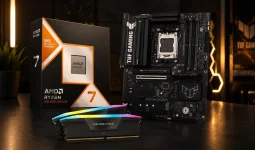
DDR5 16GB UDIMM module spot prices averaged $234 on September 7, 2026, leaving individual PC builders exposed to unusually high memory costs. In this market, a prebuilt desktop can genuinely cost less than buying a fresh set of equivalent parts yourself, especially when memory and storage make up an unusually large chunk of the bill.
The catch is simple. You have to compare the machine you would actually keep, not a prebuilt headline price against an idealized parts list. A cheap tower with weak cooling, a proprietary power supply, 16GB of expensive-to-replace memory, or a cramped motherboard can hand the savings back later.
The timing also sits inside Acer's current PC price outlook, with another component increase expected in late 2026 before pricing potentially peaks around mid-2027. A prebuilt sitting in a warehouse can therefore reflect yesterday's component costs while the loose parts needed to copy it reflect today's. For a while, the finished machine can look strangely cheaper than the pile of boxes.
Most comparisons stop at bulk purchasing and expensive RAM. The more important detail is inventory age. A discounted prebuilt may be cheap because the seller wants to clear an older platform, not because system builders have permanently beaten the DIY market.
Restocking can erase the advantage quickly. A retailer can sell one batch at an older cost structure, then replace it with a higher-priced shipment carrying newer memory costs. Treat a strong prebuilt price as a specific offer, not proof that every comparable machine should cost the same.
It can still be a good deal. An older Ryzen or Intel platform paired with enough GPU performance, memory, and storage may suit you perfectly. Problems start when the discount depends on parts you already know you will replace.
Factory upgrade menus deserve suspicion in the current market. A vendor may price the base model aggressively because it already owns the components, then charge far more for a memory or storage step that uses newer inventory. Buying the right configuration from the start can be cheaper than turning a bargain base model into the computer you actually wanted.
Look deeper than CPU and GPU names too. Motherboard expansion, power-supply capacity, cooler quality, case airflow, memory slot count, SSD slots, and standard connectors decide how much freedom remains after the warranty expires. A machine built around standard parts also preserves upgrade-friendly desktop design, where easier disassembly and replaceable components support a longer useful life.
Warranty has real value, but it changes the comparison rather than ending it. One company handling the whole PC is convenient when something fails. DIY ownership gives you individual component warranties and lets you replace one failed part without shipping an entire tower away.
Bundles can narrow the gap as well. Current September 2026 deals still combine CPUs, motherboards, memory, and coolers at prices that make selected self-builds competitive despite the wider shortage. DIY also lets you spend heavily on the parts that affect your workload and stay cheap elsewhere without accepting an OEM's fixed recipe.
A prebuilt therefore makes the most sense when its complete, usable specification costs less than the parts you would otherwise buy and the hidden components are good enough to keep. DIY makes more sense when you can reuse hardware, need unusual expansion, care about exact component quality, or can exploit a strong bundle.
Price the finished job, not an incomplete parts list. Include the upgrades you need immediately, any parts you would replace, the value of reusable hardware, Windows if you need a license, and the warranty arrangement you actually prefer. In 2026, either route can win, but memory inflation has removed the old shortcut that building it yourself must be cheaper.
The catch is simple. You have to compare the machine you would actually keep, not a prebuilt headline price against an idealized parts list. A cheap tower with weak cooling, a proprietary power supply, 16GB of expensive-to-replace memory, or a cramped motherboard can hand the savings back later.
Memory inflation has flipped the old price comparison
Large PC vendors do not shop for components the way you do. They can negotiate volume purchases, lock supply under contracts, and sell systems containing parts bought before the latest retail spike. A DIY buyer walks into today's RAM, SSD, and GPU market with none of those buffers.The timing also sits inside Acer's current PC price outlook, with another component increase expected in late 2026 before pricing potentially peaks around mid-2027. A prebuilt sitting in a warehouse can therefore reflect yesterday's component costs while the loose parts needed to copy it reflect today's. For a while, the finished machine can look strangely cheaper than the pile of boxes.
Most comparisons stop at bulk purchasing and expensive RAM. The more important detail is inventory age. A discounted prebuilt may be cheap because the seller wants to clear an older platform, not because system builders have permanently beaten the DIY market.
Restocking can erase the advantage quickly. A retailer can sell one batch at an older cost structure, then replace it with a higher-priced shipment carrying newer memory costs. Treat a strong prebuilt price as a specific offer, not proof that every comparable machine should cost the same.
It can still be a good deal. An older Ryzen or Intel platform paired with enough GPU performance, memory, and storage may suit you perfectly. Problems start when the discount depends on parts you already know you will replace.
The cheapest prebuilt can hide expensive compromises
Start with the exact usable specification. If you need 32GB of RAM and a 2TB SSD, compare the prebuilt at 32GB and 2TB with a DIY machine at the same capacities. Comparing a stripped 16GB prebuilt with your preferred custom build makes the factory machine look cheaper by deleting requirements rather than saving money.Factory upgrade menus deserve suspicion in the current market. A vendor may price the base model aggressively because it already owns the components, then charge far more for a memory or storage step that uses newer inventory. Buying the right configuration from the start can be cheaper than turning a bargain base model into the computer you actually wanted.
Look deeper than CPU and GPU names too. Motherboard expansion, power-supply capacity, cooler quality, case airflow, memory slot count, SSD slots, and standard connectors decide how much freedom remains after the warranty expires. A machine built around standard parts also preserves upgrade-friendly desktop design, where easier disassembly and replaceable components support a longer useful life.
Warranty has real value, but it changes the comparison rather than ending it. One company handling the whole PC is convenient when something fails. DIY ownership gives you individual component warranties and lets you replace one failed part without shipping an entire tower away.
DIY still wins when you already own useful parts
The biggest mistake in these comparisons is pricing every custom build from zero. Plenty of builders already own a good case, power supply, SSD, cooler, or Windows license. Reusing two or three healthy components cuts straight through the advantage a prebuilt gets from cheaper bulk memory.Bundles can narrow the gap as well. Current September 2026 deals still combine CPUs, motherboards, memory, and coolers at prices that make selected self-builds competitive despite the wider shortage. DIY also lets you spend heavily on the parts that affect your workload and stay cheap elsewhere without accepting an OEM's fixed recipe.
A prebuilt therefore makes the most sense when its complete, usable specification costs less than the parts you would otherwise buy and the hidden components are good enough to keep. DIY makes more sense when you can reuse hardware, need unusual expansion, care about exact component quality, or can exploit a strong bundle.
Price the finished job, not an incomplete parts list. Include the upgrades you need immediately, any parts you would replace, the value of reusable hardware, Windows if you need a license, and the warranty arrangement you actually prefer. In 2026, either route can win, but memory inflation has removed the old shortcut that building it yourself must be cheaper.