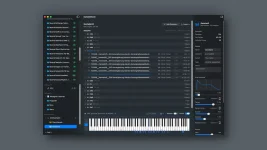
SampleStack supports custom profiles for hardware that is not built in, letting an unsupported sampler become a defined conversion target instead of guesswork.
The catch is simple. A useful profile has to come from the sampler's real import rules, not from whatever format happens to load once. Sample rate, bit depth, channel count, accepted container, filename limits, duration caps, and folder expectations can all mean different things on different boxes.
The SampleStack hardware preparation system already separates a source library from hardware-specific collections and validates files against a chosen target. A custom profile extends the same idea to a device outside the built-in list, but it should only claim rules you have actually verified.
Bit depth creates the same trap. Some hardware accepts 24-bit WAV files while storing or processing them at another depth internally. A profile aimed at successful loading should describe accepted input. A profile aimed at making lean destination copies may deliberately choose a narrower output. Mixing those ideas is how a technically valid file gets rejected for no good reason.
Channels need a hard answer too. Stereo support may apply to playback, but not every voice mode, or mono may be accepted even when the engine runs stereo. Keep the rule as permissive as the hardware documentation allows. Converting every sample to mono because one example pack is mono quietly throws information away.
Filename and folder rules are less glamorous but often cause the dumbest failures. Check maximum filename length, allowed characters, required prefixes, numbered folders, card-root locations, project limits, and whether nested folders are actually scanned. One successful WAV dragged onto a card proves almost nothing about the rest of the storage layout.
This boundary matters for conversion. Changing sample rate creates new sample values rather than editing a number in a header. The sampling-rate conversion chapter lays out the signal-processing problem behind resampling, which is why a profile should only request conversion when the destination actually needs it.
Duration limits deserve similar care. If the manual sets a maximum sample length, encode the delivery limit. If the real restriction is total project memory instead, one file can be perfectly valid while the entire card still exceeds what the sampler can hold. A per-file validator cannot magically prove a project-level memory budget.
The same goes for embedded metadata. A WAV can carry loop points, root-note information, cue markers, and other chunks, but hardware support varies. Do not assume a custom profile can reproduce device-specific interpretation unless SampleStack explicitly exposes that behavior for the target. Format compatibility and feature compatibility are separate jobs.
Use a tiny test set before processing the archive. Include mono and stereo files, two sample rates, two bit depths, a long filename, a nested folder, and one file near any documented duration limit. Run the set through the profile, then check every resulting file on the hardware itself.
Once the profile survives that test, use it on destination copies rather than rewriting the master archive. The four-hardware-sampler workflow is useful here because it keeps target-specific sample rate, bit depth, channel, naming, and folder decisions outside the source library.
Keep the source side boring too. Tags, ratings, BPM, key, and provenance belong in the Mac sample-library organization workflow, while the custom profile should stay focused on delivery constraints. One system helps you find the sound. The other makes sure the box can load it.
Firmware updates are the part people forget. A sampler may gain a new file format, longer filename support, changed folder behavior, or revised conversion rules later. Recheck the manual after major firmware changes and rerun the same small test set before trusting an old profile with a huge export.
A custom profile is most useful when it is conservative about what it knows. Encode documented input rules, test ambiguous cases on the real hardware, and leave anything the profile cannot verify outside its verdict. It keeps "compatible" from turning into a fancy word for "probably."
The catch is simple. A useful profile has to come from the sampler's real import rules, not from whatever format happens to load once. Sample rate, bit depth, channel count, accepted container, filename limits, duration caps, and folder expectations can all mean different things on different boxes.
The SampleStack hardware preparation system already separates a source library from hardware-specific collections and validates files against a chosen target. A custom profile extends the same idea to a device outside the built-in list, but it should only claim rules you have actually verified.
Unsupported hardware starts with the manual
Start with the manufacturer's current manual or support page and write down what the sampler accepts on import. "48 kHz engine" is not enough. You need to know whether incoming 44.1 kHz files are rejected, converted automatically, or played through an internal resampler. Those are three different profile decisions.Bit depth creates the same trap. Some hardware accepts 24-bit WAV files while storing or processing them at another depth internally. A profile aimed at successful loading should describe accepted input. A profile aimed at making lean destination copies may deliberately choose a narrower output. Mixing those ideas is how a technically valid file gets rejected for no good reason.
Channels need a hard answer too. Stereo support may apply to playback, but not every voice mode, or mono may be accepted even when the engine runs stereo. Keep the rule as permissive as the hardware documentation allows. Converting every sample to mono because one example pack is mono quietly throws information away.
Filename and folder rules are less glamorous but often cause the dumbest failures. Check maximum filename length, allowed characters, required prefixes, numbered folders, card-root locations, project limits, and whether nested folders are actually scanned. One successful WAV dragged onto a card proves almost nothing about the rest of the storage layout.
A profile should describe delivery, not the whole machine
A device profile is useful when it answers one boring question reliably. Can this file be delivered to this sampler in a form the sampler accepts? It does not need to model the sampler's filters, sequencer, voice stealing, or modulation.This boundary matters for conversion. Changing sample rate creates new sample values rather than editing a number in a header. The sampling-rate conversion chapter lays out the signal-processing problem behind resampling, which is why a profile should only request conversion when the destination actually needs it.
Duration limits deserve similar care. If the manual sets a maximum sample length, encode the delivery limit. If the real restriction is total project memory instead, one file can be perfectly valid while the entire card still exceeds what the sampler can hold. A per-file validator cannot magically prove a project-level memory budget.
The same goes for embedded metadata. A WAV can carry loop points, root-note information, cue markers, and other chunks, but hardware support varies. Do not assume a custom profile can reproduce device-specific interpretation unless SampleStack explicitly exposes that behavior for the target. Format compatibility and feature compatibility are separate jobs.
Use a tiny test set before processing the archive. Include mono and stereo files, two sample rates, two bit depths, a long filename, a nested folder, and one file near any documented duration limit. Run the set through the profile, then check every resulting file on the hardware itself.
The sampler gets the final vote
A green validation badge is useful, but the hardware remains the final test. Load the small test set, audition every file, restart the sampler, reload the project, and check whether names and folders still appear where expected. Some failures only show up after a rescan or reboot.Once the profile survives that test, use it on destination copies rather than rewriting the master archive. The four-hardware-sampler workflow is useful here because it keeps target-specific sample rate, bit depth, channel, naming, and folder decisions outside the source library.
Keep the source side boring too. Tags, ratings, BPM, key, and provenance belong in the Mac sample-library organization workflow, while the custom profile should stay focused on delivery constraints. One system helps you find the sound. The other makes sure the box can load it.
Firmware updates are the part people forget. A sampler may gain a new file format, longer filename support, changed folder behavior, or revised conversion rules later. Recheck the manual after major firmware changes and rerun the same small test set before trusting an old profile with a huge export.
A custom profile is most useful when it is conservative about what it knows. Encode documented input rules, test ambiguous cases on the real hardware, and leave anything the profile cannot verify outside its verdict. It keeps "compatible" from turning into a fancy word for "probably."