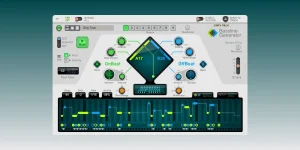
Reason Rack Plugin can send Player-generated MIDI to another track in a host DAW when the rack uses the MIDI Out Device. Bassline Generator does not need to make the sound itself. You can let it write the notes while a completely different synth, sampler, or bass instrument plays them.
The important split is MIDI versus audio. Bassline Generator generates note information, MIDI Out hands those notes back to the host, and the destination instrument turns them into sound. If the receiving track is listening to the Rack's audio instead of its MIDI output, nothing useful happens.
This extends the editable Bassline Generator workflow beyond Reason instruments without flattening the pattern into audio first. The groove remains MIDI on the receiving side, so the notes can still be recorded, edited, transposed, or sent to another instrument later.
Pick a MIDI channel on MIDI Out, then create the destination instrument track in your DAW. Set that track's MIDI input to the Reason Rack Plugin instance and make sure the receiving channel matches the channel leaving MIDI Out. Arm or monitor the destination according to how your DAW handles incoming MIDI.
At this point, Bassline Generator should be able to run while the second track makes the sound. Ableton Live, FL Studio, Reaper, and Cubase can use the VST3 version for this workflow, while Pro Tools can do it through AAX. Reason's current guidance excludes Logic Pro and AU instances from this MIDI-output workflow, so do not assume the same routing steps carry over there.
A useful test is to load a plain synth patch with a fast attack on the destination track. Run a simple Bassline Generator pattern and ignore tone quality for a minute. If notes arrive cleanly, the routing works and any later silence is probably an instrument, range, channel, or monitoring problem rather than Bassline Generator itself.
Pitch range matters more than people expect. A bass pattern that sounds fine on a Reason synth can land below the playable range of a sampled instrument or trigger odd key switches on a library with mapped articulations. Move the octave or note range before assuming the MIDI connection is broken.
Harmony is separate too. Routing a pattern into another synth does not make its notes follow your chord progression automatically. If the external instrument plays the line perfectly but the notes clash with the song, the chord-following setup belongs upstream inside the Rack before the notes reach MIDI Out.
You can also use separate MIDI Out Devices when several Players need different destinations. Give each route its own MIDI channel, then point the corresponding host tracks at the same Rack Plugin output while filtering for the intended channel. It is cleaner than sending everything on one channel and hoping the receiving instruments ignore what was meant for somebody else.
Do not confuse successful note capture with zero monitoring delay. MIDI timing and audio response are separate measurements, so a clean MIDI stream can still feel late when the destination instrument, host buffering, or audio path adds latency. Judge timing from the recorded result as well as from what you heard while playing the project.
Hanging notes are another boring but real failure mode. MIDI Out includes a Panic control that sends All Notes Off, which is worth trying before tearing the routing apart when one note refuses to stop. A stuck note does not automatically mean the Player generated a bad pattern.
Once the MIDI clip is recorded, disable the live route before playing the clip back if both paths trigger the same instrument. Leaving the live Bassline Generator stream running beside the recorded copy can double every note and make velocity, timing, or phase problems look much stranger than they are.
The important split is MIDI versus audio. Bassline Generator generates note information, MIDI Out hands those notes back to the host, and the destination instrument turns them into sound. If the receiving track is listening to the Rack's audio instead of its MIDI output, nothing useful happens.
This extends the editable Bassline Generator workflow beyond Reason instruments without flattening the pattern into audio first. The groove remains MIDI on the receiving side, so the notes can still be recorded, edited, transposed, or sent to another instrument later.
MIDI Out is the bridge back to the host
Start with Bassline Generator attached to a MIDI Out Device inside Reason Rack Plugin. Creating a Player by itself can add MIDI Out automatically, but you can also add MIDI Out manually from the Instruments section and drop Bassline Generator above it. MIDI Out makes no sound, which is exactly what you want here.Pick a MIDI channel on MIDI Out, then create the destination instrument track in your DAW. Set that track's MIDI input to the Reason Rack Plugin instance and make sure the receiving channel matches the channel leaving MIDI Out. Arm or monitor the destination according to how your DAW handles incoming MIDI.
At this point, Bassline Generator should be able to run while the second track makes the sound. Ableton Live, FL Studio, Reaper, and Cubase can use the VST3 version for this workflow, while Pro Tools can do it through AAX. Reason's current guidance excludes Logic Pro and AU instances from this MIDI-output workflow, so do not assume the same routing steps carry over there.
A useful test is to load a plain synth patch with a fast attack on the destination track. Run a simple Bassline Generator pattern and ignore tone quality for a minute. If notes arrive cleanly, the routing works and any later silence is probably an instrument, range, channel, or monitoring problem rather than Bassline Generator itself.
The receiving instrument only gets the note stream
MIDI Out does not send Bassline Generator's interface, patches, CV wiring, or Rack audio into the other instrument. It sends MIDI messages on the chosen channel. Your external synth therefore responds to the generated note pitches, velocities, and note lengths using its own sound engine and whatever articulation rules it has.Pitch range matters more than people expect. A bass pattern that sounds fine on a Reason synth can land below the playable range of a sampled instrument or trigger odd key switches on a library with mapped articulations. Move the octave or note range before assuming the MIDI connection is broken.
Harmony is separate too. Routing a pattern into another synth does not make its notes follow your chord progression automatically. If the external instrument plays the line perfectly but the notes clash with the song, the chord-following setup belongs upstream inside the Rack before the notes reach MIDI Out.
You can also use separate MIDI Out Devices when several Players need different destinations. Give each route its own MIDI channel, then point the corresponding host tracks at the same Rack Plugin output while filtering for the intended channel. It is cleaner than sending everything on one channel and hoping the receiving instruments ignore what was meant for somebody else.
Record the generated MIDI when the part is ready
If you want an ordinary editable clip in the host, record the Player output onto the destination track in real time. The Reason Rack Plugin manual treats this as a recording pass rather than a direct drag operation from MIDI Out. Once captured, the clip belongs to the DAW and can be edited without keeping Bassline Generator active.Do not confuse successful note capture with zero monitoring delay. MIDI timing and audio response are separate measurements, so a clean MIDI stream can still feel late when the destination instrument, host buffering, or audio path adds latency. Judge timing from the recorded result as well as from what you heard while playing the project.
Hanging notes are another boring but real failure mode. MIDI Out includes a Panic control that sends All Notes Off, which is worth trying before tearing the routing apart when one note refuses to stop. A stuck note does not automatically mean the Player generated a bad pattern.
Once the MIDI clip is recorded, disable the live route before playing the clip back if both paths trigger the same instrument. Leaving the live Bassline Generator stream running beside the recorded copy can double every note and make velocity, timing, or phase problems look much stranger than they are.