Right. So where does it live? When you say desktop program, do you mean I download an installer like a normal app, or is it a site I log into? And does my data go to your server?
You also said self-hosted earlier, which I've heard but don't really get.
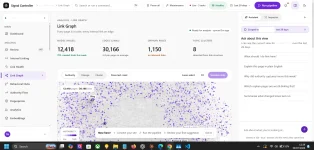
You download it and install it. Normal desktop app, Windows and Linux, running on your own machine. No website, no account on my server, no dashboard I can peek into.
Self-hosted means the whole thing lives on hardware you control. The app, the database, the search index, the AI model, all of it. Your site's data never leaves your building.
That matters commercially because agency clients get twitchy about handing crawl and revenue data to a third party. It matters legally because some of them genuinely aren't allowed to.
There's a stronger version of the commitment baked into the design, called the walled garden. The shipped product opens no inbound network surface and has to pass an air-gapping audit, meaning it works with the network cable pulled out.
That one rule has killed several otherwise sensible technical choices, and I'll come back to it because the story is a good one.
It ships as four editions from a single codebase, built as separate profiles with independent version numbers. Public is the self-hosted blank slate, one-click install, and a clean uninstall, for anyone. Personal is the one running on my own hardware, which I reach over remote desktop.
Agency is multi-user, a shared backend the agency itself manages for its customers. Dev and testing are command-line and headless, which exists so AI agents can drive the test suites without a screen in front of them.
Under the surface, the app supervises its own infrastructure. There's a database, a search engine, a local AI runtime, metrics collection, and error tracking in there. A real server stack, and the user sees none of it.
That's not laziness in the documentation; it's a written boundary. The user must never need to understand Docker Compose, IP addresses, OpenSearch shards, PostgreSQL administration, model servers, embedding batches or deployment promotion. It launches like a desktop product, and the plumbing is supervised internally.
The pieces themselves, since you'll see the names again. Docker Compose runs the services, with Ansible and OpenTofu handling the host and any external infrastructure. Inside the Compose project sits the Spring core, a diagnostic broker, PostgreSQL as the canonical store with Apache AGE for graph queries, OpenSearch for text and vector search, and llama.cpp running CPU only local models.
Alongside those are Prometheus for metrics, Grafana Tempo for traces, an OpenTelemetry collector for transport and GlitchTip for errors. Exactly one published application port. Product databases and named data volumes are preserved through every operation, which is a safety absolute rather than a preference.
The AI parts run locally too. Qwen3 Embedding 0.6B turns text into vectors, a BGE reranker re-sorts results, and a small generative model handles phrasing and labelling. All in GGUF format through llama.cpp, CPU first, no GPU required.
The important restriction is that the generative model is authoring time only and never touches the measurement loop. It proposes wording, a human approves it, and after that the prompt set is frozen data rather than something being generated fresh. Temperature zero, pinned model version, fixed seed, so any run can be replayed exactly.
Paid embedding APIs are banned outright. Sending customer query data to a third party breaks the local first promise and the air gap promise in the same move.
The hardware target is deliberately modest. Sixteen gigabytes of RAM, eight cores, no GPU assumed. There's a documented memory contract with a hard peak, a floor that stays resident, an envelope per workload, and exactly one heavy mode allowed to run at a time.
That constraint does a lot of design work for free. It's why the architecture is one careful process family instead of a dozen hungry services.
One more rule governs all of it. Nothing hardcoded, ever. No hostnames, no IP addresses, no ports as magic numbers, no file paths, no thresholds, no machine names anywhere.
Everything comes from an environment variable, a config file, a database-backed setting, or a validated hardware profile. Someone else will eventually clone this onto a MacBook or a Lenovo, and it has to simply work. A hardcoded value counts as a failure to follow instructions and gets fixed on the spot, even in a file nobody asked me to touch.