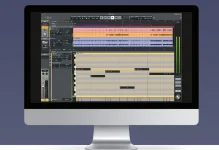
LUNA Studio can convert an audio performance or sample into editable MIDI, letting you replace the sound or layer it with a virtual instrument. The feature sits in the paid version of LUNA 3.0. Its real value is not automatic transcription for its own sake, but getting a played idea into a form you can reshape without performing it again.
A bass line can become a synth part. A guitar phrase can drive a completely different instrument, while a separated element from a finished mix can become MIDI before you start rebuilding the arrangement. LUNA 3.0’s Audio-to-MIDI workflow is useful because the original timing gives you a head start instead of leaving you with an empty piano roll.
MIDI does not carry the original recording’s tone. It gives you editable musical events that can be reassigned, moved, shortened, quantized, layered, or sent to another instrument, which makes the conversion more interesting as production material than as a replica of the source.
The conversion also changes how you edit the part. Audio makes you work with a continuous recording, while MIDI lets you reach individual notes in LUNA’s piano roll and alter the arrangement without asking the musician for another pass.
Timing is one reason to start from the performance rather than redraw the notes manually. Small pushes and pulls can survive into the converted part, giving you something closer to the player’s phrasing before you decide what deserves tightening. Heavy quantization can still flatten those details, so conversion and correction are separate decisions.
Velocity deserves the same attention. A virtual instrument reacts to MIDI data according to its own programming, and a converted part may need velocity editing before the new sound responds convincingly. Swapping an acoustic source for an aggressive synth patch can expose dynamics that felt perfectly natural in the recording.
Consider a reference track with a bass line you want to study. Instead of asking a transcription system to untangle the entire stereo mix at once, LUNA can separate the bass first, leaving a more focused source for the next conversion step. The resulting MIDI can then trigger your own instrument while you inspect the rhythm and note movement.
The same route can work for guitar or piano when LUNA Studio’s six-stem separation manages to isolate them cleanly enough. It is not a route back to the original session files. Separation artifacts, overlapping instruments, reverb, and effects remain part of the audio presented to the transcription stage, so mistakes can still appear.
This is where polyphonic audio transcription systems provide useful context. Turning recorded sound into symbolic notes requires pitch and timing decisions from audio that may contain several simultaneous events, and harder material gives the system more chances to choose the wrong note or boundary.
A converted guitar phrase might therefore contain the right basic pitches while still feeling wrong on playback. Note lengths can overlap, attacks can land a little early, and extra detections can appear around noisy transients. Correcting those details is usually faster than rebuilding the entire phrase, but the editing still matters.
Dense polyphonic material is tougher again. Chords contain several notes at once, distorted sounds generate rich overtones, and sustained notes can overlap new attacks. Treat the generated MIDI as an editable first pass rather than assuming every event deserves to stay.
The most useful test is the new instrument itself. Soloing MIDI data tells you whether the transcription is tidy, but hearing it through the sound you actually intend to use tells you whether the part works. Fix obvious wrong notes, adjust lengths and velocities, then leave the small timing differences that still make the performance feel played rather than programmed.
Audio-to-MIDI earns its place when re-performing the part would be slower than cleaning the conversion. A strong bass take, a rough guitar idea, or one isolated stem can become raw material for a different instrument while keeping enough of the original performance to avoid starting from zero.
A bass line can become a synth part. A guitar phrase can drive a completely different instrument, while a separated element from a finished mix can become MIDI before you start rebuilding the arrangement. LUNA 3.0’s Audio-to-MIDI workflow is useful because the original timing gives you a head start instead of leaving you with an empty piano roll.
MIDI does not carry the original recording’s tone. It gives you editable musical events that can be reassigned, moved, shortened, quantized, layered, or sent to another instrument, which makes the conversion more interesting as production material than as a replica of the source.
Audio-to-MIDI turns a performance into note data
Universal Audio describes the feature in practical terms. Convert an audio track, then replace it entirely or add a virtual instrument layer underneath it. A recorded bass guitar can trigger a synth bass, while a picked melody can be doubled with keys, strings, or something far removed from the sound that created the notes.The conversion also changes how you edit the part. Audio makes you work with a continuous recording, while MIDI lets you reach individual notes in LUNA’s piano roll and alter the arrangement without asking the musician for another pass.
Timing is one reason to start from the performance rather than redraw the notes manually. Small pushes and pulls can survive into the converted part, giving you something closer to the player’s phrasing before you decide what deserves tightening. Heavy quantization can still flatten those details, so conversion and correction are separate decisions.
Velocity deserves the same attention. A virtual instrument reacts to MIDI data according to its own programming, and a converted part may need velocity editing before the new sound responds convincingly. Swapping an acoustic source for an aggressive synth patch can expose dynamics that felt perfectly natural in the recording.
Stem separation can make conversion far more useful
One of LUNA Studio’s more interesting workflows starts before Audio-to-MIDI. Universal Audio explicitly allows separated stems to be converted into MIDI, so a finished stereo song can first be split into components and then turned into editable note information one part at a time.Consider a reference track with a bass line you want to study. Instead of asking a transcription system to untangle the entire stereo mix at once, LUNA can separate the bass first, leaving a more focused source for the next conversion step. The resulting MIDI can then trigger your own instrument while you inspect the rhythm and note movement.
The same route can work for guitar or piano when LUNA Studio’s six-stem separation manages to isolate them cleanly enough. It is not a route back to the original session files. Separation artifacts, overlapping instruments, reverb, and effects remain part of the audio presented to the transcription stage, so mistakes can still appear.
This is where polyphonic audio transcription systems provide useful context. Turning recorded sound into symbolic notes requires pitch and timing decisions from audio that may contain several simultaneous events, and harder material gives the system more chances to choose the wrong note or boundary.
Editable MIDI still needs human cleanup
Clean note detection is only part of a convincing conversion. Guitar bends, slides, vibrato, muted attacks, ghost notes, and other expressive details do not map neatly onto a plain set of note-on and note-off events, especially when the target instrument responds differently from the source.A converted guitar phrase might therefore contain the right basic pitches while still feeling wrong on playback. Note lengths can overlap, attacks can land a little early, and extra detections can appear around noisy transients. Correcting those details is usually faster than rebuilding the entire phrase, but the editing still matters.
Dense polyphonic material is tougher again. Chords contain several notes at once, distorted sounds generate rich overtones, and sustained notes can overlap new attacks. Treat the generated MIDI as an editable first pass rather than assuming every event deserves to stay.
The most useful test is the new instrument itself. Soloing MIDI data tells you whether the transcription is tidy, but hearing it through the sound you actually intend to use tells you whether the part works. Fix obvious wrong notes, adjust lengths and velocities, then leave the small timing differences that still make the performance feel played rather than programmed.
Audio-to-MIDI earns its place when re-performing the part would be slower than cleaning the conversion. A strong bass take, a rough guitar idea, or one isolated stem can become raw material for a different instrument while keeping enough of the original performance to avoid starting from zero.