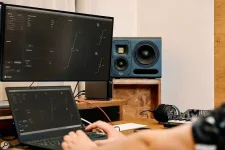
HEDD MK2 monitors use onboard Lineariser processing that adds playback delay even when audio reaches them through an analog connection. The correction happens inside the speaker, after the signal leaves your interface. Lowering the recording buffer cannot switch it off.
You might notice this while playing a software piano or recording a guitar through effects. If a smaller buffer barely changes the feel, check the monitor settings before pushing the computer harder.
The Lineariser corrects differences in timing between frequencies by holding parts of the signal before playback. It brings those frequencies into alignment, but you pay for the correction with extra waiting time.
Start a test session with one instrument and no extra effects on its track or the main output. Keep the buffer and sample rate unchanged. Play a short phrase, then disable the Lineariser on both monitors and repeat it.
Pay attention to Lineariser switch warnings in HEDD CTRL before trusting the comparison. If CTRL flags a rear-panel setting, check it before deciding the off switch made no difference.
An improvement with the same buffer points to the speaker processing as a contributor. A smaller buffer can still help elsewhere, but going too low may introduce clicks or dropouts. Don't sacrifice clean playback trying to remove speaker delay through the computer's settings.
For a hardware synth plugged into the interface, direct monitoring can help without eliminating all the delay you hear. Connect the interface's analog outputs to the HEDD monitors, and the Lineariser still acts on that signal. Even without software monitoring.
A software piano is different because the computer creates its sound. Direct monitoring can't generate that piano from your controller's MIDI messages, so the software and its output buffer remain involved.
An electric guitar presents another choice. Direct monitoring lets you hear the input before your recording software processes it, which means its amp simulation will be missing. Keep software monitoring when that processed sound is necessary for your performance.
For a useful comparison, route the same software playback to wired headphones connected to the interface and mute the speakers. Keep the instrument, effects, buffer, and sample rate unchanged so you are not comparing two different software paths.
The headphones bypass the monitors' onboard correction, although the interface and software still contribute their own delay. If playing feels more immediate, investigate what happens after the interface's speaker output. You haven't measured an exact delay, but you've narrowed down where to look.
When testing direct monitoring, disable the recording track's software monitoring to avoid hearing the input twice. Otherwise, a delayed copy of your live input can remain audible alongside the direct signal, making the test harder to interpret.
In Ableton Live, Driver Error Compensation corrects inaccurate latency reported by an interface. It adjusts recording timing, not how quickly your monitors reproduce sound.
Changing this value also recalculates Live's displayed Overall Latency figure. The smaller number can look encouraging even though playback hasn't become faster. Leave it alone unless an interface timing test establishes an error.
Use Live's built-in Driver Error Compensation lesson when you need to check the interface's reported latency. An output-to-input cable tests that electrical route, so it can't measure processing inside a speaker that the signal never passes through.
Recording a speaker with a microphone would test a different route. Its result would include the speaker and sound traveling through the room, rather than just the interface. Feeding that result into driver compensation would misidentify the delay you measured.
Even a correctly measured compensation value applies to the buffer size and sample rate used during that test. Change either setting and repeat the interface measurement before reusing the offset, rather than carrying an old correction into the new setup.
You might notice this while playing a software piano or recording a guitar through effects. If a smaller buffer barely changes the feel, check the monitor settings before pushing the computer harder.
A smaller buffer leaves the speaker delay untouched
At a sample rate of 48 kHz, 64 samples represent about 1.33 milliseconds for one buffer. It is not a measurement of the complete delay between playing a note and hearing it. Other processing still takes time.The Lineariser corrects differences in timing between frequencies by holding parts of the signal before playback. It brings those frequencies into alignment, but you pay for the correction with extra waiting time.
Start a test session with one instrument and no extra effects on its track or the main output. Keep the buffer and sample rate unchanged. Play a short phrase, then disable the Lineariser on both monitors and repeat it.
Pay attention to Lineariser switch warnings in HEDD CTRL before trusting the comparison. If CTRL flags a rear-panel setting, check it before deciding the off switch made no difference.
An improvement with the same buffer points to the speaker processing as a contributor. A smaller buffer can still help elsewhere, but going too low may introduce clicks or dropouts. Don't sacrifice clean playback trying to remove speaker delay through the computer's settings.
Direct monitoring still passes through the speakers
An interface's direct-monitor function routes an incoming audio signal to its outputs without sending it through the recording software first. This removes the computer's processing from that listening path, but any active Lineariser processing remains inside the connected monitors.For a hardware synth plugged into the interface, direct monitoring can help without eliminating all the delay you hear. Connect the interface's analog outputs to the HEDD monitors, and the Lineariser still acts on that signal. Even without software monitoring.
A software piano is different because the computer creates its sound. Direct monitoring can't generate that piano from your controller's MIDI messages, so the software and its output buffer remain involved.
An electric guitar presents another choice. Direct monitoring lets you hear the input before your recording software processes it, which means its amp simulation will be missing. Keep software monitoring when that processed sound is necessary for your performance.
For a useful comparison, route the same software playback to wired headphones connected to the interface and mute the speakers. Keep the instrument, effects, buffer, and sample rate unchanged so you are not comparing two different software paths.
The headphones bypass the monitors' onboard correction, although the interface and software still contribute their own delay. If playing feels more immediate, investigate what happens after the interface's speaker output. You haven't measured an exact delay, but you've narrowed down where to look.
When testing direct monitoring, disable the recording track's software monitoring to avoid hearing the input twice. Otherwise, a delayed copy of your live input can remain audible alongside the direct signal, making the test harder to interpret.
Recording offsets cannot fix delayed playback
Hearing your guitar late isn't the same problem as finding its recorded waveform in the wrong place. A speaker processes the output you hear, not the guitar signal traveling separately from the interface input into the recording software. Sluggish monitoring alone doesn't establish a recording-offset error.In Ableton Live, Driver Error Compensation corrects inaccurate latency reported by an interface. It adjusts recording timing, not how quickly your monitors reproduce sound.
Changing this value also recalculates Live's displayed Overall Latency figure. The smaller number can look encouraging even though playback hasn't become faster. Leave it alone unless an interface timing test establishes an error.
Use Live's built-in Driver Error Compensation lesson when you need to check the interface's reported latency. An output-to-input cable tests that electrical route, so it can't measure processing inside a speaker that the signal never passes through.
Recording a speaker with a microphone would test a different route. Its result would include the speaker and sound traveling through the room, rather than just the interface. Feeding that result into driver compensation would misidentify the delay you measured.
Even a correctly measured compensation value applies to the buffer size and sample rate used during that test. Change either setting and repeat the interface measurement before reusing the offset, rather than carrying an old correction into the new setup.