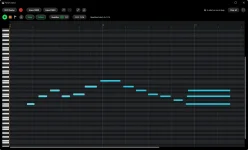
Instrument Player can reach roughly 5–10 ms in WASAPI exclusive mode, while shared mode keeps Windows audio mixing between the app and device.
A few milliseconds sounds nerdy until you play a soft synth from a keyboard and the note arrives late enough to feel detached from your fingers. Instrument Player gives you WASAPI shared, WASAPI exclusive, and DirectSound, but those choices are not three labels for the same route. Each one changes how Windows handles the audio device while you are playing.
The sensible starting point depends on what you are doing around the instrument. If you want the quickest response and do not care whether YouTube, a browser, or system sounds can use the same output at the same time, WASAPI exclusive is the obvious first test among the Instrument Player audio modes on Windows. Shared mode is less possessive and usually easier when Instrument Player is only one app among several making sound.
Exclusive mode also changes the format rules. The stream has to use a format the hardware actually supports instead of leaning on the shared Windows mixer to accommodate and combine different application streams. An awkward device or driver can therefore refuse an exclusive stream even though ordinary Windows playback works perfectly.
For playing a VST3 instrument, the payoff is response. YBK puts its WASAPI exclusive latency at roughly 5–10 ms, and low delay matters because software instruments have to turn a MIDI event into processed audio quickly enough to feel immediate. The same trade-off shows up in real-time audio processing work, where short processing buffers are useful for interactive music but leave less time for the computer to finish each block.
Low latency is not a free performance upgrade. A system with a flaky audio driver, heavy background load, or a demanding instrument can struggle when the audio path gives it very little breathing room. Crackles and dropouts are a better reason to back away from the lowest-latency route than a theoretical preference for one Windows API over another.
Shared streams use the audio engine’s mix format, so several applications can meet at the same Windows output without one of them taking sole ownership of the device. You give up some directness, but you gain fewer fights over who owns the speakers or headphones.
Do not read “shared” as automatically unusable for music. Modern Windows supports low-latency shared audio mechanisms, although Instrument Player does not publish the same specific 5–10 ms figure for shared mode that it gives for exclusive mode. Your actual feel still depends on the device, driver, processing load, and the app’s own audio implementation.
Audio mode also has nothing to do with what MIDI Replay saves. If you recover a phrase later, Instrument Player MIDI Replay saves the notes rather than the rendered audio, so switching between shared and exclusive changes the playback path you hear while performing, not the basic nature of the captured .mid data.
Use the modes in a practical order instead of chasing a supposedly perfect setting. Try WASAPI exclusive when the keyboard feels sluggish, and you can dedicate the output device to Instrument Player. Move to WASAPI shared when you need other Windows apps on the same device or exclusive mode refuses to open cleanly.
DirectSound earns its place when compatibility matters more than shaving delay. A setup that plays cleanly every time is more useful than a lower-latency mode that crackles, loses the device, or clashes with the rest of your desktop audio.
A few milliseconds sounds nerdy until you play a soft synth from a keyboard and the note arrives late enough to feel detached from your fingers. Instrument Player gives you WASAPI shared, WASAPI exclusive, and DirectSound, but those choices are not three labels for the same route. Each one changes how Windows handles the audio device while you are playing.
The sensible starting point depends on what you are doing around the instrument. If you want the quickest response and do not care whether YouTube, a browser, or system sounds can use the same output at the same time, WASAPI exclusive is the obvious first test among the Instrument Player audio modes on Windows. Shared mode is less possessive and usually easier when Instrument Player is only one app among several making sound.
WASAPI exclusive gives Instrument Player the device
WASAPI exclusive lets one application take exclusive access to the selected audio endpoint. Windows does not mix audio from other applications into the same output while Instrument Player holds it, which is why a browser video or notification may suddenly go silent on that device. Nothing is broken just because another app stops making noise there.Exclusive mode also changes the format rules. The stream has to use a format the hardware actually supports instead of leaning on the shared Windows mixer to accommodate and combine different application streams. An awkward device or driver can therefore refuse an exclusive stream even though ordinary Windows playback works perfectly.
For playing a VST3 instrument, the payoff is response. YBK puts its WASAPI exclusive latency at roughly 5–10 ms, and low delay matters because software instruments have to turn a MIDI event into processed audio quickly enough to feel immediate. The same trade-off shows up in real-time audio processing work, where short processing buffers are useful for interactive music but leave less time for the computer to finish each block.
Low latency is not a free performance upgrade. A system with a flaky audio driver, heavy background load, or a demanding instrument can struggle when the audio path gives it very little breathing room. Crackles and dropouts are a better reason to back away from the lowest-latency route than a theoretical preference for one Windows API over another.
WASAPI shared is better when Windows audio must coexist
Shared mode sends Instrument Player through the Windows audio engine, where its stream can be mixed with sound from other applications. It is the practical pick when you want to play an instrument while following a tutorial, checking a reference track in the browser, talking on another app, or simply keeping normal desktop audio alive.Shared streams use the audio engine’s mix format, so several applications can meet at the same Windows output without one of them taking sole ownership of the device. You give up some directness, but you gain fewer fights over who owns the speakers or headphones.
Do not read “shared” as automatically unusable for music. Modern Windows supports low-latency shared audio mechanisms, although Instrument Player does not publish the same specific 5–10 ms figure for shared mode that it gives for exclusive mode. Your actual feel still depends on the device, driver, processing load, and the app’s own audio implementation.
Audio mode also has nothing to do with what MIDI Replay saves. If you recover a phrase later, Instrument Player MIDI Replay saves the notes rather than the rendered audio, so switching between shared and exclusive changes the playback path you hear while performing, not the basic nature of the captured .mid data.
DirectSound is the fallback rather than the fast lane
DirectSound remains available, which is useful when a particular Windows setup behaves badly with the WASAPI choices. Microsoft now treats DirectSound as a legacy audio API, and modern Windows audio is built around the newer Core Audio stack underneath it. For a small standalone instrument host, there is little reason to choose DirectSound first when responsive keyboard playing is the priority.Use the modes in a practical order instead of chasing a supposedly perfect setting. Try WASAPI exclusive when the keyboard feels sluggish, and you can dedicate the output device to Instrument Player. Move to WASAPI shared when you need other Windows apps on the same device or exclusive mode refuses to open cleanly.
DirectSound earns its place when compatibility matters more than shaving delay. A setup that plays cleanly every time is more useful than a lower-latency mode that crackles, loses the device, or clashes with the rest of your desktop audio.