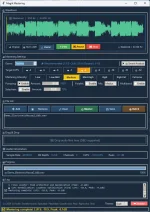
LANDR’s online mastering service asks you to upload a track, while Magik Mastering runs as a standalone Windows and macOS application. Both can automate mastering decisions, but they put the work in different places.
Running Magik Mastering’s standalone dance workflow keeps the mastering application on your computer instead of making a browser upload the center of the job. The important difference is architectural, not sonic. Local software is not automatically smarter, cleaner, or more professional just because the processing happens beside your DAW.
The same caution works in reverse. A cloud service is not automatically worse because the render happens on remote hardware. It may give you strong processing without leaning on your own CPU, while a local app trades that remote dependency for whatever performance, storage, and maintenance your machine can provide.
Local does not necessarily mean zero network activity. An application can process audio on-device while still contacting a server for licensing, updates, crash reports, account checks, or analytics. The useful test is narrower. You want to know whether the audio itself, or a derived copy needed for mastering, must leave the machine for the processing path to work.
This distinction gets lost when privacy is treated as a checkbox. A desktop installer can still depend heavily on cloud services, while a browser tool can do the opposite and keep every sample in local memory. The interface tells you surprisingly little about where the actual signal processing happens.
A desktop program can take the opposite route. Nothing stops an installed application from uploading a file or sending analysis to a remote API before returning a result. Calling one product “software” and another “online mastering” therefore creates a false dividing line. Execution location matters more than whether you launched a browser or clicked an icon on the desktop.
You can also find hybrid products under one brand. LANDR currently offers browser-based online mastering as well as a mastering plugin designed to work directly inside a DAW without the normal export-and-upload step. The brand name stays the same while the workflow boundary moves. For producers, comparisons should be made between processing paths, not logos.
Privacy claims deserve the same precision. “No upload” is stronger than “secure upload” because the first describes an architecture and the second describes how a transfer is protected. Neither phrase tells you whether the processing is good, but they describe very different exposure points for an unreleased master.
Local mastering removes that transfer from the processing loop but puts the workload on your CPU, memory, storage, and operating system. A fast workstation may chew through a playlist comfortably. An older laptop can turn the same batch into a fan-heavy slog, especially when analysis, multiband processing, oversampling, or multiple renders stack up.
Updates behave differently too. A cloud provider can change its server-side engine without asking you to install a new audio application. Local software normally keeps running the version sitting on your machine until you update it, which can be useful when you need a repeatable workflow across revisions. The trade-off is simple enough to miss. Stability stays closer to you, but so does maintenance.
Batch work exposes the difference fastest. With local processing, ten full-resolution mixes do not need ten uploads before analysis can begin, yet every render competes for the same hardware sitting under your desk. On cloud infrastructure, your workstation can stay relatively idle while transfer time, service limits, queueing, and the provider’s processing capacity become the constraints instead.
Running Magik Mastering’s standalone dance workflow keeps the mastering application on your computer instead of making a browser upload the center of the job. The important difference is architectural, not sonic. Local software is not automatically smarter, cleaner, or more professional just because the processing happens beside your DAW.
The same caution works in reverse. A cloud service is not automatically worse because the render happens on remote hardware. It may give you strong processing without leaning on your own CPU, while a local app trades that remote dependency for whatever performance, storage, and maintenance your machine can provide.
Local processing keeps the audio path on your machine
A genuinely local mastering path can analyze and render the audio without sending the mix to a remote processing server. For unreleased songs, client work, or material under a tight embargo, that changes who has to receive the file before you can hear a result. Research into cloud systems has long treated outsourced processing as a separate privacy problem because data leaves the user-controlled machine, so cloud processing changes the data-control boundary rather than merely changing where a button appears.Local does not necessarily mean zero network activity. An application can process audio on-device while still contacting a server for licensing, updates, crash reports, account checks, or analytics. The useful test is narrower. You want to know whether the audio itself, or a derived copy needed for mastering, must leave the machine for the processing path to work.
This distinction gets lost when privacy is treated as a checkbox. A desktop installer can still depend heavily on cloud services, while a browser tool can do the opposite and keep every sample in local memory. The interface tells you surprisingly little about where the actual signal processing happens.
Online does not automatically mean cloud mastering
Several current browser mastering tools run their DSP on the user’s device through browser audio APIs. You visit a website, load a mix, and still avoid server-side audio processing. From the outside, it looks “online” because the interface arrived through a webpage, yet the mastering computation can remain local after the page loads.A desktop program can take the opposite route. Nothing stops an installed application from uploading a file or sending analysis to a remote API before returning a result. Calling one product “software” and another “online mastering” therefore creates a false dividing line. Execution location matters more than whether you launched a browser or clicked an icon on the desktop.
You can also find hybrid products under one brand. LANDR currently offers browser-based online mastering as well as a mastering plugin designed to work directly inside a DAW without the normal export-and-upload step. The brand name stays the same while the workflow boundary moves. For producers, comparisons should be made between processing paths, not logos.
Privacy claims deserve the same precision. “No upload” is stronger than “secure upload” because the first describes an architecture and the second describes how a transfer is protected. Neither phrase tells you whether the processing is good, but they describe very different exposure points for an unreleased master.
Local speed depends on the computer you actually own
Cloud mastering moves heavy computation to infrastructure you do not maintain. Your side of the bargain is the network. A large lossless mix still has to travel to the service, and the finished result has to come back, so weak upstream bandwidth can become part of the mastering wait even when the server itself is fast.Local mastering removes that transfer from the processing loop but puts the workload on your CPU, memory, storage, and operating system. A fast workstation may chew through a playlist comfortably. An older laptop can turn the same batch into a fan-heavy slog, especially when analysis, multiband processing, oversampling, or multiple renders stack up.
Updates behave differently too. A cloud provider can change its server-side engine without asking you to install a new audio application. Local software normally keeps running the version sitting on your machine until you update it, which can be useful when you need a repeatable workflow across revisions. The trade-off is simple enough to miss. Stability stays closer to you, but so does maintenance.
Batch work exposes the difference fastest. With local processing, ten full-resolution mixes do not need ten uploads before analysis can begin, yet every render competes for the same hardware sitting under your desk. On cloud infrastructure, your workstation can stay relatively idle while transfer time, service limits, queueing, and the provider’s processing capacity become the constraints instead.