Morphion is a Windows 64-bit VST3 spectral processor with eight animated EQ molecules, six Motion Layers, six Scene Layers, and 140 factory presets. Each molecule has its own Frequency, Gain, and Q controls, so the movement is built from several small EQ decisions rather than one giant sweeping filter.
The current listing puts Morphion at $9 for a limited time, with a regular price of $19. More importantly, it sits inside the four-effect Incredible Science VST3 range as the processor most focused on reshaping spectral balance over time.
You can use it gently. A broad molecule moving a few decibels can make a pad breathe or stop a static synth from feeling pinned in place. Push several narrow molecules harder, and the same system starts carving moving notches, accents, and stereo activity across the sound.
Brightness is tied closely to where spectral energy sits, and the work on the brightness dimension of timbre uses spectral centroid as a central part of that relationship. Shift enough energy upward and a sound can feel brighter. Move it lower or carve the upper spectrum and the same source can feel softer or darker without changing its notes.
Morphion's Gravity control pushes the idea further by attracting molecules toward persistent peaks in the incoming spectrum. A static EQ would wait at fixed frequencies regardless of what the sound does. Gravity lets the movement react to where energy keeps gathering, which makes a changing vocal, bass, or synth behave differently from one phrase to the next.
Tension works from another angle. The developer describes it as using cuts from molecules A and H to boost complementary regions, starting broad and becoming more intricate at stronger settings. It can add motion without every molecule simply chasing the loudest part of the source.
Event Horizon moves neighboring frequency areas across the stereo field. Energy Shift responds when three or more molecules cluster, adding moving phase dispersion that can spread transients and make the spectral motion feel wider. Both controls can get dramatic quickly, so checking the result in context matters more than admiring the animation on the display.
The live view helps because it shows spectrum, EQ response, and molecule movement together. You can see whether a preset is gently redistributing energy or stacking several narrow boosts in one area. Adaptive protection is there to manage concentrated resonances and output sample peaks, but it should be treated as a safety net rather than permission to pile on unlimited gain.
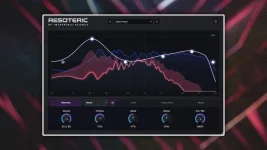
If the actual job is fixing harsh buildup or making room between competing sounds, Resoteric sidechain resonance control is the more direct sibling. Morphion makes more sense when the original sound already works, and you want the spectrum itself to become part of the arrangement.
Low Quality is a separate option, so reducing processing demand and reducing reported latency are not the same switch. It gives you room to decide whether the session needs faster response, lower CPU use, or the full processing setup instead of tying all three choices together.
The four effect modules add Reverb, Bitcrush, Delay, and Granular processing, and their order can be changed. All 66 main, molecule, and effect knobs get their own modulation settings with tempo sync, direction, Jitter, and Smooth controls. Anyone already using Filteria's per-control modulation and reorderable routing will recognize part of the workflow, but Morphion puts the moving EQ system at the center.
Start with fewer molecules doing obvious work. Once the motion already feels useful, add another layer or reactive control for a specific reason. Eight moving bands, six Motion Layers, six Scene Layers, and four effects can get crowded fast, and the best patches usually leave some of the spectrum alone.
The current listing puts Morphion at $9 for a limited time, with a regular price of $19. More importantly, it sits inside the four-effect Incredible Science VST3 range as the processor most focused on reshaping spectral balance over time.
You can use it gently. A broad molecule moving a few decibels can make a pad breathe or stop a static synth from feeling pinned in place. Push several narrow molecules harder, and the same system starts carving moving notches, accents, and stereo activity across the sound.
Moving EQ changes timbre before it feels like an effect
A normal EQ usually stays where you put it. Morphion treats the bands as moving objects, so frequency, gain, and bandwidth can keep changing while the source plays. The result can feel more like evolving tone than obvious modulation, especially when the movement stays slow and shallow.Brightness is tied closely to where spectral energy sits, and the work on the brightness dimension of timbre uses spectral centroid as a central part of that relationship. Shift enough energy upward and a sound can feel brighter. Move it lower or carve the upper spectrum and the same source can feel softer or darker without changing its notes.
Morphion's Gravity control pushes the idea further by attracting molecules toward persistent peaks in the incoming spectrum. A static EQ would wait at fixed frequencies regardless of what the sound does. Gravity lets the movement react to where energy keeps gathering, which makes a changing vocal, bass, or synth behave differently from one phrase to the next.
Tension works from another angle. The developer describes it as using cuts from molecules A and H to boost complementary regions, starting broad and becoming more intricate at stronger settings. It can add motion without every molecule simply chasing the loudest part of the source.
Motion Layers and Scene Layers build different kinds of change
Six Motion Layers and six Scene Layers can combine into looping trajectories instead of making every molecule follow one shared path. This matters when you want several frequency areas to move with related timing but not behave identically. One region can drift while another makes a tighter recurring gesture.Event Horizon moves neighboring frequency areas across the stereo field. Energy Shift responds when three or more molecules cluster, adding moving phase dispersion that can spread transients and make the spectral motion feel wider. Both controls can get dramatic quickly, so checking the result in context matters more than admiring the animation on the display.
The live view helps because it shows spectrum, EQ response, and molecule movement together. You can see whether a preset is gently redistributing energy or stacking several narrow boosts in one area. Adaptive protection is there to manage concentrated resonances and output sample peaks, but it should be treated as a safety net rather than permission to pile on unlimited gain.
If the actual job is fixing harsh buildup or making room between competing sounds, Resoteric sidechain resonance control is the more direct sibling. Morphion makes more sense when the original sound already works, and you want the spectrum itself to become part of the arrangement.
Low Latency mode changes where Morphion fits
Morphion reports 2048 samples of latency by default and 1024 samples with Low Latency enabled. At 48 kHz, those figures work out to roughly 42.7 milliseconds and 21.3 milliseconds before the rest of the audio path is considered. The lower mode helps, but this is still a different monitoring situation from a near-zero-latency creative effect.Low Quality is a separate option, so reducing processing demand and reducing reported latency are not the same switch. It gives you room to decide whether the session needs faster response, lower CPU use, or the full processing setup instead of tying all three choices together.
The four effect modules add Reverb, Bitcrush, Delay, and Granular processing, and their order can be changed. All 66 main, molecule, and effect knobs get their own modulation settings with tempo sync, direction, Jitter, and Smooth controls. Anyone already using Filteria's per-control modulation and reorderable routing will recognize part of the workflow, but Morphion puts the moving EQ system at the center.
Start with fewer molecules doing obvious work. Once the motion already feels useful, add another layer or reactive control for a specific reason. Eight moving bands, six Motion Layers, six Scene Layers, and four effects can get crowded fast, and the best patches usually leave some of the spectrum alone.