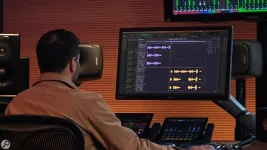
VocAlign 7 can align multiple vocals against a chosen guide in one multitrack workspace, while Melodyne still approaches timing through editable detected notes. Both can move timing, but they encourage different decisions before you ever touch a slider.
VocAlign is a vocal alignment plugin built around relationships between performances. Melodyne is broader vocal alignment software because its note-based editing also reaches pitch, phrasing, timing, formants, and level, so the useful comparison is no longer simply timing tool versus tuning tool.
If you are choosing the best vocal alignment plugin for a chorus stack, speed matters more than the number of parameters on screen. Automatic vocal alignment earns its keep when six doubles need to follow one lead, while detailed note repair matters more when one important syllable is late, flat, or shaped badly.
Melodyne's vocal timing workflow is still more granular in spirit. You can approach vocal timing editing as a note-level problem, which is useful when the consonant is fine but the sustained vowel needs to move, or when a phrase needs a small local correction rather than wholesale alignment. With vocals that are out of time, small quantizing mistakes can sound unpleasant when correction gets too aggressive, even if the edit looks technically neat.
The VocAlign vs Melodyne Studio choice also depends on how much you want one editor to own. Melodyne Studio is built for deep editing across musical details, while VocAlign stays focused on making one performance follow another quickly. Neither approach makes the other obsolete. The difference shows up fastest when a single bad note needs fixing, but the rest of the take already feels right.
This matters with stacked hooks because tiny timing changes affect how the group hits consonants and how wide it feels. A dense backing vocal stack can move forward in the mix when several attacks land together, so the tightest possible alignment is not automatically the best-sounding result. You usually want the stack to agree with the lead while keeping enough variation to avoid one giant synthetic attack.
Do the main vocal alignment before mixing decisions that depend on attacks and stereo width. Compression, de-essing, saturation, and widening can make a small timing mismatch easier or harder to hear, so recheck the stack after those processors rather than trying to align an already crowded return. Vocal alignment before and after mixing works better as a two-pass habit than a binary rule. The first pass fixes structure, while the later pass catches edits whose audibility changed once the stack was processed.
The VocAlign and RePitch versus Melodyne decision is slightly different. RePitch 2 adds detailed pitch correction and multitrack editing, while VocAlign handles the relationship between guide and dub, so the Synchro Arts route can split tuning and alignment between linked tools. The current RePitch 2 multitrack workflow also gives that setup more overlap with what one Melodyne session can already do.
If you are deciding whether VocAlign belongs before or after Melodyne, start by fixing the guide itself. Tune or repair the lead first when it contains obvious note-level problems, then align doubles to the version you actually intend to keep. Using VocAlign and Melodyne together in the opposite order can mean aligning several tracks to a guide you later reshape, which creates avoidable rework.
The cleanest distinction is workload. VocAlign is strongest when many performances need to inherit one timing reference quickly, while Melodyne is stronger when the performance itself needs surgical decisions. If your session contains both problems, use the editor on the lead and the aligner on the stack, then stop once the vocals sound connected rather than mathematically identical.
VocAlign is a vocal alignment plugin built around relationships between performances. Melodyne is broader vocal alignment software because its note-based editing also reaches pitch, phrasing, timing, formants, and level, so the useful comparison is no longer simply timing tool versus tuning tool.
If you are choosing the best vocal alignment plugin for a chorus stack, speed matters more than the number of parameters on screen. Automatic vocal alignment earns its keep when six doubles need to follow one lead, while detailed note repair matters more when one important syllable is late, flat, or shaped badly.
The overlap is bigger than it used to be
Older VocAlign Pro vs Melodyne comparisons often draw a hard line between alignment and tuning. The VocAlign 7 multitrack workspace makes that line less tidy because Pro can work across a stack, match timing and pitch, and apply formant changes without treating every dub as a separate little job.Melodyne's vocal timing workflow is still more granular in spirit. You can approach vocal timing editing as a note-level problem, which is useful when the consonant is fine but the sustained vowel needs to move, or when a phrase needs a small local correction rather than wholesale alignment. With vocals that are out of time, small quantizing mistakes can sound unpleasant when correction gets too aggressive, even if the edit looks technically neat.
The VocAlign vs Melodyne Studio choice also depends on how much you want one editor to own. Melodyne Studio is built for deep editing across musical details, while VocAlign stays focused on making one performance follow another quickly. Neither approach makes the other obsolete. The difference shows up fastest when a single bad note needs fixing, but the rest of the take already feels right.
VocAlign is faster when the guide matters
A vocal alignment tool becomes most useful when one take is already the performance you trust. Set the lead as the guide, let the doubles follow its phrasing, then back off anything that starts sounding unnaturally locked. A vocal time alignment plugin should reduce cleanup, not erase every useful difference between singers.This matters with stacked hooks because tiny timing changes affect how the group hits consonants and how wide it feels. A dense backing vocal stack can move forward in the mix when several attacks land together, so the tightest possible alignment is not automatically the best-sounding result. You usually want the stack to agree with the lead while keeping enough variation to avoid one giant synthetic attack.
Do the main vocal alignment before mixing decisions that depend on attacks and stereo width. Compression, de-essing, saturation, and widening can make a small timing mismatch easier or harder to hear, so recheck the stack after those processors rather than trying to align an already crowded return. Vocal alignment before and after mixing works better as a two-pass habit than a binary rule. The first pass fixes structure, while the later pass catches edits whose audibility changed once the stack was processed.
The VocAlign and RePitch versus Melodyne decision is slightly different. RePitch 2 adds detailed pitch correction and multitrack editing, while VocAlign handles the relationship between guide and dub, so the Synchro Arts route can split tuning and alignment between linked tools. The current RePitch 2 multitrack workflow also gives that setup more overlap with what one Melodyne session can already do.
Melodyne makes more sense for note-level repairs
If you already do most vocal alignment with Melodyne, there is no reason to move every clip into another tool just because a double is slightly loose. Melodyne makes sense when timing, pitch, vibrato, or note shape need separate judgment, especially on a lead where every correction is exposed.If you are deciding whether VocAlign belongs before or after Melodyne, start by fixing the guide itself. Tune or repair the lead first when it contains obvious note-level problems, then align doubles to the version you actually intend to keep. Using VocAlign and Melodyne together in the opposite order can mean aligning several tracks to a guide you later reshape, which creates avoidable rework.
The cleanest distinction is workload. VocAlign is strongest when many performances need to inherit one timing reference quickly, while Melodyne is stronger when the performance itself needs surgical decisions. If your session contains both problems, use the editor on the lead and the aligner on the stack, then stop once the vocals sound connected rather than mathematically identical.