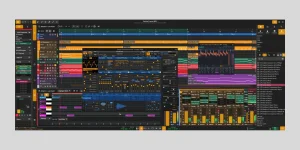
Zrythm v2 alpha.3 cannot open v1 projects, and projects saved in v2 cannot be opened back in v1 either. The official alpha download page states the incompatibility plainly, so upgrading is not a normal install-and-continue move for an unfinished song.
The warning matters because v2 is not a routine file-format bump. It is a ground-up rewrite with a new application stack, new plug-in hosting, different project internals, and a feature set still being rebuilt. The Zrythm v2 public alpha is therefore safer to treat as a separate test environment than as the next place to open your working v1 catalog.
The reason is easier to understand after looking at the C++23, Qt6 and JUCE rewrite. V2 replaces major parts of the program instead of merely changing a version number around the old engine. Project data that refers to tracks, plug-ins, routing, automation, editors, undo state and other objects has to map onto systems that have been redesigned or have not yet returned.
Plug-ins make a straight conversion even messier. A v1 session can depend on VST2, DSSI, SFZ, SF2 or Carla-hosted setups that the current alpha does not support. The current v2 plug-in set is narrower, so preserving a project file would not automatically preserve the devices needed to make it sound the same.
A converter could theoretically translate only the pieces both versions understand, but no such migration tool is documented for alpha.3. Legacy-system migration research also treats source-to-target understanding and preparation as core migration problems, which is pretty close to the practical issue here. Moving structured state is harder when the destination model has changed.
The trade-off is editability. A rendered synth line keeps the sound but loses the instrument, patch, automation structure and most of the routing behind it. MIDI keeps note events but not the complete plug-in environment. Moving a song this way is closer to reconstructing a session from exports than converting the original project.
Stem export would normally make the audio routing much less painful, but it is still listed among the v1 features not yet ported to v2. V1 users can prepare exports before leaving the old version, yet the current alpha should not be treated as a complete round-trip environment for this job.
Complex sessions need extra care. Print any sound that relies on an old format or unusual routing, keep dry versions where later processing matters, export MIDI for parts you may want to revoice, and note the original tempo and arrangement. None of this recreates the native project automatically. It gives you enough raw material to rebuild without guessing what the old session was doing.
Version separation also avoids a subtler trap. A project created in v2 cannot be handed back to v1 if an alpha bug blocks progress later. Once you start something natively in v2, the same compatibility wall works in the other direction.
Keep original v1 projects untouched, duplicate any assets you plan to reuse, and treat exported WAV or MIDI files as transfer material rather than replacements for the source session. If a v2 reconstruction develops problems, you still have the original project in the application that understands it.
The current situation may change before the final v2 release, but alpha.3 gives no basis for assuming automatic migration will arrive or that every v1 object will eventually map cleanly. For now, the reliable boundary is simple. Native projects stay with the version that created them, while audio and MIDI handle the parts worth carrying across.
The warning matters because v2 is not a routine file-format bump. It is a ground-up rewrite with a new application stack, new plug-in hosting, different project internals, and a feature set still being rebuilt. The Zrythm v2 public alpha is therefore safer to treat as a separate test environment than as the next place to open your working v1 catalog.
There is no documented one-click project migration
Zrythm's current v2 material does not describe a converter that takes a v1 project and rebuilds it inside v2. The download page says the formats are mutually incompatible, while the current repository documents save and load support for v2 without promising legacy-project import.The reason is easier to understand after looking at the C++23, Qt6 and JUCE rewrite. V2 replaces major parts of the program instead of merely changing a version number around the old engine. Project data that refers to tracks, plug-ins, routing, automation, editors, undo state and other objects has to map onto systems that have been redesigned or have not yet returned.
Plug-ins make a straight conversion even messier. A v1 session can depend on VST2, DSSI, SFZ, SF2 or Carla-hosted setups that the current alpha does not support. The current v2 plug-in set is narrower, so preserving a project file would not automatically preserve the devices needed to make it sound the same.
A converter could theoretically translate only the pieces both versions understand, but no such migration tool is documented for alpha.3. Legacy-system migration research also treats source-to-target understanding and preparation as core migration problems, which is pretty close to the practical issue here. Moving structured state is harder when the destination model has changed.
Audio and MIDI are the practical escape routes
For material you really need in v2, rendered audio and MIDI are the obvious neutral formats because they carry less application-specific state. V2 currently supports WAV import plus Type 0 and Type 1 MIDI files, so committed audio parts and note data can cross the version boundary even when the native project cannot.The trade-off is editability. A rendered synth line keeps the sound but loses the instrument, patch, automation structure and most of the routing behind it. MIDI keeps note events but not the complete plug-in environment. Moving a song this way is closer to reconstructing a session from exports than converting the original project.
Stem export would normally make the audio routing much less painful, but it is still listed among the v1 features not yet ported to v2. V1 users can prepare exports before leaving the old version, yet the current alpha should not be treated as a complete round-trip environment for this job.
Complex sessions need extra care. Print any sound that relies on an old format or unusual routing, keep dry versions where later processing matters, export MIDI for parts you may want to revoice, and note the original tempo and arrangement. None of this recreates the native project automatically. It gives you enough raw material to rebuild without guessing what the old session was doing.
Keeping v1 installed is the sensible testing setup
The safest arrangement during the alpha is to leave v1 available for existing work and use v2 for separate test projects or deliberate reconstructions. V2 is explicitly described as pre-release software with possible crashes and data loss, so putting the only editable copy of a song into the alpha would be a bad gamble even if native migration existed.Version separation also avoids a subtler trap. A project created in v2 cannot be handed back to v1 if an alpha bug blocks progress later. Once you start something natively in v2, the same compatibility wall works in the other direction.
Keep original v1 projects untouched, duplicate any assets you plan to reuse, and treat exported WAV or MIDI files as transfer material rather than replacements for the source session. If a v2 reconstruction develops problems, you still have the original project in the application that understands it.
The current situation may change before the final v2 release, but alpha.3 gives no basis for assuming automatic migration will arrive or that every v1 object will eventually map cleanly. For now, the reliable boundary is simple. Native projects stay with the version that created them, while audio and MIDI handle the parts worth carrying across.