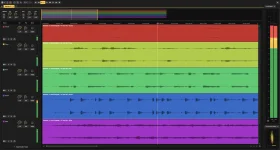
Acoustica 8 can restrict a spectral edit by pan position, not just by time, frequency, shape, or audio channel. Its Panning as Hue view turns stereo placement into color, with left content shown in orange, right content in blue, and centered material close to white.
The Acoustica 8 spectral editing overhaul sounds modest in a feature list, but the useful change is what happens after you spot something off-center. A narrow pan range affects both auditioning and processing, so you can hear the chosen slice of the stereo field before touching it and leave material outside that range alone.
A cough tucked toward one side, a squeak in a room microphone, or reverb spreading wider than the dry source can therefore be approached as spatial problems rather than whole-channel problems. You are no longer limited to processing everything at the same frequency merely because it occurs at the same moment.
The pan control beside the spectrogram starts with the full image selected. Dragging its ends narrows the range, while dragging the middle moves the chosen range without changing its width, which makes it practical to sweep across a recording and isolate a suspicious region by ear.
The important detail is that this is not merely a display filter. Playback of the spectral selection is restricted to the chosen pan range, and any processing you apply is restricted in the same way. A centered vocal can stay untouched while you work on a noise leaning left, provided the unwanted energy is spatially distinct enough to separate.
Acoustica also combines pan limits with the ordinary spectral tools. Time, frequency, selection shape, and feathering still apply, so a repair can be narrow in several dimensions at once instead of treating stereo position as an all-or-nothing channel choice.
The idea has deeper technical roots than a colored spectrogram. Earlier time-, frequency-, and pan-aware audio editing work described isolating audio by intersecting spectral and pan-position selections, which is useful context for why spatially constrained editing can preserve nearby wanted material better than a broad frequency cut.
A 5.1 or 9.1.6 recording can still expose spatial placement in the spectral editor instead of forcing you to inspect every channel separately. It does not turn an immersive sound field into a full three-dimensional map, but it gives you a useful horizontal view when the defect clearly favors one side.
There is one workflow trap worth knowing. The pan range belongs specifically to Panning as Hue, so switching to Discrete Channels, Channel Mean, or the normal waveform view discards the narrowed pan selection and returns processing to the full stereo image.
A careless view change can therefore widen the target without much ceremony. Recheck the pan strip before committing a repair if you have moved between spectral display modes, especially when the whole point was to protect centered or opposite-side material.
Time feathering is useful when a short tonal repair clicks at its beginning or end. Frequency feathering matters when a narrow band has been processed inside broadband material, because an abrupt spectral boundary can leave a conspicuous hole even when the unwanted sound is gone.
Find Similar Event adds another layer when the same defect repeats. The tool searches from your current spectral selection, lets you control matching tolerance, and can move through hits one at a time or select every match for a single operation.
The original selection shape, size, and channel assignment stay intact as Acoustica moves between matches. Changing the selection or editing the clip forces a fresh scan, while changing tolerance does not, so you can tighten or loosen the match criteria without rebuilding the search every time.
Stereo-aware repair is most useful when the unwanted sound occupies a different place from the material you want to keep. When position, frequency, and timing overlap completely, Panning as Hue cannot manufacture separation that is not present, but when spatial contrast exists, it gives you another boundary to cut along instead of reaching immediately for a broader process.
The Acoustica 8 spectral editing overhaul sounds modest in a feature list, but the useful change is what happens after you spot something off-center. A narrow pan range affects both auditioning and processing, so you can hear the chosen slice of the stereo field before touching it and leave material outside that range alone.
A cough tucked toward one side, a squeak in a room microphone, or reverb spreading wider than the dry source can therefore be approached as spatial problems rather than whole-channel problems. You are no longer limited to processing everything at the same frequency merely because it occurs at the same moment.
Panning as Hue makes position part of the selection
Panning as Hue replaces separate channel spectrograms with one display whose color describes where each time-frequency component sits across the stereo image. The level legend becomes two-dimensional as well, letting you relate what you see to both amplitude and left-to-right position.The pan control beside the spectrogram starts with the full image selected. Dragging its ends narrows the range, while dragging the middle moves the chosen range without changing its width, which makes it practical to sweep across a recording and isolate a suspicious region by ear.
The important detail is that this is not merely a display filter. Playback of the spectral selection is restricted to the chosen pan range, and any processing you apply is restricted in the same way. A centered vocal can stay untouched while you work on a noise leaning left, provided the unwanted energy is spatially distinct enough to separate.
Acoustica also combines pan limits with the ordinary spectral tools. Time, frequency, selection shape, and feathering still apply, so a repair can be narrow in several dimensions at once instead of treating stereo position as an all-or-nothing channel choice.
The idea has deeper technical roots than a colored spectrogram. Earlier time-, frequency-, and pan-aware audio editing work described isolating audio by intersecting spectral and pan-position selections, which is useful context for why spatially constrained editing can preserve nearby wanted material better than a broad frequency cut.
Multichannel sessions still collapse position left to right
Panning as Hue is not limited to ordinary two-channel files. On multichannel recordings, Acoustica derives left and right contribution from the speaker position of each channel and folds those components into the same left-to-right visual map.A 5.1 or 9.1.6 recording can still expose spatial placement in the spectral editor instead of forcing you to inspect every channel separately. It does not turn an immersive sound field into a full three-dimensional map, but it gives you a useful horizontal view when the defect clearly favors one side.
There is one workflow trap worth knowing. The pan range belongs specifically to Panning as Hue, so switching to Discrete Channels, Channel Mean, or the normal waveform view discards the narrowed pan selection and returns processing to the full stereo image.
A careless view change can therefore widen the target without much ceremony. Recheck the pan strip before committing a repair if you have moved between spectral display modes, especially when the whole point was to protect centered or opposite-side material.
Feathering and Find Similar make narrow repairs less brittle
A spatially precise selection can still sound bad if its edges are too hard. Acoustica 8 stores time and frequency feathering as part of the selection itself, rather than as a setting belonging to one processor, so the same softened boundary follows effects, enhancement tools, cutting, copying, and pasting.Time feathering is useful when a short tonal repair clicks at its beginning or end. Frequency feathering matters when a narrow band has been processed inside broadband material, because an abrupt spectral boundary can leave a conspicuous hole even when the unwanted sound is gone.
Find Similar Event adds another layer when the same defect repeats. The tool searches from your current spectral selection, lets you control matching tolerance, and can move through hits one at a time or select every match for a single operation.
The original selection shape, size, and channel assignment stay intact as Acoustica moves between matches. Changing the selection or editing the clip forces a fresh scan, while changing tolerance does not, so you can tighten or loosen the match criteria without rebuilding the search every time.
Stereo-aware repair is most useful when the unwanted sound occupies a different place from the material you want to keep. When position, frequency, and timing overlap completely, Panning as Hue cannot manufacture separation that is not present, but when spatial contrast exists, it gives you another boundary to cut along instead of reaching immediately for a broader process.