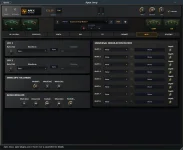
Apex Amp’s Tone Assistant can connect to Gemini, Claude, OpenAI-compatible cloud services, or a local Ollama or LM Studio server. The assistant is optional, and the plugin’s manual presets and controls continue to work without it.
The important setup detail is easy to miss. Apex Amp does not ship with one permanently bundled AI model. You choose a provider, give the plugin a working connection, then use natural-language prompts to map a tone request across the rig’s 314 parameters.
The rebuilt interface in Apex Amp version 1.2.0 does not change the basic arrangement. A failed Tone Assistant connection is therefore an account, endpoint, key, or local-server problem before it is a guitar-processing problem.
OpenAI-compatible services get a little more flexible. Apex lets you set a custom base URL and model identifier, which opens the door to services such as OpenRouter, DeepSeek, and Groq instead of locking the assistant to a single vendor.
A valid plugin license does not remove the need for those provider credentials. Cloud inference happens through the service you select, so access, usage limits, and any provider-side billing live outside the normal Apex Amp license.
Keep the first test boring. Ask for a straightforward clean, crunch, or high-gain tone before trying a long prompt packed with genre references, effects, and production language. A simple request makes it easier to tell whether the connection works and whether the returned rig changes make musical sense.
Apex says cloud API keys are encrypted and stored locally in its configuration data. Its privacy policy also says guitar audio, DAW project data, and session audio are not sent to the cloud AI provider. The text prompt is sent directly from the plugin to the service you chose.
Local mode removes the cloud API key from the equation. It also means your machine has to run the language model alongside the DAW, amp processing, cabinet convolution, effects, and anything else in the session. A model that feels fine in a chat window can still be an awkward choice on a music workstation already close to its CPU or memory ceiling.
Model quality matters as well. The Tone Assistant is not generating finished guitar audio. It interprets the description and turns it into parameter choices, so weak instruction following can show up as odd gain staging, excessive ambience, or a rig that technically changes but misses the character you asked for.
Research on editable text-driven sound programming has explored the same useful distinction between generating finished audio and using language to manipulate inspectable synthesizer parameters. Apex’s approach keeps the resulting rig editable, which matters when the first pass is close rather than perfect.
Local processing also changes the privacy picture. Apex states that local inference keeps prompt processing and model execution on the machine, without sending those prompts to an external cloud service.
Concrete language maps cleanly onto the plugin. Gain amount, low-end tightness, pick attack, cabinet character, modulation, delay, reverb, stereo width, and compression all correspond to parts of the Apex rig that the assistant can alter.
Artist references can be useful shorthand, but they are not measurements. Describe the behavior you want alongside the reference, especially when the part has a job inside a mix. A lead patch may need sustain and delay without excessive width, while a rhythm part may need the opposite priorities.
Do not treat the generated settings as locked. The manual preset system operates independently of Tone Assistant, and every resulting rig remains available for normal knob-level editing. If the assistant nails the amp response but overcooks the reverb, fix the reverb instead of regenerating the entire sound.
Connection errors deserve the same narrow approach. Test the provider first, verify the base URL when using a compatible endpoint, confirm the local server is actually running in offline mode, and only then judge the prompt. A broken connection and a bad tone request are two different failures, and mixing them wastes time.
The important setup detail is easy to miss. Apex Amp does not ship with one permanently bundled AI model. You choose a provider, give the plugin a working connection, then use natural-language prompts to map a tone request across the rig’s 314 parameters.
The rebuilt interface in Apex Amp version 1.2.0 does not change the basic arrangement. A failed Tone Assistant connection is therefore an account, endpoint, key, or local-server problem before it is a guitar-processing problem.
Cloud setup starts with your own provider key
Apex puts its AI Connection Hub behind the AI configuration control. For a cloud service, you select the provider, enter your API key, test the connection, and save the configuration. Gemini, Anthropic Claude, and OpenAI are documented directly.OpenAI-compatible services get a little more flexible. Apex lets you set a custom base URL and model identifier, which opens the door to services such as OpenRouter, DeepSeek, and Groq instead of locking the assistant to a single vendor.
A valid plugin license does not remove the need for those provider credentials. Cloud inference happens through the service you select, so access, usage limits, and any provider-side billing live outside the normal Apex Amp license.
Keep the first test boring. Ask for a straightforward clean, crunch, or high-gain tone before trying a long prompt packed with genre references, effects, and production language. A simple request makes it easier to tell whether the connection works and whether the returned rig changes make musical sense.
Apex says cloud API keys are encrypted and stored locally in its configuration data. Its privacy policy also says guitar audio, DAW project data, and session audio are not sent to the cloud AI provider. The text prompt is sent directly from the plugin to the service you chose.
Local models trade convenience for control
Ollama and LM Studio give the Tone Assistant a route that can stay on your own computer. Apex documents a local connection through a localhost server, with Ollama using port 11434 by default and the plugin discovering installed models after a successful connection test.Local mode removes the cloud API key from the equation. It also means your machine has to run the language model alongside the DAW, amp processing, cabinet convolution, effects, and anything else in the session. A model that feels fine in a chat window can still be an awkward choice on a music workstation already close to its CPU or memory ceiling.
Model quality matters as well. The Tone Assistant is not generating finished guitar audio. It interprets the description and turns it into parameter choices, so weak instruction following can show up as odd gain staging, excessive ambience, or a rig that technically changes but misses the character you asked for.
Research on editable text-driven sound programming has explored the same useful distinction between generating finished audio and using language to manipulate inspectable synthesizer parameters. Apex’s approach keeps the resulting rig editable, which matters when the first pass is close rather than perfect.
Local processing also changes the privacy picture. Apex states that local inference keeps prompt processing and model execution on the machine, without sending those prompts to an external cloud service.
Better prompts describe the rig behavior you need
Tone Assistant works best when your request gives it decisions it can translate into controls. “Tight high-gain rhythm with restrained bass, fast gating, dry attack, and a short room” gives the system more usable direction than a vague request for an enormous modern guitar sound.Concrete language maps cleanly onto the plugin. Gain amount, low-end tightness, pick attack, cabinet character, modulation, delay, reverb, stereo width, and compression all correspond to parts of the Apex rig that the assistant can alter.
Artist references can be useful shorthand, but they are not measurements. Describe the behavior you want alongside the reference, especially when the part has a job inside a mix. A lead patch may need sustain and delay without excessive width, while a rhythm part may need the opposite priorities.
Do not treat the generated settings as locked. The manual preset system operates independently of Tone Assistant, and every resulting rig remains available for normal knob-level editing. If the assistant nails the amp response but overcooks the reverb, fix the reverb instead of regenerating the entire sound.
Connection errors deserve the same narrow approach. Test the provider first, verify the base URL when using a compatible endpoint, confirm the local server is actually running in offline mode, and only then judge the prompt. A broken connection and a bad tone request are two different failures, and mixing them wastes time.