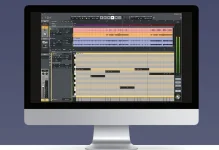
Universal Audio added LUNA Play to both LUNA Free and LUNA Studio when LUNA 3.0 shipped on September 15, 2026. The point is simple. Get an instrument into the computer, let LUNA handle some setup, and start recording before the idea turns into an afternoon of routing menus.
LUNA Play listens during setup, identifies what you are playing, sets recording levels, detects tempo, and offers a UAD processing chain matched to the source. Universal Audio positions it as a quick-capture environment, but it is still connected to the rest of LUNA rather than living in a separate sketchpad.
Most coverage stops at the phrase “voice memo for musicians,” which makes the feature sound smaller than it is. The new LUNA 3.0 recording workflow matters because Play attacks the fiddly minute before recording, not the editing work after it.
Play compresses several of those choices into a sound-check stage. UA says it detects the instrument, sets input levels, and loads a curated UAD plug-in chain suited to what it hears, while its demonstration also shows tempo detection as part of the process.
Instrument detection is doing more than attaching a guitar icon to a track. Software identifying instruments from sound is a classification problem complicated by playing style, recording quality, noise, and overlapping sources, so a clean solo input gives the system a much easier job than a room microphone hearing three musicians at once.
A singer with one microphone or a guitarist plugged straight into an interface is therefore the obvious case. You play through the sound check, LUNA gets the track into usable territory, and you can record without building a channel strip from scratch.
Play can make the DAW side faster without choosing microphone placement, fixing a noisy cable, taming a loud room, or deciding whether a vocal should be recorded dry. Those are recording decisions, and the automatic UAD preset is best treated as a starting sound rather than a verdict.
The same applies to level setting. A quiet fingerpicked guitar followed by aggressive strumming can create a very different peak level, so the useful habit is to sound-check with the loudest realistic part of the performance instead of giving Play a polite five-second sample.
Preset suggestions also have a practical upside beyond speed. Someone who knows the song better than the plug-in drawer can hear a processed vocal or guitar immediately, then decide whether the chain helps the performance instead of auditioning compressors, EQs, amps, and reverbs before recording a note.
The useful distinction is what Play automates and what it leaves alone. It helps identify the source, establish a workable recording setup, supply a starting processing chain, and get the transport moving, while arrangement, editing, detailed processing, and mixing remain normal production work.
Experienced engineers may already have templates that do most of this. A fixed vocal chain, named inputs, prepared cue mixes, and reliable gain settings can make Play redundant in a room that records the same sources every day.
Home producers have a different problem. One session might begin with a microphone, the next with guitar, and the next with a rough idea played over an imported song, so a setup that adapts to the incoming source saves more time than a template built around yesterday’s instrument.
The strongest use is the first usable pass, not the final polished take. Record the idea while the phrasing, chord movement, or melody is still fresh, then open up the normal session controls once the performance has earned the extra attention.
LUNA Play listens during setup, identifies what you are playing, sets recording levels, detects tempo, and offers a UAD processing chain matched to the source. Universal Audio positions it as a quick-capture environment, but it is still connected to the rest of LUNA rather than living in a separate sketchpad.
Most coverage stops at the phrase “voice memo for musicians,” which makes the feature sound smaller than it is. The new LUNA 3.0 recording workflow matters because Play attacks the fiddly minute before recording, not the editing work after it.
LUNA Play clears the setup before the first take
Open an ordinary blank session and several small decisions arrive at once. You need the right input, a sensible recording level, a track that matches the source, a monitoring sound, and usually some idea of tempo before the red button feels useful.Play compresses several of those choices into a sound-check stage. UA says it detects the instrument, sets input levels, and loads a curated UAD plug-in chain suited to what it hears, while its demonstration also shows tempo detection as part of the process.
Instrument detection is doing more than attaching a guitar icon to a track. Software identifying instruments from sound is a classification problem complicated by playing style, recording quality, noise, and overlapping sources, so a clean solo input gives the system a much easier job than a room microphone hearing three musicians at once.
A singer with one microphone or a guitarist plugged straight into an interface is therefore the obvious case. You play through the sound check, LUNA gets the track into usable territory, and you can record without building a channel strip from scratch.
Automatic setup does not replace gain staging
There is an important limit hiding behind the convenience. LUNA Free works with third-party audio interfaces, but software cannot rescue an analog input that clipped before the converter, so a hardware gain knob still deserves attention when your interface requires manual preamp control.Play can make the DAW side faster without choosing microphone placement, fixing a noisy cable, taming a loud room, or deciding whether a vocal should be recorded dry. Those are recording decisions, and the automatic UAD preset is best treated as a starting sound rather than a verdict.
The same applies to level setting. A quiet fingerpicked guitar followed by aggressive strumming can create a very different peak level, so the useful habit is to sound-check with the loudest realistic part of the performance instead of giving Play a polite five-second sample.
Preset suggestions also have a practical upside beyond speed. Someone who knows the song better than the plug-in drawer can hear a processed vocal or guitar immediately, then decide whether the chain helps the performance instead of auditioning compressors, EQs, amps, and reverbs before recording a note.
Quick capture can grow into a normal LUNA session
LUNA Play is not limited to an isolated first take. UA lets you bring in a song, use stem separation to isolate parts, and record against the material, which makes the mode useful for writing a top line, practicing over a backing track, or replacing an element piece by piece.The useful distinction is what Play automates and what it leaves alone. It helps identify the source, establish a workable recording setup, supply a starting processing chain, and get the transport moving, while arrangement, editing, detailed processing, and mixing remain normal production work.
Experienced engineers may already have templates that do most of this. A fixed vocal chain, named inputs, prepared cue mixes, and reliable gain settings can make Play redundant in a room that records the same sources every day.
Home producers have a different problem. One session might begin with a microphone, the next with guitar, and the next with a rough idea played over an imported song, so a setup that adapts to the incoming source saves more time than a template built around yesterday’s instrument.
The strongest use is the first usable pass, not the final polished take. Record the idea while the phrasing, chord movement, or melody is still fresh, then open up the normal session controls once the performance has earned the extra attention.