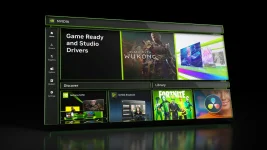
NVIDIA App 11.0.9.585 has a hidden GPU priority setting that some GeForce users can access. The control reportedly lets people choose how their graphics card handles active apps and tasks running in the background, though NVIDIA has not confirmed a wider release.
The option has appeared under System > Advanced on certain PCs. Users describe three choices that range from balanced scheduling to a mode that favors the app currently in use, along with a slider for manual changes.
Here's where the numbers get interesting. Reports suggest an 80/20 split as the normal setting, with 90/10 available for active apps and a custom limit reaching 95/5. But those figures do not mean software gets a fixed share of the GPU.
NVIDIA has yet to explain what the percentages control behind the scenes. They may affect how tasks get scheduled, rather than place firm limits on how much processing power an app can use.
And access has been hit or miss. At least one RTX 5090 user reportedly found the menu, while people running RTX 5070 Ti and RTX 4090 cards could not find it, despite using the same app release.
Driver differences make the reports harder to judge. There's no clear proof that the setting belongs to a specific GPU series, or that every GeForce card will get it.
The idea has some history in NVIDIA's other hardware. RTX Spark systems already have tools that manage GPU resources when active software runs alongside demanding background jobs, such as local AI models.
A similar option on consumer graphics cards could help gamers who keep other heavy tasks active. Someone playing a game while running local AI software, for instance, may want the game to receive more attention from the GPU.
Streamers could find it useful as well. A user might give a game higher priority while recording or encoding continues elsewhere, though the result would depend on how those tasks share hardware resources.
But priority controls cannot make a graphics card more powerful. If several programs already demand all available GPU resources, changing their order may still leave some tasks running slower.
There are no verified benchmarks showing better frame rates, lower latency, or more stable capture from this setting. Any performance claim would need proper tests with the same hardware and workloads.
The feature's limited visibility also leaves several open questions. NVIDIA may be testing it with selected users, linking it to certain drivers, or checking for another system requirement that has not been made public.
Official notes for version 11.0.9.585 cover other changes. These include wider DLSS Override support, fresh game optimization profiles, and fixes for security and stability issues.
GPU App Prioritization does not appear in those notes. NVIDIA has made no formal GeForce announcement explaining the option, its hardware requirements, or how it works.
For anyone checking their PC, the reported location is the Advanced page in the app's System area. If the menu is missing, that does not prove the graphics card lacks support.
The reports point to a possible new way to manage shared GPU workloads, but its release status and real benefits remain unclear. Until NVIDIA provides details or independent tests appear, the feature remains an early user discovery rather than a confirmed GeForce capability.
The option has appeared under System > Advanced on certain PCs. Users describe three choices that range from balanced scheduling to a mode that favors the app currently in use, along with a slider for manual changes.
Here's where the numbers get interesting. Reports suggest an 80/20 split as the normal setting, with 90/10 available for active apps and a custom limit reaching 95/5. But those figures do not mean software gets a fixed share of the GPU.
NVIDIA has yet to explain what the percentages control behind the scenes. They may affect how tasks get scheduled, rather than place firm limits on how much processing power an app can use.
And access has been hit or miss. At least one RTX 5090 user reportedly found the menu, while people running RTX 5070 Ti and RTX 4090 cards could not find it, despite using the same app release.
Driver differences make the reports harder to judge. There's no clear proof that the setting belongs to a specific GPU series, or that every GeForce card will get it.
The idea has some history in NVIDIA's other hardware. RTX Spark systems already have tools that manage GPU resources when active software runs alongside demanding background jobs, such as local AI models.
A similar option on consumer graphics cards could help gamers who keep other heavy tasks active. Someone playing a game while running local AI software, for instance, may want the game to receive more attention from the GPU.
Streamers could find it useful as well. A user might give a game higher priority while recording or encoding continues elsewhere, though the result would depend on how those tasks share hardware resources.
But priority controls cannot make a graphics card more powerful. If several programs already demand all available GPU resources, changing their order may still leave some tasks running slower.
There are no verified benchmarks showing better frame rates, lower latency, or more stable capture from this setting. Any performance claim would need proper tests with the same hardware and workloads.
The feature's limited visibility also leaves several open questions. NVIDIA may be testing it with selected users, linking it to certain drivers, or checking for another system requirement that has not been made public.
Official notes for version 11.0.9.585 cover other changes. These include wider DLSS Override support, fresh game optimization profiles, and fixes for security and stability issues.
GPU App Prioritization does not appear in those notes. NVIDIA has made no formal GeForce announcement explaining the option, its hardware requirements, or how it works.
For anyone checking their PC, the reported location is the Advanced page in the app's System area. If the menu is missing, that does not prove the graphics card lacks support.
The reports point to a possible new way to manage shared GPU workloads, but its release status and real benefits remain unclear. Until NVIDIA provides details or independent tests appear, the feature remains an early user discovery rather than a confirmed GeForce capability.